Adom Step2GLB - STEP to GLB converter
Public Made by Adomby adom
Color-preserving STEP (.step/.stp) to GLB converter. Thin Rust CLI shelling to a shared OCCT XCAF service. Formerly 'step2glb'.
adom-step2glb
Thin CLI for STEP → GLB conversion with color preservation. Forwards requests to the shared service-step2glb container so individual containers don't need to ship the ~1.1 GB OCCT runtime.
Renamed: this app was formerly published as
step2glb. It's nowadom-step2glb(binaryadom-step2glb), using the v1.2 async job protocol against the shared service. Astep2glbbinary alias is kept for back-compat — existing scripts that callstep2glb …keep working.
What it does
step2glb convert SOT-89-3.step -o SOT-89-3.glb
step2glb from-library Package_TO_SOT_SMD/SOT-89-3
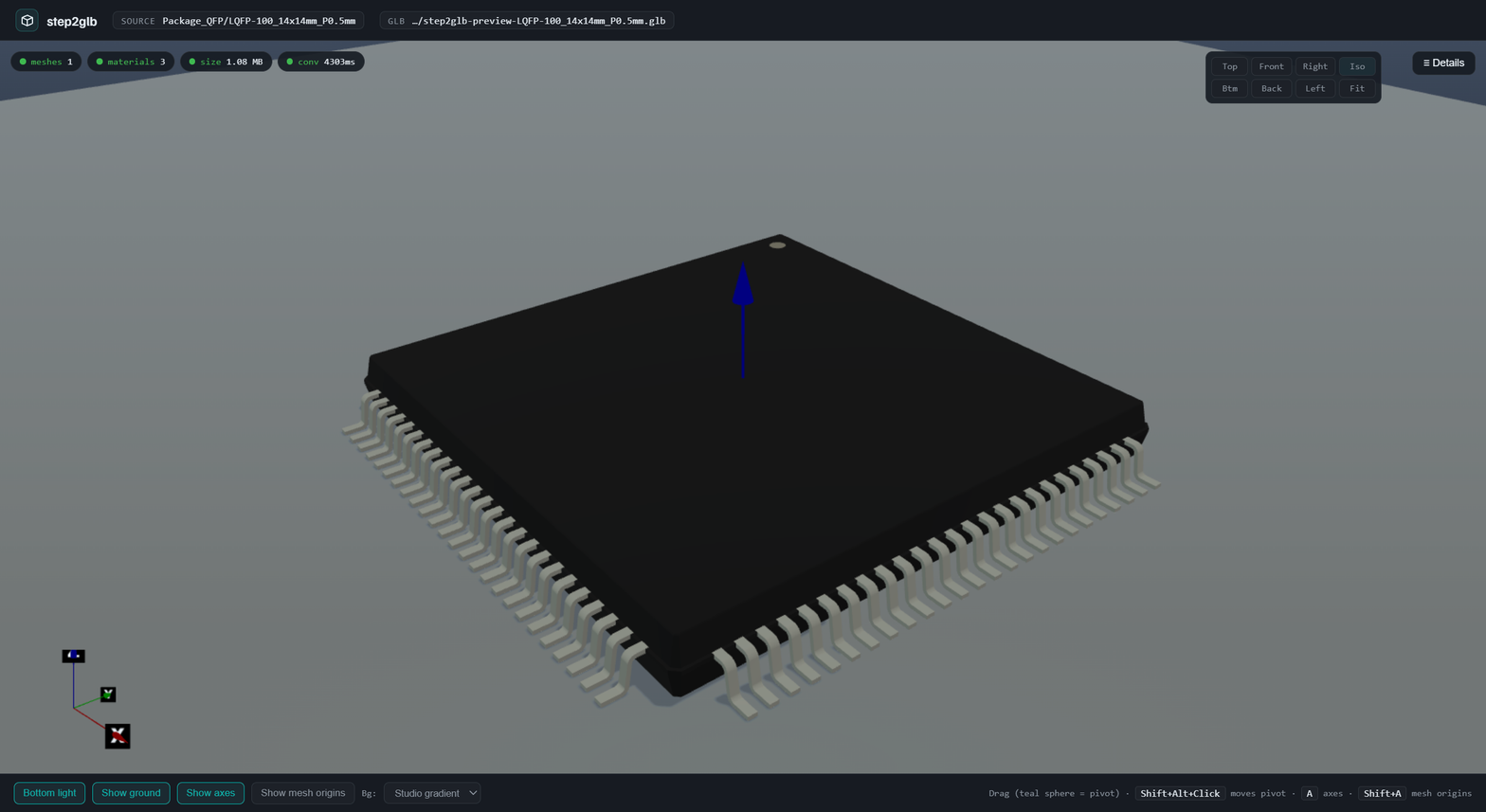
step2glb preview Package_QFP/LQFP-100_14x14mm_P0.5mm      # opens a Hydrogen webview
All three pass through to service-step2glb, which:
- Reads STEP via OCCT's
STEPCAFControl_Readerwith colors, names, and materials enabled. - Tessellates with
BRepMesh_IncrementalMesh. - Writes glTF with
RWGltf_CafWriter— the XCAF path that preserves per-face colors from the source CAD (unlikecadquery.Assembly.save('…glTF')orkicad-cli pcb export glb, which both collapse to all-white).
The CLI follows adom-cli-design: OK: / ERROR: / Hint: on the first line, then a JSON companion line so AI callers can parse the result structurally.
The preview webview
step2glb preview <source> opens a Hydrogen tab with a Babylon scene tuned per the 3d-viewer-design skill: brightened gradient bg, medium-gray transparent ground with real cast shadows, depth-tested world-origin gizmo, screen-space corner triad with X/Y/Z labels, Shift+Alt+Click orbit recentering, adaptive camera precision.
Materials preserved from the STEP file
The drawer lists every material extracted by OCCT's XCAF pipeline with a live color swatch and RGB values. This is the thing that was missing in the legacy kicad-cli pcb export glb path.
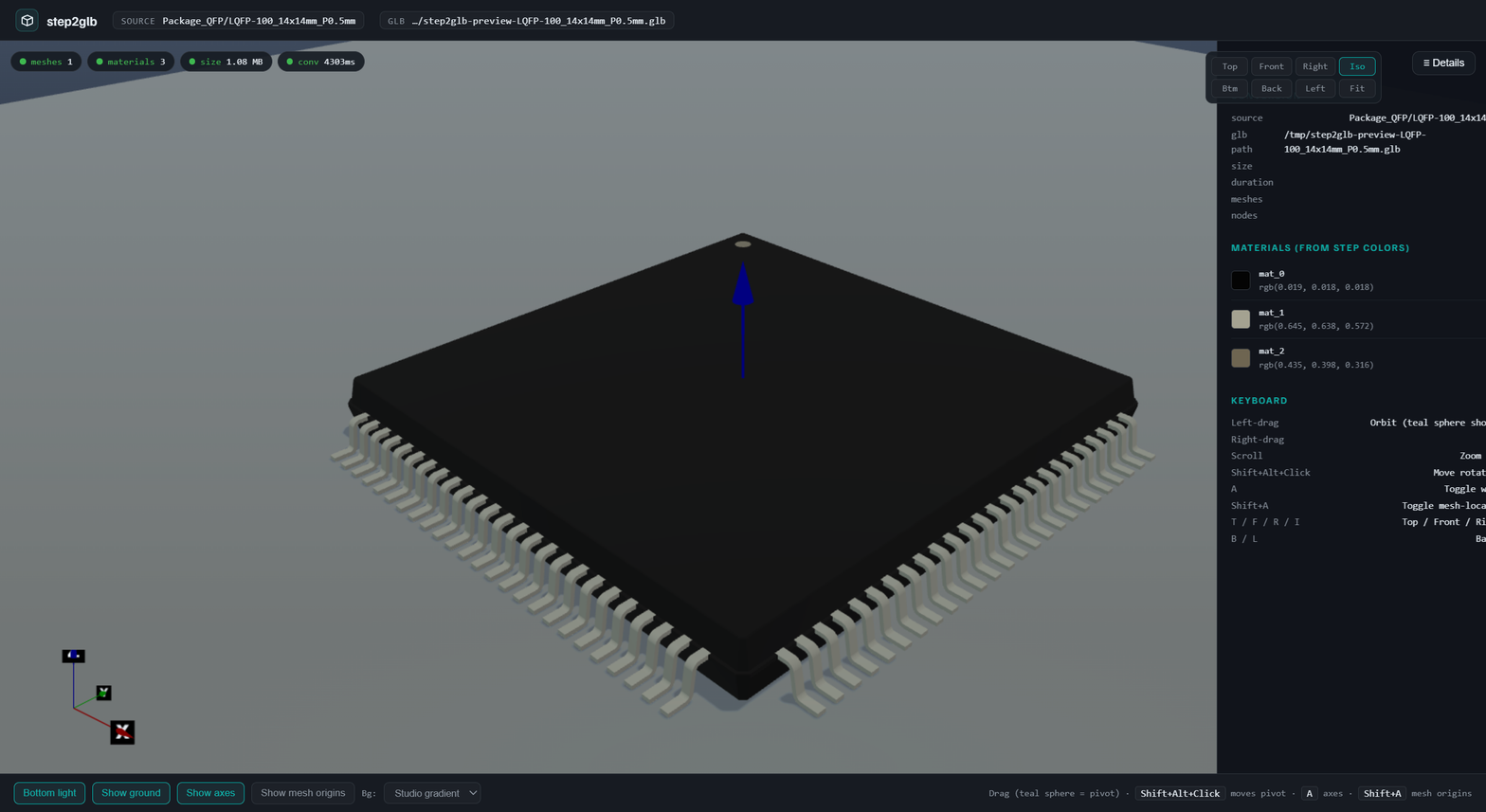
Bottom view works through a 65%-transparent ground
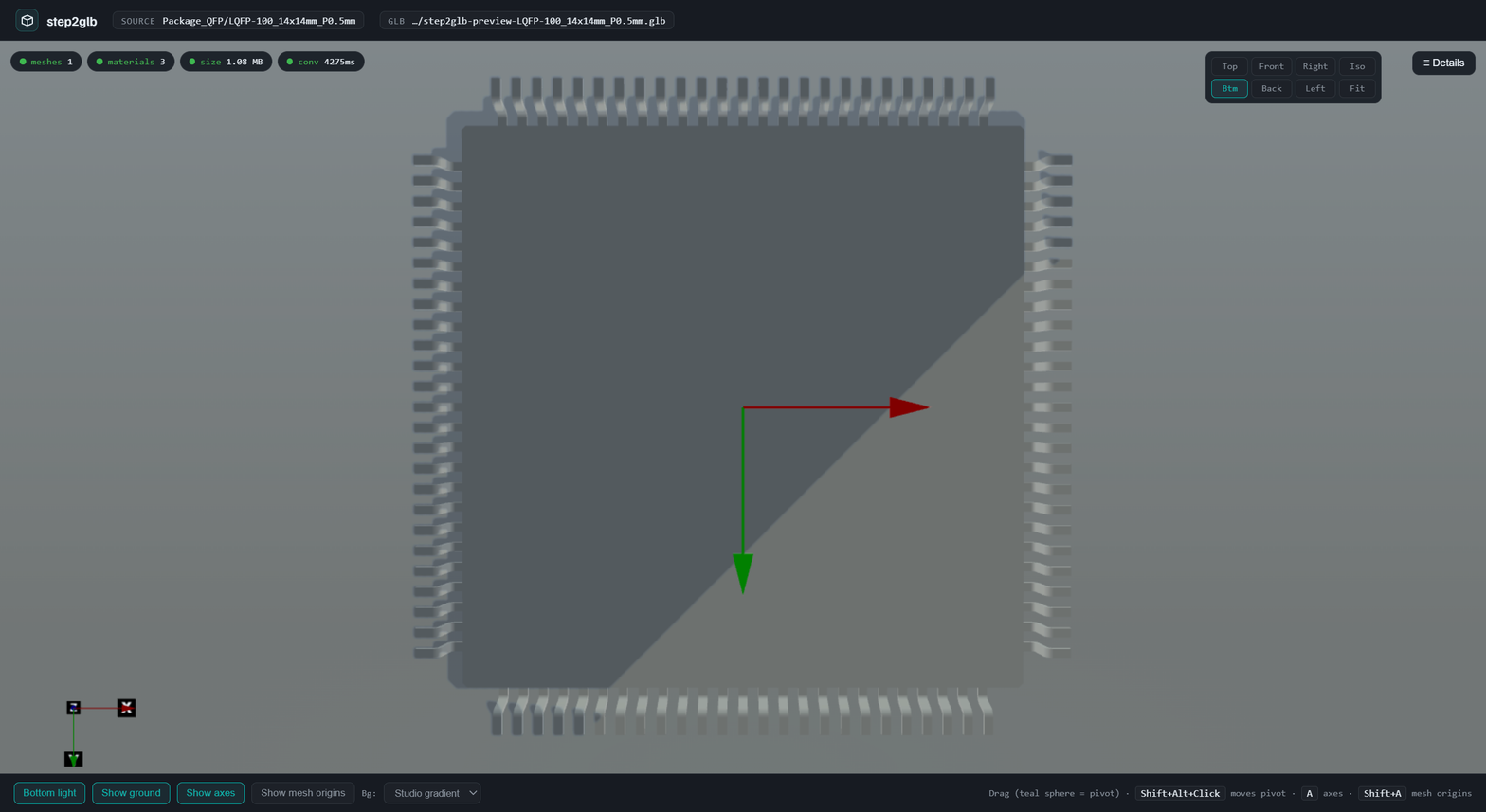
Per the 3d-viewer-design §4d ground rule, the ground plane is alpha 0.35 so the chip's bottom face stays visible through it — critical for "is the chip seated on pads or floating above?"
Regenerates the 3 broken wiki 3dcomp chips
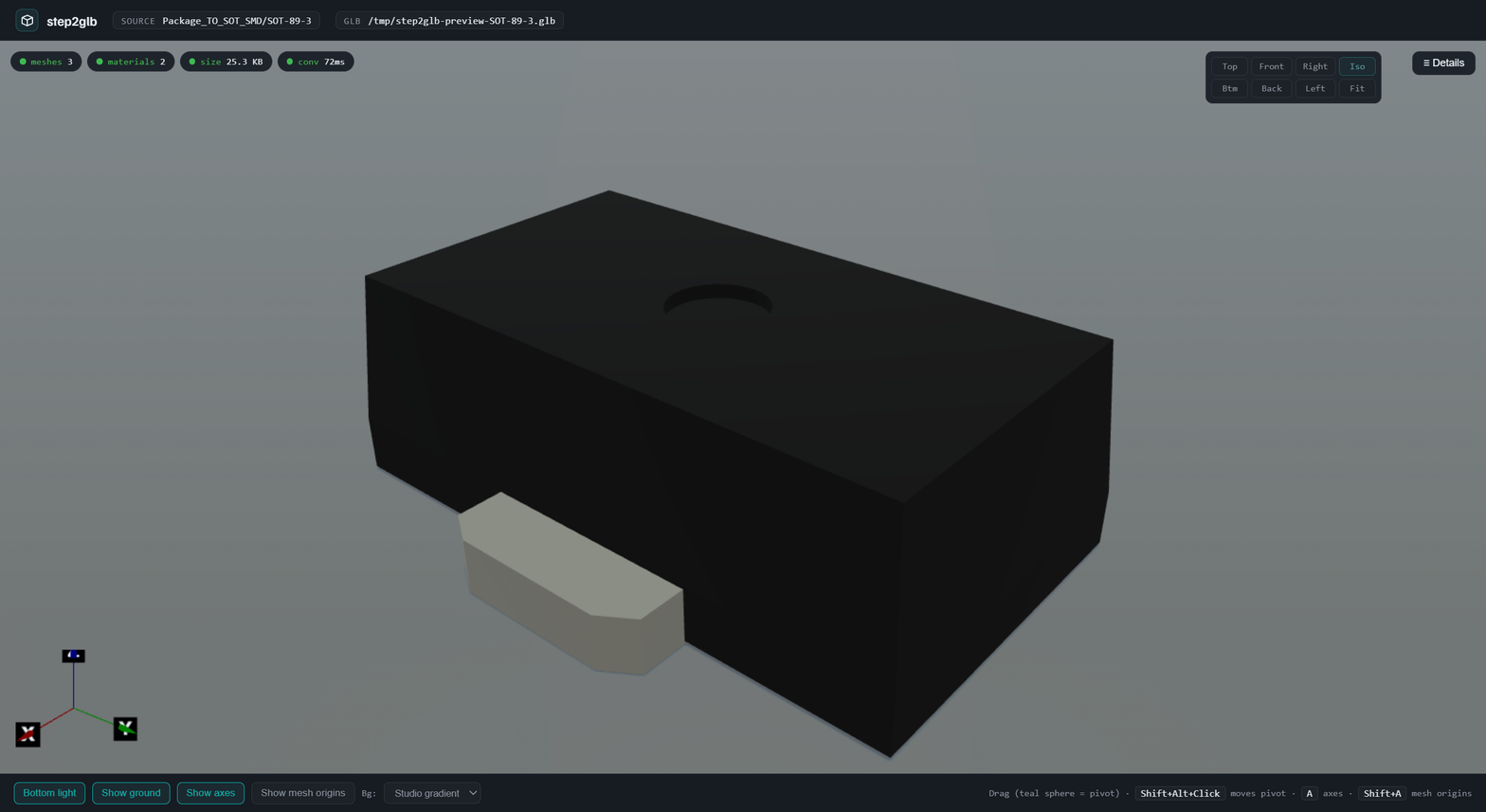
Package_TO_SOT_SMD/SOT-89-3 was one of three wiki 3dcomps whose GLBs had no chip body — just the baked PCB demo — because the legacy kicad-cli GLB export stripped the body. step2glb regenerates it cleanly:
Install (Tier B, from the wiki)
See SKILL.md for the one-liner. No venv, no Python, no OCCT on the local container — just a 3 MB binary.
Related repos
- adom-inc/service-step2glb — the shared-service container this CLI talks to. Owns the Python helper, OCCT venv, and watchdog.
- adom-inc/service-kicad — supplies STEP files (+ all other KiCad library content) to
from-librarycalls.
Local development
./build.sh            # cargo build --release + install to /usr/local/bin
./tests/ralph.sh      # 5-package conversion smoke test; pass criteria: meshes>=1, materials>=1, sizeBytes>1000
The preview subcommand still spawns a local tiny_http — Hydrogen webviews can't reach the external service URL directly, so the GLB is fetched once from the service and re-served on the user's container-proxy port for the webview.
# adom-step2glb
Thin CLI for STEP → GLB conversion with color preservation. Forwards requests to the shared **service-step2glb** container so individual containers don't need to ship the ~1.1 GB OCCT runtime.
> **Renamed:** this app was formerly published as `step2glb`. It's now `adom-step2glb` (binary `adom-step2glb`), using the v1.2 async job protocol against the shared service. A `step2glb` binary alias is kept for back-compat — existing scripts that call `step2glb …` keep working.

## What it does
```
step2glb convert SOT-89-3.step -o SOT-89-3.glb
step2glb from-library Package_TO_SOT_SMD/SOT-89-3
step2glb preview Package_QFP/LQFP-100_14x14mm_P0.5mm # opens a Hydrogen webview
```
All three pass through to `service-step2glb`, which:
1. Reads STEP via OCCT's `STEPCAFControl_Reader` with colors, names, and materials enabled.
2. Tessellates with `BRepMesh_IncrementalMesh`.
3. Writes glTF with `RWGltf_CafWriter` — the XCAF path that **preserves per-face colors** from the source CAD (unlike `cadquery.Assembly.save('…glTF')` or `kicad-cli pcb export glb`, which both collapse to all-white).
The CLI follows adom-cli-design: `OK:` / `ERROR:` / `Hint:` on the first line, then a JSON companion line so AI callers can parse the result structurally.
## The preview webview
`step2glb preview <source>` opens a Hydrogen tab with a Babylon scene tuned per the `3d-viewer-design` skill: brightened gradient bg, medium-gray transparent ground with real cast shadows, depth-tested world-origin gizmo, screen-space corner triad with X/Y/Z labels, Shift+Alt+Click orbit recentering, adaptive camera precision.
### Materials preserved from the STEP file
The drawer lists every material extracted by OCCT's XCAF pipeline with a live color swatch and RGB values. This is the thing that was missing in the legacy `kicad-cli pcb export glb` path.

### Bottom view works through a 65%-transparent ground
Per the `3d-viewer-design` §4d ground rule, the ground plane is alpha 0.35 so the chip's bottom face stays visible through it — critical for "is the chip seated on pads or floating above?"

### Regenerates the 3 broken wiki 3dcomp chips
`Package_TO_SOT_SMD/SOT-89-3` was one of three wiki 3dcomps whose GLBs had no chip body — just the baked PCB demo — because the legacy kicad-cli GLB export stripped the body. step2glb regenerates it cleanly:

## Install (Tier B, from the wiki)
See `SKILL.md` for the one-liner. No venv, no Python, no OCCT on the local container — just a 3 MB binary.
## Related repos
- **adom-inc/service-step2glb** — the shared-service container this CLI talks to. Owns the Python helper, OCCT venv, and watchdog.
- **adom-inc/service-kicad** — supplies STEP files (+ all other KiCad library content) to `from-library` calls.
## Local development
```
./build.sh # cargo build --release + install to /usr/local/bin
./tests/ralph.sh # 5-package conversion smoke test; pass criteria: meshes>=1, materials>=1, sizeBytes>1000
```
The `preview` subcommand still spawns a local `tiny_http` — Hydrogen webviews can't reach the external service URL directly, so the GLB is fetched once from the service and re-served on the user's container-proxy port for the webview.