Adom Step2GLB - The Adom STEP Engine
Public Made by Adomby adom
The Adom STEP engine: fully manage STEP files. Convert to color-preserving GLB, render thumbnails and vector outlines, laser-etch MPNs, create and edit STEP geometry, extract features, and run molecule mode. One name for the thin Rust CLI and the shared OCCT service. Formerly 'step2glb' + 'service-step2glb'.

Install?
The Adom STEP engine: fully manage STEP files. Convert to color-preserving GLB, render thumbnails and vector outlines, laser-etch MPNs, create and edit STEP geometry, extract features, and run molecule mode. One name for the thin Rust CLI and the shared OCCT service. Formerly 'step2glb' + 'service-step2glb'.
adom-wiki pkg install adom/adom-step2glbLatest: v1.3.4, published
Contents
- Quick start
- How it works
- What it can do
- Convert: STEP to color-preserving GLB
- Silkscreen overlays (plain and molecule mode)
- Molecule mode: the full board pipeline in one call
- Textured board GLB: keep it, just add the frame (anchor-glb)
- Thumbnails: one pose or the whole family
- The chip-icon family: outlines and laser marks
- STEP creation and editing
- Geometry analysis
- Human verification
- Who builds on it
- Barrett's Altium import pipeline
- chip-thumbnailer, the chip-icon factory
- Ray's adom-chip-laser
- And the molecule pipeline
- Direct HTTP API
- The service container (ops)
- What's new
- Local development
README
markdownadom-step2glb
The Adom STEP engine: fully manage STEP files. One name for the CLI and the shared OCCT service behind it.
adom-step2glb is two halves of one thing, and this page is the home for both:
- The CLI: a ~3 MB Rust binary (
step2glb, also installed asadom-step2glb) that you install on any container. No Python, no CAD kernel, no venv. - The service: a shared
default-lightcontainer running the full OCCT XCAF pipeline (~1.1 GB runtime the CLI never has to ship). It converts, renders, analyzes, and edits STEP files for the whole Adom fleet.
Anything STEP-related that needs a real CAD kernel goes through here: converting STEP to color-preserving GLB, rendering thumbnails and vector outlines, extracting geometry, laser-embossing part numbers into the die, generating chip and footprint STEPs from JSON, baking transforms, and running the full molecule pipeline for boards.
Renamed: this app was formerly published as
step2glb, and the backend was known separately as "service-step2glb". It is alladom-step2glbnow. Thestep2glbbinary alias is kept, existing scripts keep working, and issues for either half belong on this page.
Quick start
adom-wiki pkg install adom/adom-step2glb   # installs the binary + AI skill
step2glb health                            # checks the shared service
step2glb convert part.step -o part.glb     # your first conversion
step2glb preview part.step                 # convert + open a Hydrogen webview
The CLI follows adom-cli-design: OK: / ERROR: / Hint: on the first line, then a JSON companion line so AI callers can parse results structurally.
How it works
your container                        shared service container
┌────────────────────┐    HTTPS      ┌──────────────────────────────────┐
│ step2glb CLI (3MB) │ ───────────▶  │ HTTP server (never touches OCCT) │
│  or raw curl       │  202 job_id   │   └─ job queue (4 workers)       │
│                    │ ◀───────────  │       └─ OCCT subprocess per job │
│ polls /jobs/{id}   │               │          STEPCAFControl_Reader   │
│ downloads /result  │               │          RWGltf_CafWriter        │
└────────────────────┘               └──────────────────────────────────┘
- Async everywhere. Every POST returns
202 + job_idimmediately. Clients pollGET /jobs/{id}untilstatus: complete, then fetchGET /jobs/{id}/result. The CLI does all polling for you. - Crash-proof by design. The server process never imports OCCT. Every job runs in an isolated subprocess, so a segfault on a pathological STEP kills one job, not the service.
- Colors survive conversion. OCCT's XCAF path (
STEPCAFControl_Readerwith colors, names, and materials enabled, thenRWGltf_CafWriter) keeps per-face colors from the source CAD. The legacy paths everyone hits first (cadquery.Assembly.save('…glTF'),kicad-cli pcb export glb) collapse everything to all-white. - Large uploads gzip automatically (STEP is text; it compresses about 5x).
- Identity required. Every POST carries
X-ClientandX-Job-Nameheaders so the service dashboard can attribute load. The CLI sends them automatically; raw HTTP callers must set both.
What it can do
Convert: STEP to color-preserving GLB
step2glb convert SOT-89-3.step -o SOT-89-3.glb
step2glb from-library Package_TO_SOT_SMD/SOT-89-3   # fetch from service-kicad + convert in one round-trip
Output is mode-aware compressed: plain converts get decoder-free KHR_mesh_quantization (loads anywhere, even in the wiki readme sandbox whose CSP can never fetch a Draco decoder), molecule boards get the full join+weld+Draco optimize (7 to 8x smaller on CAD tessellations). Override with compress=quantize|draco|none on the HTTP endpoint. Units are normalized to glTF-spec meters. Over-budget models also get a decimated <slug>.web.glb LOD for component pages.
Silkscreen overlays (plain and molecule mode)
step2glb convert board.step -o board.glb --silk-top overlay.png
Attach white-on-transparent PNG artwork with --silk-top / --silk-bottom and the service drapes it onto the board's top/bottom face. Works in plain converts and molecule mode; the response reports silkscreen_applied and silkscreen_sides so you can assert on it. (Before v0.12.0 the flags were silently ignored without --molecule; see issue #5. Now they apply in both modes, and a specified overlay that cannot be read or applied is a hard error, never a silent no-op.)
Molecule mode: the full board pipeline in one call
step2glb convert board.step --board board.kicad_pcb --pin medium -o my-board.glb
# --board implies --molecule; EAGLE/Fusion .brd boards work too
One command runs the whole server-side molecule pipeline: MP-marker anchoring (Z-up, front-left machine pin at origin), canonical gold machine-pin material, silkscreen overlay, meter normalization, Draco optimize, and, with a board attached, footprint + symbol JSON with per-pad wire-attach Z, downloaded beside the GLB as <stem>_footprint.json / <stem>_symbol.json. The final GLB carries asset.extras.adomMolecule provenance. Gate on the printed stats before publishing (the molecule-publish skill treats them as stop-signs).
Textured board GLB: keep it, just add the frame (anchor-glb)
tsci build lib/index.tsx --glbs                       # tscircuit: dist/lib/index/3d.glb with traces + silkscreen textures
step2glb convert board.step --board board.kicad_pcb  # once, for the attachment contract: <stem>_footprint.json
step2glb anchor-glb dist/lib/index/3d.glb --footprint my-board_footprint.json -o my-board.glb
convert --molecule starts from STEP, and STEP cannot carry the glTF textures a tscircuit build already has, so publishing the STEP-derived GLB gave readers a plainer model than the design preview. anchor-glb takes the detailed GLB as-is and adds one root node (MoleculeFrame) with the molecule transform: millimetres/Y-up to metres/Z-up, MP1 at the footprint origin, contact plane at the footprint z. Nothing else changes: every mesh, material, texture, image, accessor and the whole binary payload are byte-identical, and the verb checks that before writing. Every MP/MC marker in the footprint must exist as a scene-root node and land on its contract position (--tolerance, default 0.0001 mm) or the verb refuses and writes nothing. The GLB gets asset.extras.adomMolecule (texturesPreserved: true, sourceFrame: tscircuit) and a <out>.model-quality.json report beside it with both sha256s and the verified positions. Local and deterministic: no upload. --source-frame is explicit and only tscircuit is supported; a GLB from another tool is refused rather than guessed at.
Thumbnails: one pose or the whole family
step2glb thumbnail part.step --width 800 --height 600 --pose iso
step2glb thumbnail-batch part.step --orientations asIs,zDown,yUp --sizes lg -o thumbs/
/thumbnail renders one shaded PNG (poses: iso, iso2, top, front, side; six up-axis orientations). /thumbnail-batch loads the STEP once and renders every orientation x size variant in a single V3d session, about 5 to 10x faster than looping single calls. Batch jobs are async like everything else; the CLI polls and unpacks the PNGs for you (fixed in v0.12.0, issue #6).
The chip-icon family: outlines and laser marks
curl -X POST "$SVC/outline?upAxis=z&name=BME688" --data-binary @chip.step        # {style: svg} x 16 OCCT-HLR outline styles
curl -X POST "$SVC/name-emboss?name=BME688&rot=180" --data-binary @chip.step     # MPN lasered into the die: embossed STEP + rendered iso
/outline produces 16 vector outline styles (hidden-line removal: solid, dashed, neon, x-ray, blueprint, in 7 colors and 3 weights). /name-emboss is real STEP editing: it cuts the part number into the chip top as geometry and returns both the embossed STEP and a rendered preview. These two power chip-thumbnailer (below).
STEP creation and editing
curl -X POST "$SVC/create-chip"       -d @chip_3d.json       # parametric chip body JSON to STEP
curl -X POST "$SVC/create-footprint"  -d @pads.json          # pad array JSON to STEP
curl -X POST "$SVC/bake" -F [email protected] -F [email protected] # bake transforms into the geometry
curl -X POST "$SVC/compose-vias" -F [email protected] -F [email protected]   # chip + named heatsink-via barrels, two toggleable solids
curl -X POST "$SVC/laser-etch?name=LAN7800&line2=MICROCHIP&mode=flat" --data-binary @chip.step   # part number on the die, colours kept
/laser-etch puts the part number on the die and keeps every source colour (the older /name-emboss is fuse-based and drops them, issue #7). mode=flat (default) writes the glyphs as thin 0.02 mm solids floating 0.01 mm above the top face in their own Adom.LaserEtch group beside Adom.Chip, so Fusion gives the mark an eye toggle like the via and solder-ball layers, with one straight extrusion of the outlines for a minimal triangle count. mode=cut engraves the text into the body instead (one body, cannot be toggled). Both centre a two-line block on the die and enforce a keep-out around the pin-1 dimple (keepout=x,y,r, default the top-left dimple), refusing to mark if the text would intrude.
/compose-vias composes a chip STEP with a via layer into one STEP whose root assembly holds two named components: Adom.Chip (the input geometry, untouched) and Adom.HeatsinkVias (copper barrels at each via centre, 0.3 mm hole and 0.6 mm OD by default, from z=0 down through a 1.6 mm board). Fusion 360 imports them as separately toggleable bodies. This is a review artefact (wiki widgets, chipsmith, "what this part needs" views), not the STEP that ships in an EDA library: vias are board features the EDA tool creates from the footprint's through pads, so a via body inside the package STEP would duplicate board geometry and assume a stack-up (the response reports purpose: review-artifact and the assumed thickness). The one editing layer that legitimately stays in a library STEP is the laser etch, because it is part of the physical package.
The same endpoint composes solder balls: pass adom-footprint's solder-balls JSON as the vias part (it carries a balls array, ball.diameter, and a KiCad Y-down origin, all handled) and the layer becomes Adom.SolderBalls, one solid hemisphere per ball with its flat face on the pad plane at z=0 and the dome pointing up into the package (ball_dome: "down" flips it). Library binding (decided 2026-08-30): each composed layer STEP is bound to its own device in the library deviceset, so a package ships as up to three variant STEPs, chip-only, chip + Adom.HeatsinkVias, chip + Adom.SolderBalls, never merged into one file; the group names are a stable contract that the fusion-bridge relies on to hide layers by name.
Layer contract (proven in Fusion 360, 2026-08-30): each named solid group imports as its own occurrence with its own eye toggle (Adom.Chip:1, Adom.HeatsinkVias:1 with 16 bodies), but a hidden state inside one STEP is not honoured when Fusion places the package on a 3D board, everything re-shows. So the toolchain uses two files, never one: the library STEP stays chip-only plus laser etch, and composed layers are review artefacts. Adom.HeatsinkVias contains via barrels only. Board stock and pads, if ever emitted, get their own groups (Adom.Board, Adom.Pads) that default off, never folded into the vias or chip groups: Fusion's own dashed pad outlines already prove the footprint lines up with the chip, which is more useful than rendered pads. The vias JSON is {"vias":[{"x":-1.8,"y":-1.8}, ...]} in footprint mm (Y-up, origin = exposed-pad centre) with optional drill_mm, barrel_od_mm, board_thickness_mm, chip_name, vias_name, root_name; adom-footprint emits this file for every heatsink footprint.
The service does not just read STEP files, it writes and edits them: generating chip bodies and footprint geometry from JSON specs, baking transforms, and embossing text. Output of every one of these is a downloadable STEP.
Geometry analysis
step2glb features part.step -o -     # bbox, floor_z, longest_axis, pin1 detection
curl -X POST "$SVC/step-meta" --data-binary @part.step   # part names, assembly structure, units
Human verification
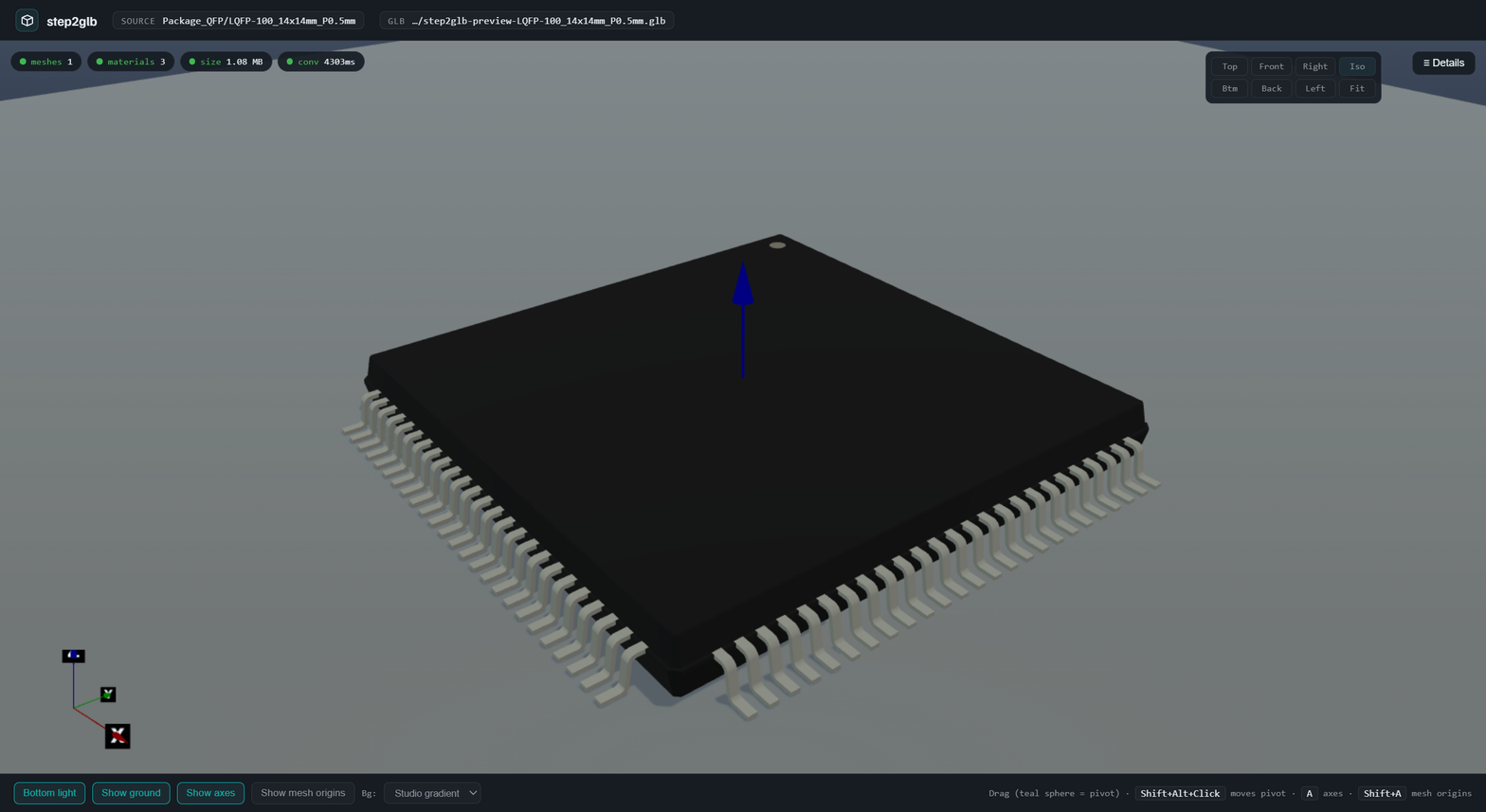
step2glb preview Package_QFP/LQFP-100_14x14mm_P0.5mm   # Hydrogen webview: Babylon scene, materials drawer, gizmos
step2glb thumb-playground                              # drag-drop a STEP, watch all 6 orientations x 3 sizes render
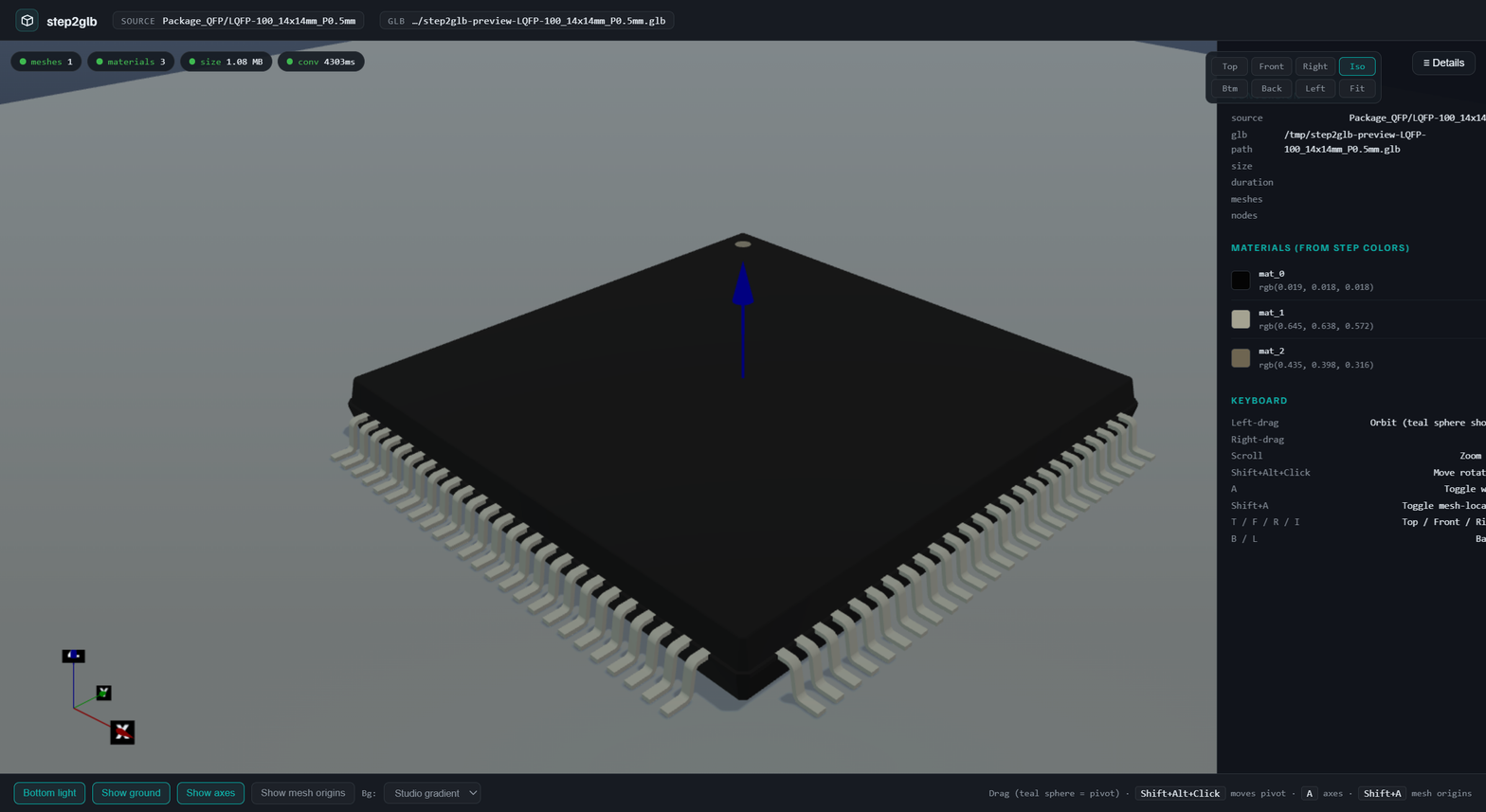
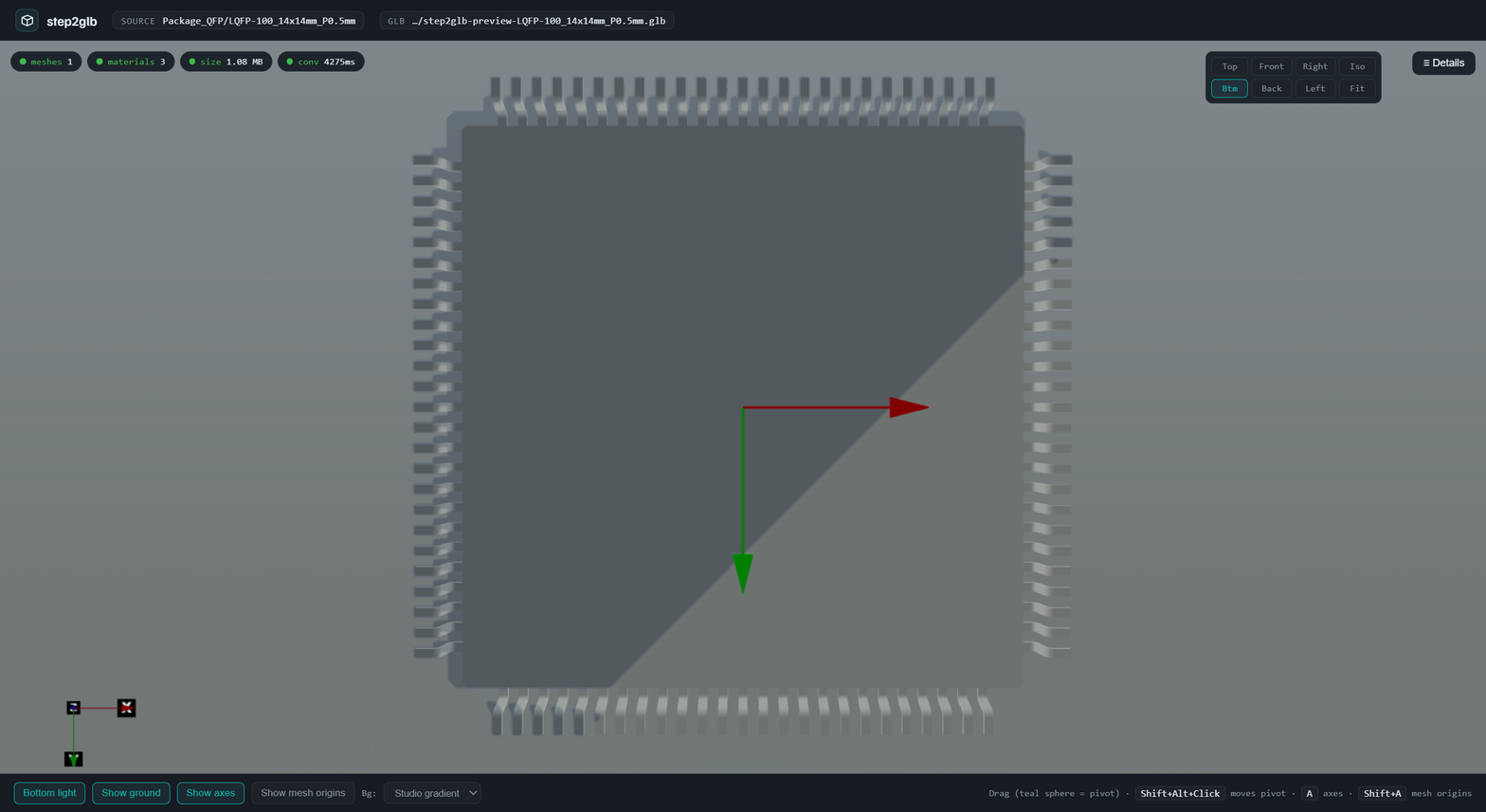
The preview scene follows the 3d-viewer-design skill: cast shadows, a 65%-transparent ground so bottom views stay readable, world-origin gizmo, corner triad.
Who builds on it
Real integrations, all in production today:
Barrett's Altium import pipeline
barrett-land/adom-desktop-altium-bridge brings Altium Designer boards into the Adom molecule world. It composites the board's Gerber layers (exposed copper = .GTL ∩ .GTS mask openings) into one RGBA overlay PNG and hands it to step2glb --silk-top, so the converted board GLB shows real copper and silk without baking 3D copper into the STEP (which balloons a 1.9 MB board export to 57.7 MB). His part importer renders orientation thumbnail batches for imported parts the same way.
chip-thumbnailer, the chip-icon factory
adom/adom-chip-thumbnailer gives every chip its complete icon family: 6 shaded orientations x 3 sizes, transparent alpha-keyed icons, the part number lasered onto the die (180 and 90 variants), the embossed STEP that travels to KiCad, and 16 vector outline styles. It is a lean Rust client; every OCCT-heavy render is a call to this service (/thumbnail, /thumbnail-batch, /outline, /name-emboss). Those icons flow into adom-symbol overlays, library cards, and wiki chip pages.
Ray's adom-chip-laser
adom/adom-chip-laser etches a component's MPN into its CAD at the STEP layer (a light-grey inlay body, real geometry, so the mark survives a Fusion 360 import). Its board command then uses this service to derive the etched chip GLB with real materials and the animated board GLB with a toggleable laser_etch layer. First live on the adom/stm32f103c8t6 component page.
And the molecule pipeline
molecule-pipeline, kicad-export-molecule, and fusion-export-molecule drive this CLI as their conversion stage; the Hydrogen editor consumes the anchored, Draco'd molecule GLBs it emits.
Direct HTTP API
The service lives at https://step2glb-gmdoncpxdwx0.adom.cloud (override with STEP2GLB_SERVICE_API; the CLI's step2glb config shows what is in effect).
| Endpoint | In | Out |
|---|---|---|
GET /health |
version, git_sha, worker/job counts | |
POST /convert |
STEP bytes, or multipart step + silk_top/silk_bottom/board |
GLB (colors preserved) |
GET /convert?library=L&name=N |
GLB (STEP fetched from service-kicad) | |
POST /thumbnail?width=&height=&pose=&upAxis= |
STEP or GLB bytes | PNG |
POST /thumbnail-batch?orientations=&sizes=&pose= |
STEP bytes | JSON with base64 PNGs |
POST /outline?upAxis=&name=&suffix=&line2=&rot= |
STEP bytes | JSON {style: svg} x 16 |
POST /name-emboss?name=&rot=&variant= |
STEP bytes | embossed STEP + rendered iso |
POST /features |
STEP bytes | JSON: bbox, floor_z, pin1 |
POST /step-meta |
STEP bytes | JSON: names, structure, units |
POST /create-chip |
chip_3d JSON | STEP |
POST /create-footprint |
pads JSON | STEP |
POST /bake |
multipart step + bake JSON | STEP |
POST /compose-vias |
multipart step + vias JSON (or solder-balls JSON) | STEP with named solids Adom.Chip + Adom.HeatsinkVias (or Adom.SolderBalls) |
POST /laser-etch?name=&line2=&mode=flat|cut |
STEP bytes | STEP with the part number on the die: floating Adom.LaserEtch group (flat) or engraved body (cut), colours preserved |
GET /jobs/{id} |
job status + stats (silkscreen, molecule, warnings, stage timings) | |
GET /jobs/{id}/result |
the binary result | |
GET /jobs/{id}/footprint /symbol |
molecule side artifacts |
Every POST needs identity headers:
X-Client:   <tool-name>/<user-or-container>     e.g. adom-tsci/john-dev
X-Job-Name: <endpoint>-<what>-<part>-<context>  e.g. convert-usbc-type-c-31-m-12
All POSTs return 202 {"job_id": …, "poll": "/jobs/<id>"}. Poll, then download. The service root URL serves a live HTML dashboard (health, recent jobs, per-client counts) if you just open it in a browser.
The service container (ops)
- Container:
john/service-step2glb(sluggm21g865swdl), a smalldefault-lightcontainer owned by John. SSH:ssh [email protected]. - Source:
adom-inc/service-occt(renamed fromservice-step2glb; the old remote redirects). Python + OCCT (cadquery-ocp), Xvfb for offscreen V3d rendering, gltf-transform for compression. - Deploy: push to
main; a cron watchdog (every 2 min) health-checks, auto-pulls, and restarts. Logs at/tmp/service-step2glb.logon the container. - Version check:
curl -s https://step2glb-gmdoncpxdwx0.adom.cloud/healthshows the exactgit_sha_shortdeployed.
What's new
Service 1.3.2 + CLI 0.13.2 (2026-09-17): anchor-glb now counts KHR_lights_punctual lights and the Adom.LED.* / Adom.LaserEtch.* state groups that go in and come out, refuses on any difference, and records them in the model-quality report (adom/adom-step2glb#17, item 1; the service side keeps them through optimize as well).
Service 1.3.1 + CLI 0.13.1 (2026-09-17), all four filed by John Lauer with exact repros:
- Fixed #13, #14, #15:
/laser-etchnow fits the part number to the usable top face. Every upward planar face within a band below the highest one is a candidate (the body top between raised terminals counts, so CL21B105KBFNNNE no longer fails with "no top face found at zmax"); both in-plane orientations are compared and the larger font wins (TPSM365R6V5RDNR reads along its 4.5 mm side); the text is scaled to a sampled rectangle proven to lie on the face and not under any higher face, with no minimum font (a 0402 gets 0.52 mm of text on its 0.6 mm body instead of 1.66 mm hanging off both ends), and glyph thickness follows the font. The job status carriesfit(face, axis, font size, extents, an overflow check, every candidate) socompletecannot hide a bad mark. A side-lying source frame is reported asfit.frame_hint, never rotated. After John'sfit_mpn_surface.py(PR #1). - Fixed #16: a job still queued or processing an hour after submission was deleted by the expiry sweep while alive, and the poller got a bare 404. In-flight jobs never expire now; a finished job past the hour answers
410withstatus: "expired"and a hint instead of404, and404is reserved for ids the service never had. The CLI says which of the two happened.
Service 1.2.1 + CLI 0.12.0 (2026-08-06), both filed by barrett-land, thanks for the sharp repros:
- Fixed #6: every queued
thumbnail-batchjob died server-side withNameError: name 'job_type' is not defined(a copy-pasted resident-worker block referencing out-of-scope variables). And the CLI now polls202async batch jobs instead of erroring out with an empty output directory. - Fixed #5:
--silk-top/--silk-bottomwere silently ignored without--molecule(the CLI never sent the PNGs on the plain path). They now apply in both modes, the plain-convert output reportssilkscreen_applied/silkscreen_sides, and an overlay that fails to apply is a loud error with the service warnings printed.
Local development
./build.sh            # cargo build --release + install to /usr/local/bin
./tests/ralph.sh      # 5-package conversion smoke test; pass criteria: meshes>=1, materials>=1, sizeBytes>1000
The preview subcommand spawns a local tiny_http server: Hydrogen webviews cannot reach the external service URL directly, so the GLB is fetched once from the service and re-served on the container-proxy port.