Adom Project Manager
Public Made by Adomby adom
Adom Project Manager — the central hub for navigating wiki boards, molecules and libraries into Hydrogen: browse your wiki boards/projects (Personal / Organization / Public), view symbol + footprint + 3D and the per-EDA footprint layer stackup, explore the board and schematic in INTERACTIVE cross-probing viewers (click a net, hover a part for stock and price), add components to your KiCad/Altium libraries, and deliver self-contained KiCad projects. Built on adom-lbr. (Formerly Adom Project Manag
Install?
Adom Project Manager — the central hub for navigating wiki boards, molecules and libraries into Hydrogen: browse your wiki boards/projects (Personal / Organization / Public), view symbol + footprint + 3D and the per-EDA footprint layer stackup, explore the board and schematic in INTERACTIVE cross-probing viewers (click a net, hover a part for stock and price), add components to your KiCad/Altium libraries, and deliver self-contained KiCad projects. Built on adom-lbr. (Formerly Adom Project Manager / adom-project-manager.)
adom-wiki pkg install adom/adom-project-managerLatest: v0.14.0, published
Dependencies 7 apps, 1 skill
- app adom/adom-lbr ^2.6.0
- app adom/adom-symbol ^1.1.8
- app adom/adom-footprint ^1.0.21
- app adom/adom-2dboard ^0.4.0
- app adom/adom-schematic ^0.5.0
- skill adom/molecule-publish ^2.1.2
- app adom/kicad-library-manager ^1.1.1
- app adom/chip-fetcher-lite ^1.1.1
README
markdownAdom Project Manager
A small web app (served locally, opened in a Hydrogen webview) for browsing and
working with your Adom wiki boards / projects. Built on
adom-lbr — it reuses the adom-lbr codec
to render and convert symbols/footprints on the fly.
What it does
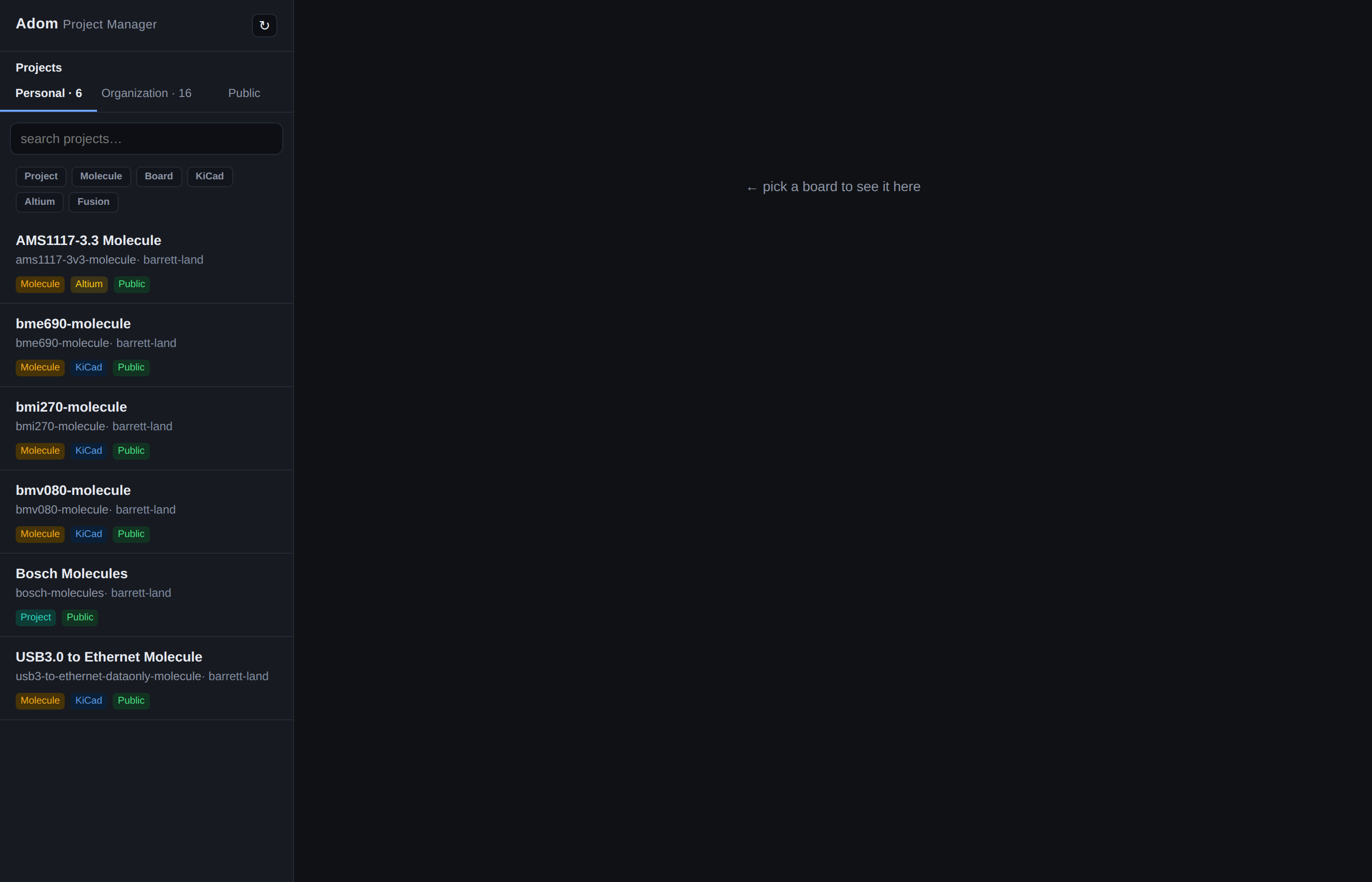
- Projects, three tabs
- Personal — boards you own that aren't scoped to an org.
- Organization — boards scoped to an org you belong to, grouped by org.
- Public — a search box; type a name + Enter to find any public board.
- Boards you've starred on the wiki pin to the top (★); the rest sort alphabetically.
- Component viewer — click a board to see its components (categorized by type), then click one to view its symbol + footprint + 3D, rendered on the fly from the canonical adom-lbr JSON, with pin/pad highlight.
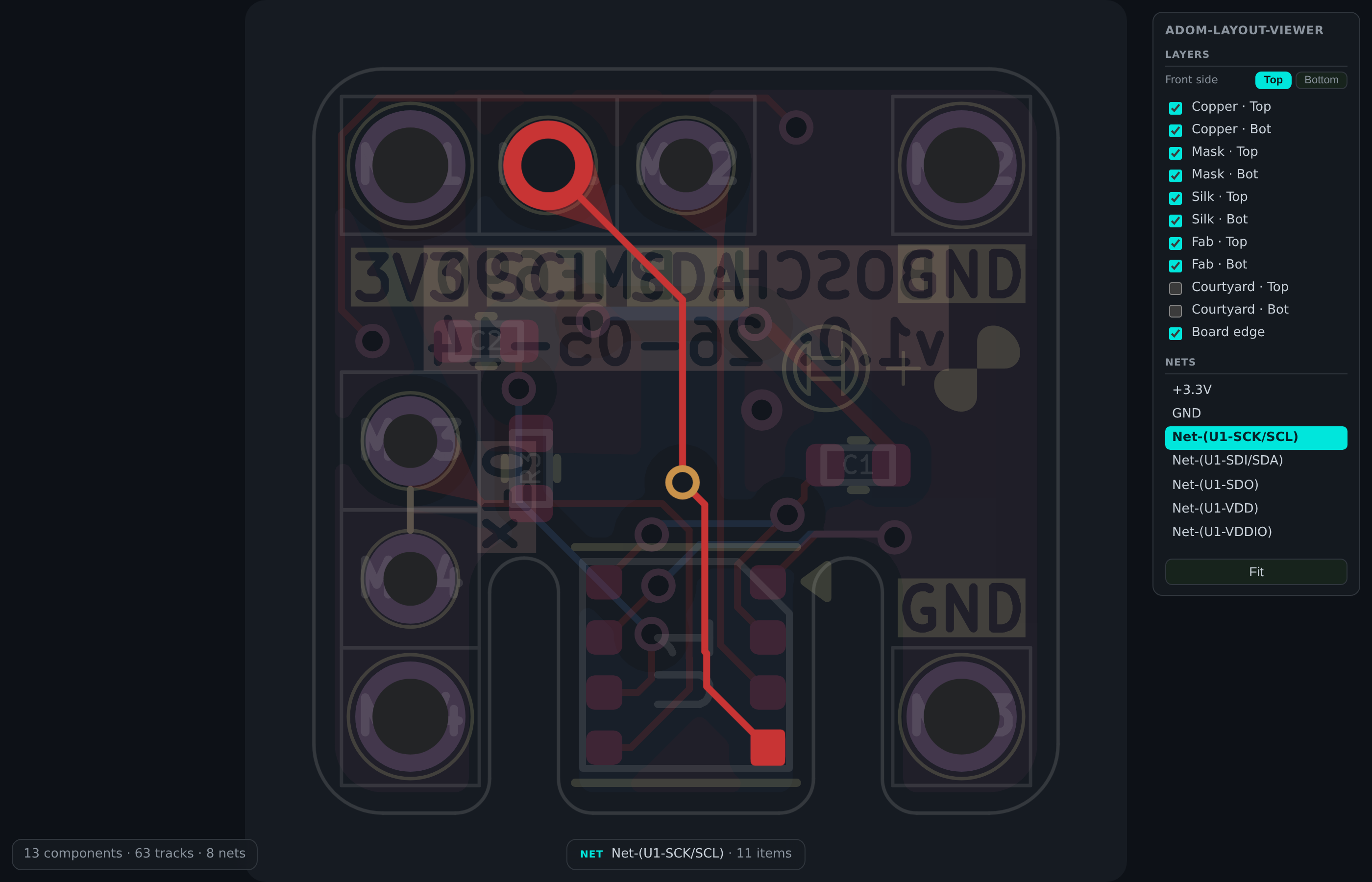
- Interactive board & schematic views — the board pane is
adom-2dboard and the schematic pane is adom-schematic,
embedded live rather than as flat images. Click a pad or trace to highlight its
whole net; hover a symbol or pad for MPN, stock, price, wiki page and datasheet.
Both render from the project's own EDA export, so they look exactly like KiCad.
- Layer stackup — for a footprint, see which layer each graphic becomes in KiCad and Altium.
- Add to Library — push selected components into your existing KiCad/Altium libraries.
- Add Project to my Computer — deliver a board's full KiCad project. In
project-only mode it's made self-contained: symbols/footprints are
extracted into a project library, every
lib_id/footprint reference is re-pointed to it, and project-localsym-lib-table/fp-lib-tableare written — so it opens anywhere with no broken links.
Run
adom-project-manager serve      # dock-style: idempotent, version-aware, backgrounds itself, prints the URL
adom-project-manager --port 8785   # or: run the server in the foreground
serve is the launcher the Hydrogen Dock Bar uses (see dockbar.json): it reuses
a running current instance, retires an older one (found by port ownership, never
argv), steps aside if the port belongs to another app, prints a direct
http://127.0.0.1:<port>/ URL, and claims the dock webview when
ADOM_DOCK_WEBVIEW is set.
Then open http://localhost:<port> in a browser or Hydrogen webview. Delivery to
your machine (Add to Library / Add Project) goes through the adom-desktop
bridge, and identity/stars come from the signed-in adom-wiki session.
Built on adom-lbr
The Rust binary depends on the altium-codec crate from adom-lbr (KiCad
import/export + the canonical part model). As a wiki package it declares
adom/adom-lbr as a dependency.
Publishing boards
Boards are published to the wiki with molecule-publish,
which installs alongside the Manager as a dependency. It bundles 3D models,
normalizes paths and renders the board so the page has everything the Manager
needs (3D, schematic, PCB). The older bundled publish-board skill is
deprecated and is no longer shipped.