KiCad Library Manager
Public Made by Adomby adom
Organize your KiCad symbol / footprint / 3D libraries fast — three priority views, inline editing, live previews, and one-click sync.
Install?
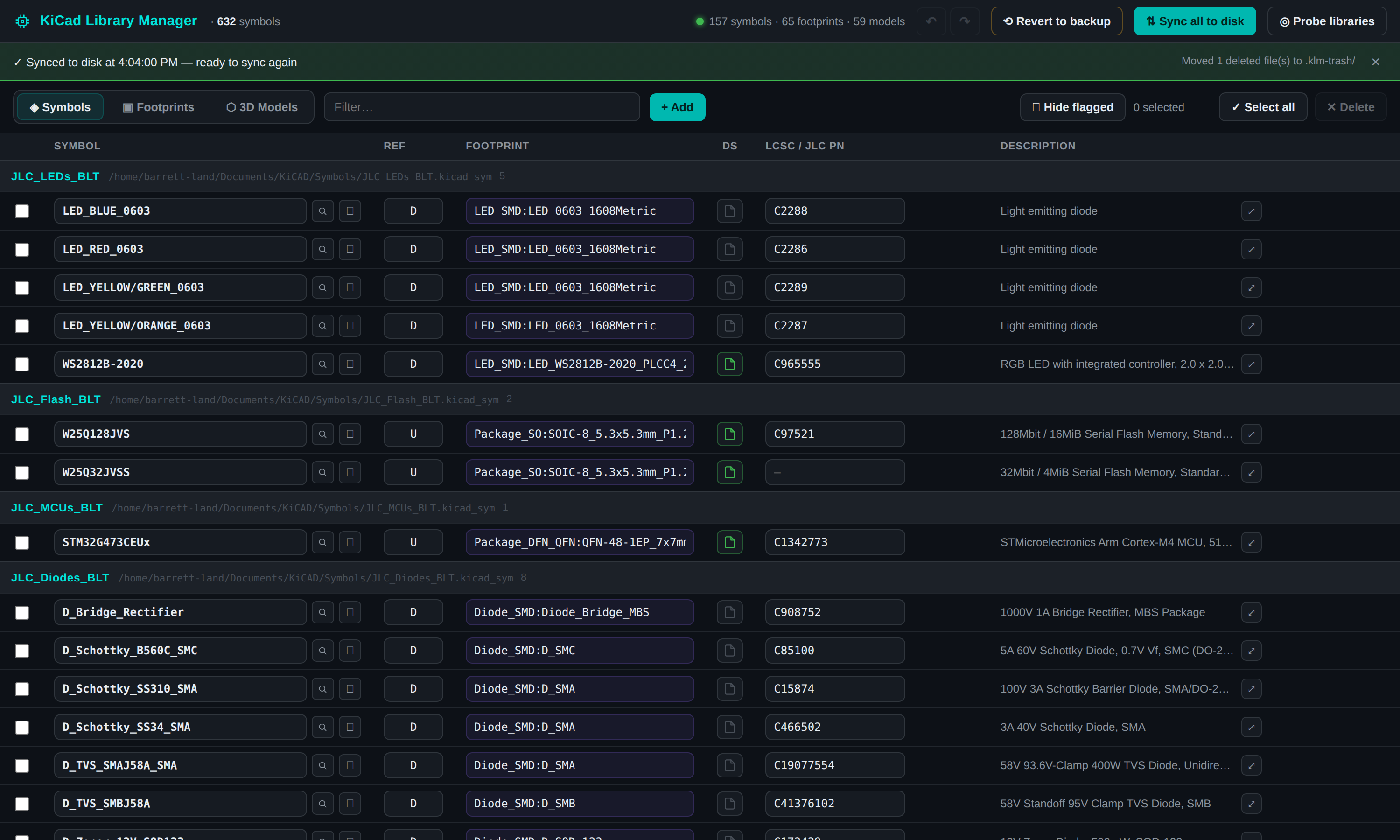
A fast workbench for your personal KiCad libraries. Probes your machine via adom-desktop for your sym-lib-table / fp-lib-table, then gives you three views — Symbol priority (inline-editable ref / footprint / datasheet / LCSC PN / description, with footprint autocomplete and live JLCPCB stock+price on hover), Footprint priority (3D model + the symbols using each footprint), and 3D-model priority. Add parts from the Adom wiki or blank, duplicate symbols, flag deletes (red) and adds (green) with an undo/redo tree, preview symbols + footprints + 3D models with kicad-cli rendering, and sync changes back to disk with reversible backups. **Project Doctor** reconciles a downloaded project against your library: it lists the project's symbols & footprints, flags what you're missing (red), scores project health, and lets you remap each one onto your own parts via an editable autocompleting bar — then Sync rewrites the project's files (never your libraries) to match, with backups.
adom-wiki pkg install adom/kicad-library-managerLatest: v1.2.0, published
README
markdownKiCad Library Manager
Organize your personal KiCad libraries fast. Probe your machine, then work across three priority views with inline editing, live previews, and one-click sync back to disk.
What it is
A Hydrogen webview app that reads your own KiCad libraries (via the adom-desktop bridge), lets you reorganize and edit them, and writes the changes back — with reversible backups the whole way. It doesn't scrape vendors or invent CAD; it manages what you already have (plus optional one-click adds from the Adom wiki).
Three views
- Symbol priority — grouped by symbol library. Every field is inline-editable: symbol name, reference letter, the linked footprint (with autocomplete ranked by package/ref family), datasheet (a small icon — green when it's a real link), the LCSC / JLC part number (hover it for live JLCPCB stock + price breaks), and a description (expandable editor).
- Footprint priority — grouped by
.pretty. Shows each footprint's 3D model and the number of symbols using it (click to expand the list). - 3D-model priority — grouped by folder, with the footprints that reference each model.
Project Doctor
Downloaded someone else's project and their libraries are a nightmare? Click Project Doctor,
pick a project (auto-discovered from your Documents / Downloads / KiCad folders, or paste a
.kicad_pro path), and the same table shows every symbol & footprint the project uses:
- What's missing is red. Each row is classified against your library — green (you have it), amber (a KiCad stock symbol — works, but not yours), or red (missing). Stock footprints count as healthy; stock symbols are flagged so you can swap in your own.
- A health bar scores the project: a segmented green / amber / red bar with a
N your own · N stock symbol · N missingbreakdown. - Remap inline. Every symbol / footprint is an editable, autocompleting bar — type or pick one of your own library parts. If the name is in your library it's a change (the project gets repointed to your part); if it isn't, it's a rename (relabelled inside the project).
- Sync rewrites the project (never your libraries) to apply the remaps —
.kicad_sch/.kicad_pcblib_id+ footprint references, with the symbol cached intolib_symbolsso KiCad resolves it. Every project file is backed up to.klm.bakfirst.
Highlights
- Probe finds your
sym-lib-table/fp-lib-tableand personal libraries automatically. - Previews — click 🔍 to see the symbol + its linked footprint rendered by KiCad's own
kicad-cli(themed for a dark canvas, pad numbers on top), or a footprint with its 3D model in an interactive viewer; standalone 3D-model previews too. - Add / duplicate — pull a part (symbol + footprint + 3D) from the Adom wiki, add a blank symbol/footprint, or duplicate a symbol.
- Flags + undo — delete flags a row red, new items show green; nothing touches disk until you Sync. Full undo/redo tree (Ctrl+Z / Ctrl+Shift+Z) and revert-to-backup.
- Flags for libraries not registered in your lib-table and footprints that come from a KiCad default (stock) library.
- Sync — write edits/adds/deletes to disk with
.klm.bakbackups and a reversible.klm-trash/, per-library or all at once; a chip showsN new · N deleted · N changed.
Running
kicad-library-manager serve     # start the server on :7823
kicad-library-manager app       # open it as a Hydrogen webview tab  (alias: klm)
Requirements
- adom-desktop bridge (to reach your filesystem + shell).
- kicad-cli (KiCad 9) on the desktop for symbol/footprint previews.
- step2glb + the JLCPCB search service for 3D model conversion and live stock/price (the app degrades gracefully if they're unavailable).
Pure-Node HTTP server, zero native deps, single-file vanilla-JS SPA.