Adom Footprint
Public Made by Adomby adom
KiCad footprint creator with layer HUD viewer and delivery to KiCad/Fusion 360
| Name | Last updated |
|---|---|
| bin | 22d ago |
| docs | 3mo ago |
| LED_TEST | 1mo ago |
| screenshots | 3mo ago |
| src | 22d ago |
| tests | 1mo ago |
| .gitignore | 3mo ago |
| adom-footprint-billboard.png | 3mo ago |
| adom-footprint-hero-v3.png | 3mo ago |
| adom-footprint-hero-v4.png | 3mo ago |
| adom-footprint.png | 4mo ago |
| build.sh | 3mo ago |
| Cargo.lock | 22d ago |
| Cargo.toml | 22d ago |
| CHANGELOG.md | 1mo ago |
| dockbar.json | 2mo ago |
| hero.png | 4mo ago |
| herobillboard-v2.png | 4mo ago |
| install.sh | 3mo ago |
| LICENSE | 3mo ago |
| package.json | 22d ago |
| page.json | 22d ago |
| README.md | 1mo ago |
| release.sh | 2mo ago |
| SKILL.md | 16d ago |
| uninstall.sh | 3mo ago |
| VERSION | 22d ago |


adom-footprint
Standalone Rust CLI + live app for KiCad PCB footprints. Generates
.kicad_mod files natively in Rust, renders them as dark-themed SVGs through the
shared service-kicad container, and serves an AI-drivable live viewer.
No Node, no local KiCad install.
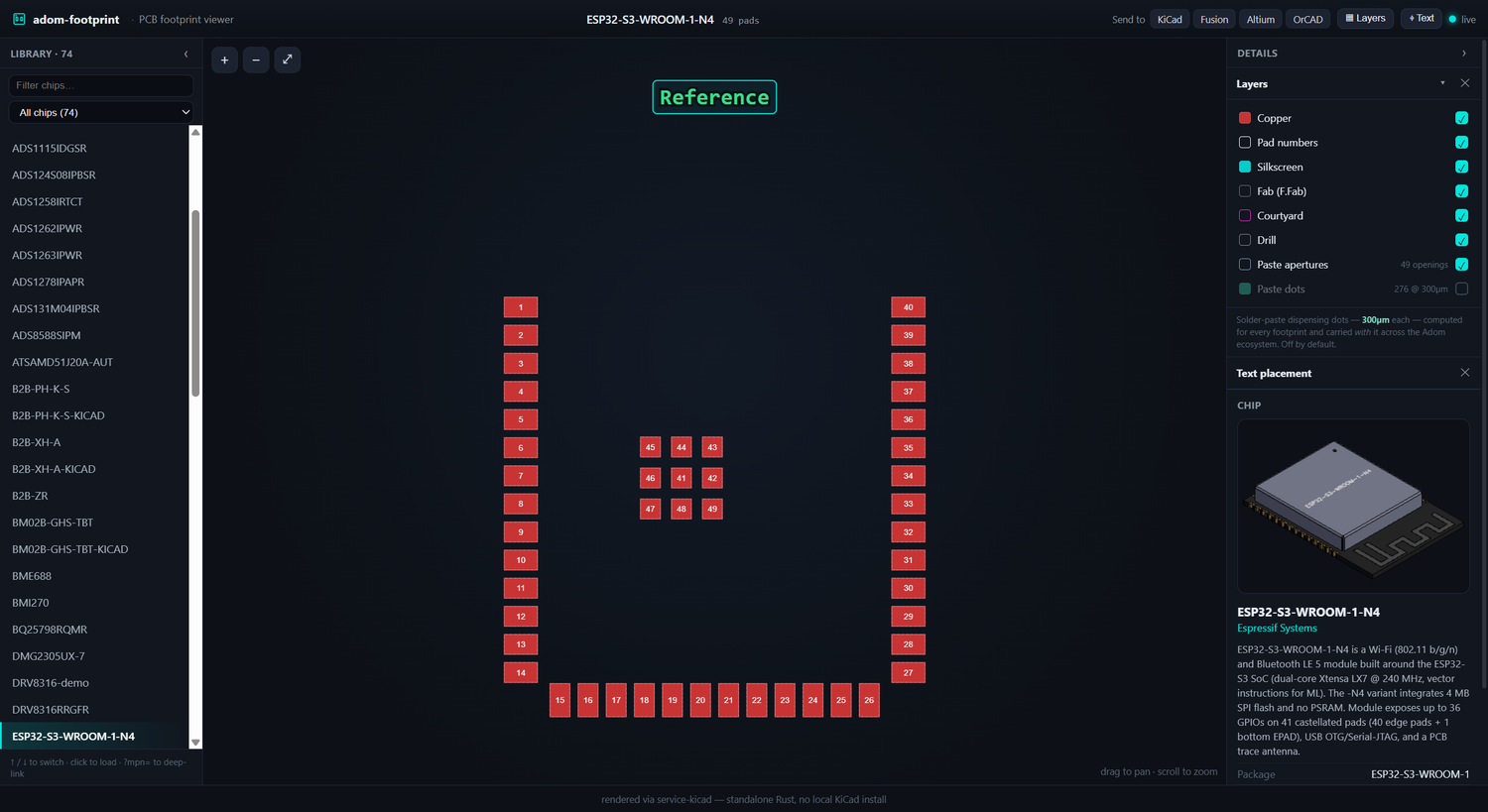
The live app: browse the whole chip-fetcher library on the left (filter / ↑↓ / click, or deep-link with ?mpn=); on the right, a docked details panel with Layers, the text-placement editor, and a 3D chip preview + specs so you can see exactly which part you're on.
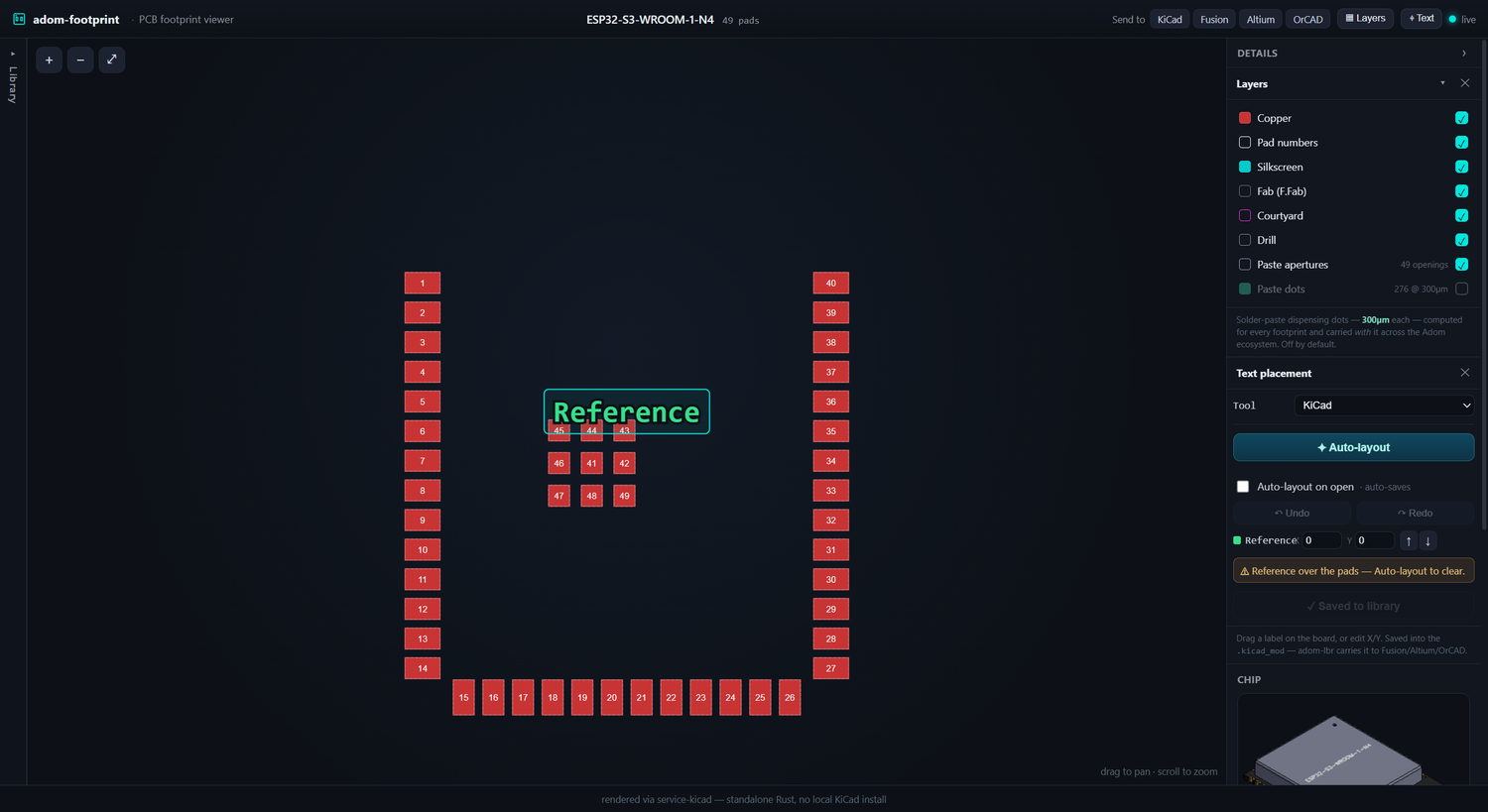
Place the RefDes/Value text: one-click Auto-layout clears the pads (and normalizes the size), or drag/nudge it yourself — with undo and per-EDA naming (KiCad Reference/Value · Altium Designator/Comment · …). Save writes it back to the library .kicad_mod (original backed up to .orig); tick Auto-layout on open to sweep the whole library, auto-saving as you go.
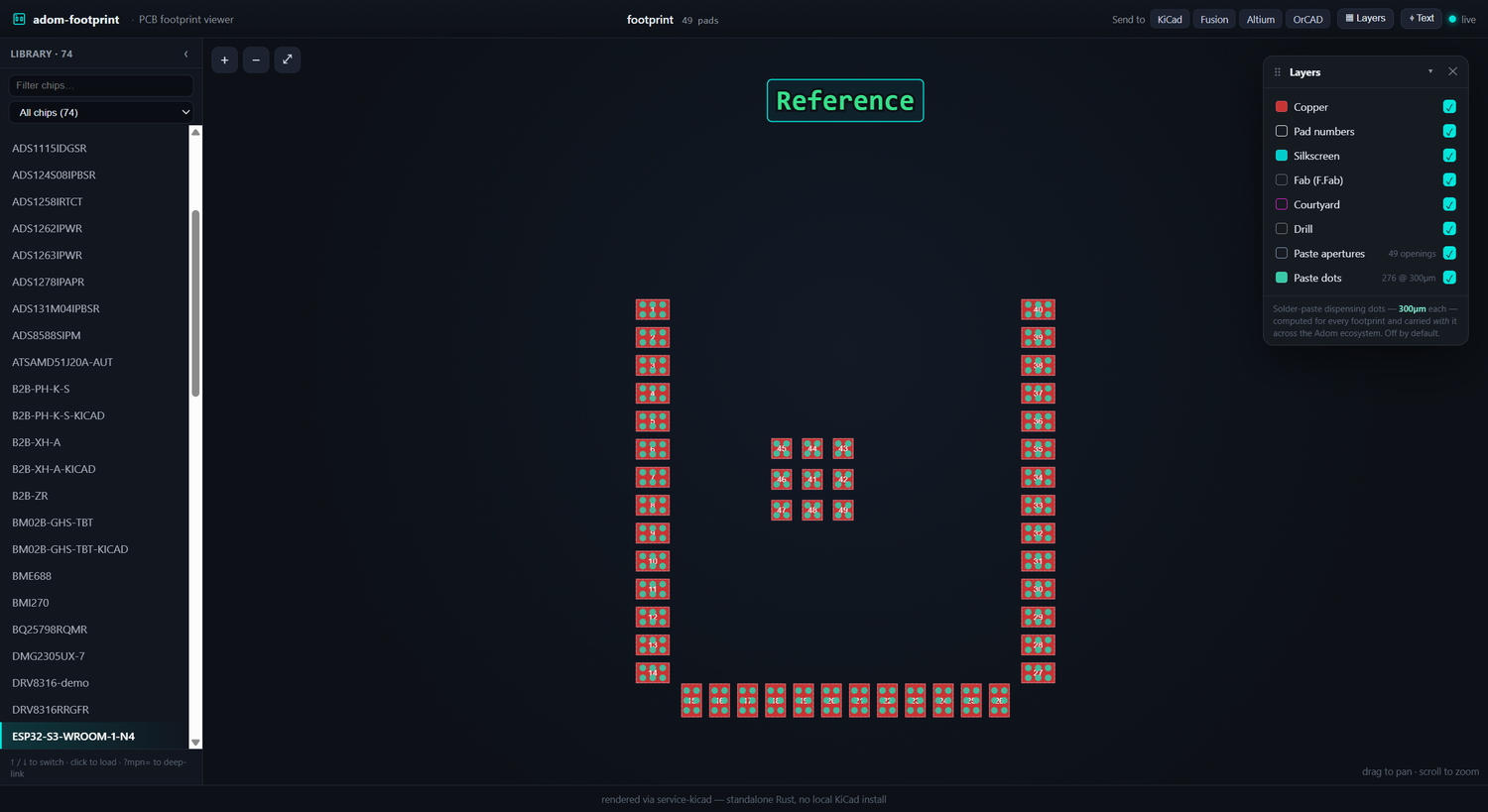
The paste-dots layer: 300µm solder-paste dispensing positions, computed for every footprint (off by default).
What it does
- Generate
.kicad_modnatively in Rust from structured pad data — pads (rect/roundrect/circle, rotation, custom layers), body outline, and courtyard. - Render the footprint to a cropped, dark-themed SVG via service-kicad
(
POST /kicad/pcb/export/svg) by wrapping it in a minimal one-footprint board at page center — the same render path chip-fetcher uses, so thumbnail and app match. - Serve a live, AI-drivable app: the frontend stays connected to the Rust
server (
GET /statepoller +POST /evalchannel), so the AI can push a new footprint, hot-patch the UI, or read the console in real time.
Install
adom-wiki pkg install adom-footprint
Quick start
# Create a footprint from pad JSON (stdin or --file)
echo '{"footprintName":"R_0402","pads":[...]}' | adom-footprint create --out R_0402

# Preview an existing .kicad_mod as a themed viewer
adom-footprint preview --file R_0402/R_0402.kicad_mod

# Run the live app (AI-drivable: /state, /load, /eval, /console)
adom-footprint serve --port 8783 --file R_0402/R_0402.kicad_mod
Open the served app through the Adom proxy URL
(https://<slug>.adom.cloud/proxy/8783/), never localhost:8783 — the webview
renders outside the container.
Heatsink vias in the create JSON (from 1.0.23)
A thermal pad without vias into the plane is a part that overheats, and vias that have to be redrawn per EDA tool do not get drawn. So they are written once, into the footprint:
From 1.0.25 each via also carries (property pad_prop_heatsink), the marker KiCad uses for thermal vias. A thermal via you place by hand gets the same marker with "heatsink": true on the pad.
{
  "footprintName": "QFN-16-EP",
  "pads": [ ... ],
  "heatsinkVias": { "pad": "17", "drill_mm": 0.3, "pitch_mm": 0.8, "ring_mm": 0.15, "tented": true }
}
| Field | Default | Meaning |
|---|---|---|
pad |
required | number of the exposed SMD pad the vias go under |
drill_mm (alias drill) |
0.3 | drill diameter |
pitch_mm (alias pitch) |
0.8 | grid pitch |
ring_mm (alias ring) |
0.15 | annular ring; via pad diameter is drill_mm + 2 * ring_mm |
tented |
true | true puts the via pads on *.Cu only; false adds *.Mask |
heatsink_vias is accepted as an alias of heatsinkVias. create expands the block into
plated circular thru_hole pads that carry the exposed pad's own number, on a grid centred on
that pad, with as many columns and rows as fit while keeping the full ring inside the pad (at
least one via). If pad does not name an SMD pad, nothing is added. Same-number plated holes
are how KiCad, Altium (through adom-lbr 2.46.0+) and Fusion/EAGLE all express "same net,
drilled", so the vias reach every tool from this one footprint.
The hint. Every create checks the largest SMD pad. When it is an exposed pad (at least
1 mm² and at least three times the median pad area) with no thru_hole pads of its number,
create prints _hint: HEATSINK VIAS MISSING naming the pad, its area and the
"heatsinkVias": {"pad": "<n>"} line to add. When vias are present it prints their count
and how many came from heatsinkVias.
Silkscreen rules (from 1.0.22)
For rectangular parts the generated silkscreen never lands on copper, and the pin-1 mark is drawn only on polarized parts. Silk is a 0.12 mm stroke kept 0.15 mm clear of every pad.
- Two-pad parts get two lines parallel to the pads, outside the copper, spanning the body. A polarized two-pad part adds a bar just outside pad 1 and extends both lines to it.
- Other parts keep the body outline, with every piece that comes within the clearance of a pad cut away (pieces shorter than 0.2 mm are dropped), plus a pin-1 bar when polarized.
"polarized": true|falsein the create JSON sets it (LED, diode, tantalum: true). The default is false for two-pad parts and true for parts with more than two pad numbers.
CLI reference
| Command | Description |
|---|---|
create --file <json> [--out <dir>] |
Generate .kicad_mod + SVG + viewer HTML from pad JSON |
preview --file <kicad_mod> [--out <dir>] |
Render an existing footprint to a themed viewer |
serve [--port 8783] [--file <kicad_mod>] |
Run the live AI-drivable app server |
Architecture
Pure Rust. Footprint generation (src/fp_gen.rs) is verified against golden
files in tests/ (e.g. R_0402.kicad_mod, byte-for-byte). The only network
dependency is service-kicad for SVG rendering — a lightweight proxy to the
shared KiCad-10 container, so nothing installs KiCad locally. The live app
server (src/server.rs) follows the Adom app-creator contract: GET /state,
POST /load, POST /eval + GET /eval/pending + POST /eval/:id/result,
GET/POST /console, POST /shutdown, GET /favicon.svg, and best-effort HD
port registration.
Build from source
The full source ships on the wiki app page — anyone in the community can build it locally:
# Fetch the source bundle from the wiki
adom-wiki repo clone adom-footprint         # downloads + unpacks the repo

cargo build --release                 # standalone — only needs Rust + cargo
cargo test --release                  # runs the golden-file parity tests
cp target/release/adom-footprint ~/.local/bin/
The only runtime dependency is network access to a service-kicad endpoint
(KICAD_SERVICE_API, defaults to the shared container).
Contribute back via pull request
adom-footprint is public, source included. To propose a change:
adom-wiki repo clone adom-footprintto get the repo.- Make your change and run
cargo test --release(keep the golden tests green). - Open a pull request against the wiki page for
adom-footprint.
Note: real PR support on wiki.adom.inc is in progress. Until it lands, send patches or a branch link to the maintainers and they will apply it.