KYLE LED Nameplate
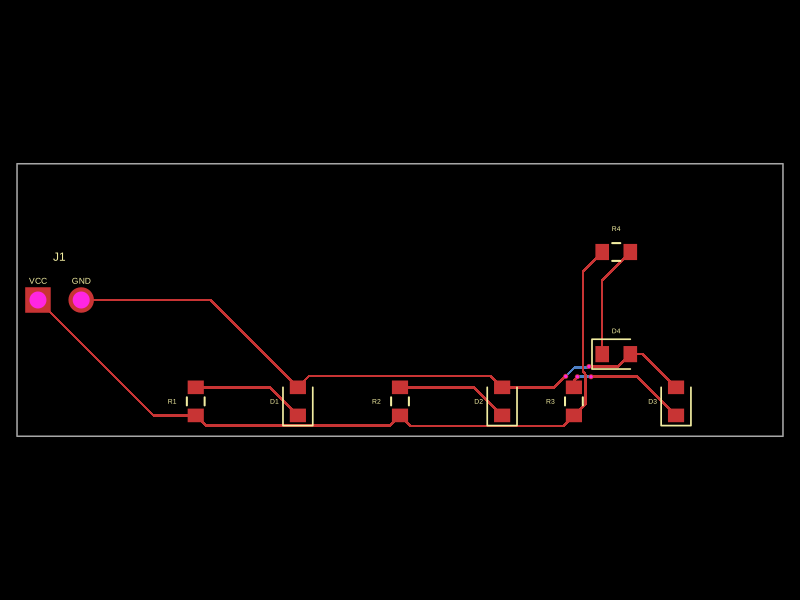
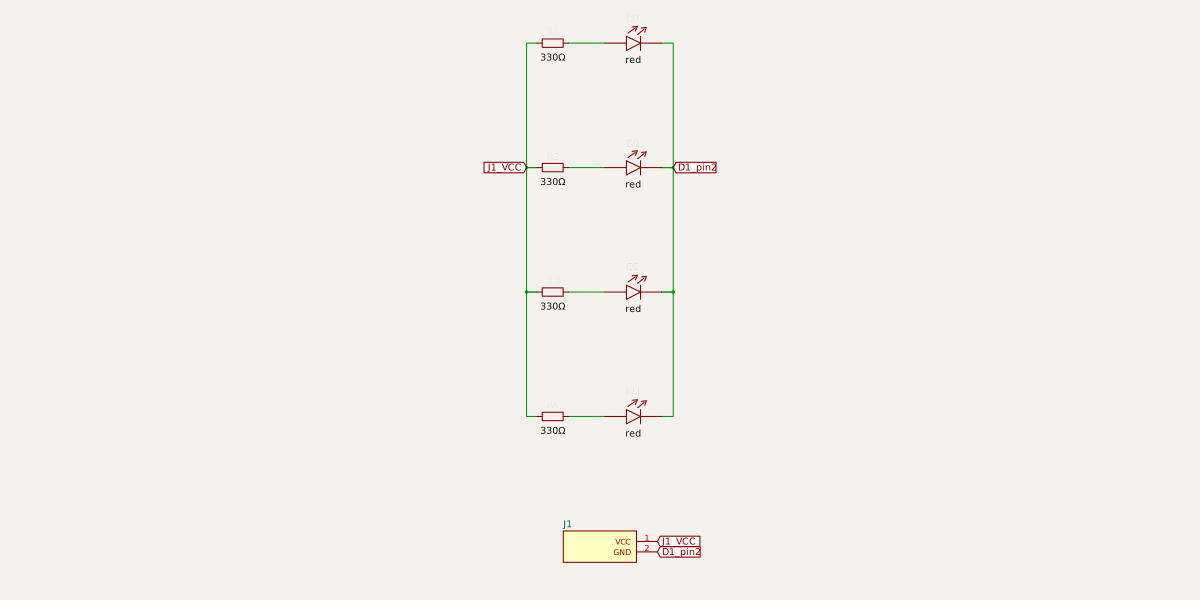
Public UnreviewedA tiny 45 x 16 mm LED nameplate badge that spells KYLE — four red LEDs (one per letter), each with its own 330 ohm current-limiting resistor, fed from a 2-pin VCC/GND header. Defined entirely in code with tscircuit.
3D Model
Open in new tab ↗ Loads on click. Unloads only if this page sits in the background.
Contents
README
markdownKYLE LED Nameplate
A tiny 45 × 16 mm LED nameplate badge that spells KYLE — one red LED per
letter, each with its own 330 Ω current-limiting resistor, fed from a single
2-pin VCC / GND header. The whole board is defined in code with
tscircuit, so the source below is the schematic.
Board at a glance
| Size | 45 × 16 mm, 2-layer |
| LEDs | 4 × red 0603 (D1–D4) |
| Resistors | 4 × 330 Ω 0603 (R1–R4) |
| Power | 2-pin 2.54 mm header J1 (VCC, GND) |
| Drive | ~4 mA/LED at 5 V through 330 Ω |
Views
| PCB | Schematic |
|---|---|
 |
 |
Source
The complete board — index.tsx (tscircuit):
export default () => (
  <board width="45mm" height="16mm" name="kyle_nameplate">
    <pinheader name="J1" pinCount={2} footprint="pinrow2"
      pcbX={-20} pcbY={0} pinLabels={["VCC", "GND"]} />
    {["K", "Y", "L", "E"].map((letter, i) => {
      const x = -9 + i * 6
      return (
        <group key={letter}>
          <resistor name={`R${i + 1}`} resistance="330" footprint="0603" pcbX={x} pcbY={3} />
          <led name={`D${i + 1}`} color="red" footprint="0603" pcbX={x} pcbY={-3} />
          <trace from={`.R${i + 1} > .pin2`} to={`.D${i + 1} > .anode`} />
          <trace from={`.R${i + 1} > .pin1`} to=".J1 > .VCC" />
          <trace from={`.D${i + 1} > .cathode`} to=".J1 > .GND" />
        </group>
      )
    })}
  </board>
)
Build it yourself
npm install @tscircuit/cli
tsci build index.tsx          # -> dist/index/circuit.json
tsci snapshot index.tsx --3d  # -> PCB / schematic / 3D renders
tsci export index.tsx -f gerbers   # -> index-gerbers.zip (ready for fab)
Ready-to-fab gerbers are attached as a release asset on this page (see the Releases tab), or regenerate them from source with the tsci export command above. A .step and .glb 3D model plus .kicad_pcb / .kicad_sch files ship in the page repo for reuse in KiCad.
Built as part of an Adom platform tour — parts search → EDA → tscircuit → wiki publish.