[DEPRECATED] Chip Thumbnailer → adom-chip-thumbnailer
Public Made by Adomby adom
DEPRECATED: use adom/adom-chip-thumbnailer. No longer maintained.
| Name | Last updated |
|---|---|
| bin | 4mo ago |
| docs | 4mo ago |
| screenshots | 4mo ago |
| src | 4mo ago |
| Cargo.toml | 4mo ago |
| chip-thumbnailer.png | 4mo ago |
| install.sh | 4mo ago |
| LICENSE | 3mo ago |
| package.json | 3mo ago |
| page.json | 3mo ago |
| README.md | 3mo ago |
| SKILL.md | 4mo ago |
| uninstall.sh | 4mo ago |

⚠️ DEPRECATED
This page is deprecated. The official page is now adom/adom-chip-thumbnailer. Install it with
adom-wiki pkg install adom/adom-chip-thumbnailer. This page is no longer maintained.
⚠️ This page has moved
chip-thumbnaileris nowadom-chip-thumbnailer— we put the Adom name in front of all our tools.Install:
adompkg install john/adom-chip-thumbnailerKept only as a pointer; no longer maintained.
chip-thumbnailer
The rendering engine behind chip-fetcher's library — it renders every thumbnail kind a chip needs: themed symbol & footprint SVGs, OCCT-direct 3D renders from six angles, and crisp vector-outline icons in five styles. No local CAD install.
chip-thumbnailer walks the chip-fetcher library and, for every part, renders the full set of thumbnails its cards, carats, and the adom-symbol/footprint studios consume — straight from the part's .kicad_sym, .kicad_mod, and STEP, through the shared service-kicad and service-step2glb services. Standalone Rust, no Node, no gallia. Below is every thumbnail type it produces, rendered for the same part (Nordic nRF54L15, 49-pin QFN).
Every thumbnail it produces
1. Symbol — 2 variants
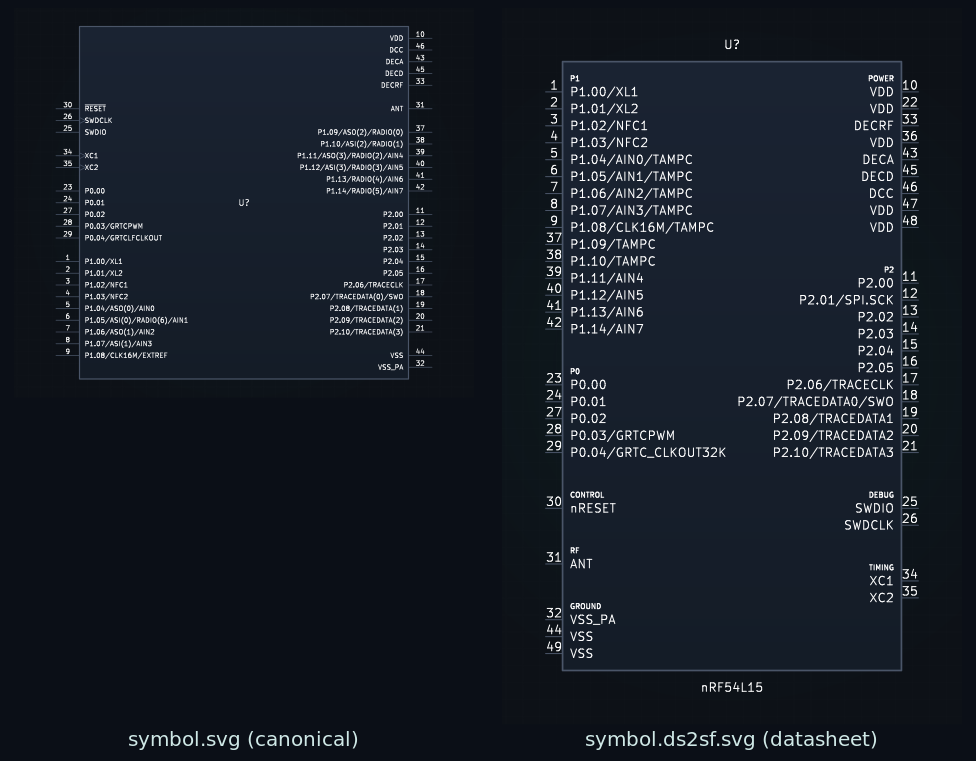
The schematic symbol, Adom-themed onto the dark canvas. Two sources are rendered so the chip-fetcher carat can switch between them: -symbol.svg (the canonical symbol from the part's .kicad_sym) and -symbol.ds2sf.svg (a symbol generated from the datasheet-extracted pin list via ds2sf, for when you want the logical, datasheet-true grouping).
2. Footprint — 3 variants
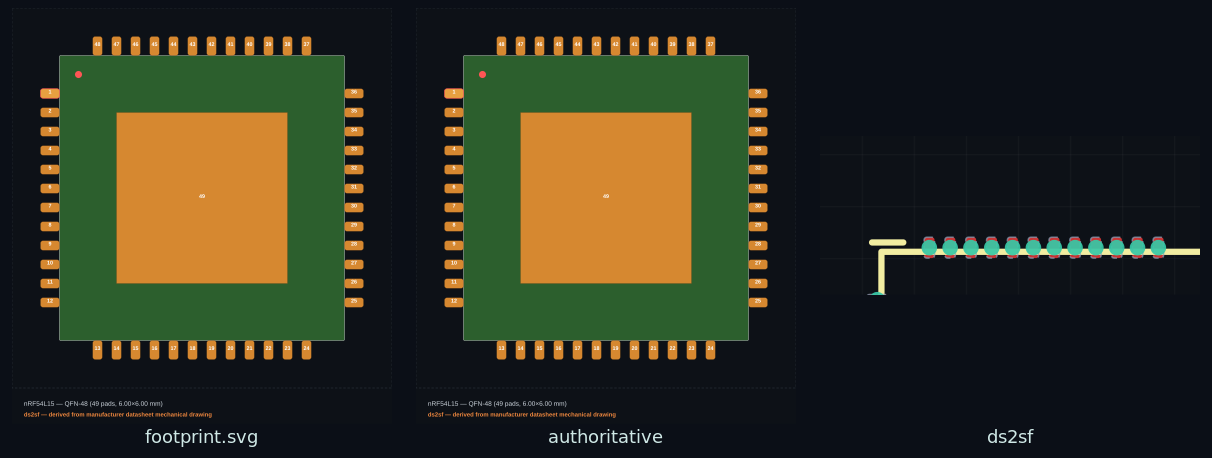
The land pattern on a dark PCB grid, cropped tight to the part. Three sources are rendered: -footprint.svg (canonical), -footprint.authoritative.svg (the manufacturer/vendor-authoritative pattern, verbatim), and -footprint.ds2sf.svg (reconstructed from datasheet dimensions). Legacy KiCad-5 (module …) footprints render as cleanly as modern ones.
3. 3D shaded render — 4 forms
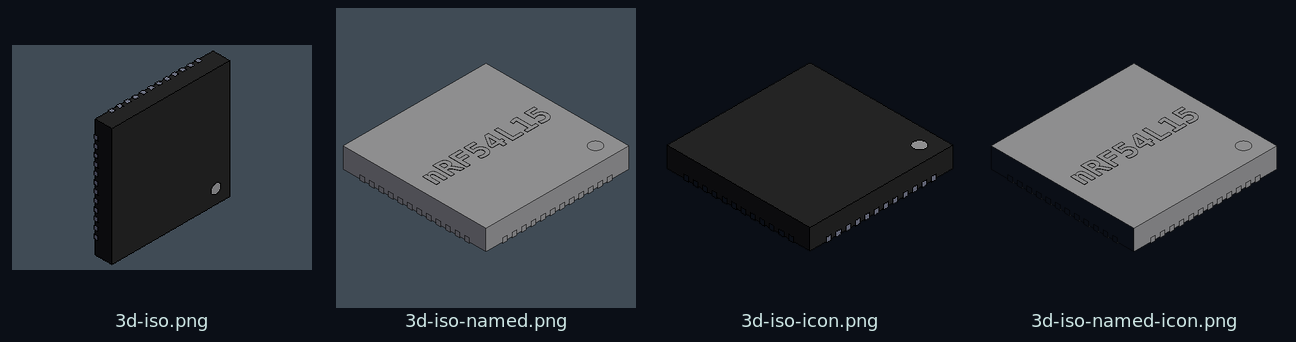
OCCT-direct shaded isometric renders of the real STEP model via service-step2glb — a true offscreen render, not a screenshot of a viewer. Four forms ship: -3d-iso.png (the full render), -3d-iso-named.png (with the part number laser-marked onto the top face), and -3d-iso-icon.png / -3d-iso-named-icon.png (tight square crops for small card/badge use).
4. 3D orientations — 6 angles

The same package rendered from every principal angle so any tool can show the side it needs — the default iso, plus x-up / x-down, y-up / y-down, and z-down. y-up reveals the marked top face; y-down shows the pad/pin underside. These power the orientation switching in the chip-fetcher 3D view and the adom-symbol chip overlay.
5. 3D vector outline — 5 styles

Crisp black-&-white (or accent) line art produced by OCCT hidden-line removal — schematic-native icons that print cleanly and stay legible at any size. Five styles cover light and dark contexts: thin and bold (dark strokes, for light/print backgrounds), blueprint (blue), teal (brand accent), and dark (white strokes, for dark UI). Each style also renders a -named variant with the part number laser-marked on the chip — so the icon you drop into a symbol carries its own label.
In total ~24 files per part: 2 symbol + 3 footprint + 4 shaded-3D + 6 orientation + (5 styles × plain/named) outline. They're written next to the source files and cached until the part changes.
How it runs
once <MPN>— render the full set above for one chip, written alongside the source files.scan— render every chip carrying a.thumb-pendingmarker (the batch path chip-fetcher triggers).rerender <MPN> <sym|fp|3d|all>— re-do just one family.status/health/config— show what exists, probekicad-cli+step2glb+service-step2glb, print the resolved library root.
Open source — check it out, vibe-code it, send it back
chip-thumbnailer is MIT and fully open. The complete Rust source is in this page's Files tab — browse it, or grab src/ + Cargo.toml.
- Build it.
cargo build --releasedrops a standalone binary (no Node, no gallia). - Point your install at your checkout.
adompkg link john/chip-thumbnailer ./chip-thumbnailerso thechip-thumbnaileryou run is your local copy. - Vibe-code a change. Open the folder in Claude Code and describe what you want — a new render style, a different crop, another orientation, another thumbnail kind. The symbol / footprint / 3D renderers are each one small, readable module (
render_sym.rs,render_fp.rs,render_3d.rs). - Send it back. Open a pull request on this page (the wiki reviews and merges per-repo PRs), or start a discussion thread.
Part of the Adom EDA family
The rendering engine for chip-fetcher; produces the artwork adom-symbol, adom-footprint, and the carat switcher display. Pairs with adom-lbr and ds2sf.
Run it
chip-thumbnailer once nRF54L15          # render the full thumbnail set for one chip
chip-thumbnailer scan                   # render every chip marked .thumb-pending
chip-thumbnailer health                 # probe kicad-cli + step2glb + service-step2glb
MIT, contributions welcome.