Adom Screensaver
Public Made by Adomby adom
Turn your laptop into an always-on vibe coding server: branded screensaver + native keep-awake (no PowerToys) + honest, hardware-aware power management.

Install?
Vibe-coding screensaver, fades up a live billboard of the latest Adom Wiki drops (truly cached to disk; plays webm silently, renders SVG) with a power-aware nerd-stats splash, while signed native keep-awake holds the machine so Claude Code + /remote-control threads survive. Win+Shift+L to launch.
adom-wiki pkg install adom/adom-screensaverLatest: v0.8.1, published
Contents
- New in 0.8.1
- New in 0.7
- The settings window
- Install
- What it does
- The opening logo is your escape hatch (and why it stays lightweight)
- Screenshots
- The system-tray app
- The status / screen-locks window
- The preferences window
- The splash, your machine at a glance
- Live billboard slides, advertising the latest Wiki drops
- Dependencies
- Features
- Talk to the AI
- Skills
- The honest hardware story
README
markdownadom-screensaver, the vibe-coding screensaver
🪟 Windows only. This runs on your Windows laptop, not a Linux/WSL2 container.
Turn your Windows laptop into an always-on home for your Claude Code threads. A branded Adom screensaver that rests your screen, keeps your machine awake (network + Remote Control stay alive), and, while it rests, runs a live billboard of the latest Adom Wiki drops, rendered in a real Edge/Chromium engine so it plays video (silently) and renders SVG, not just static images.
Launch it any time with Win + Shift + L.
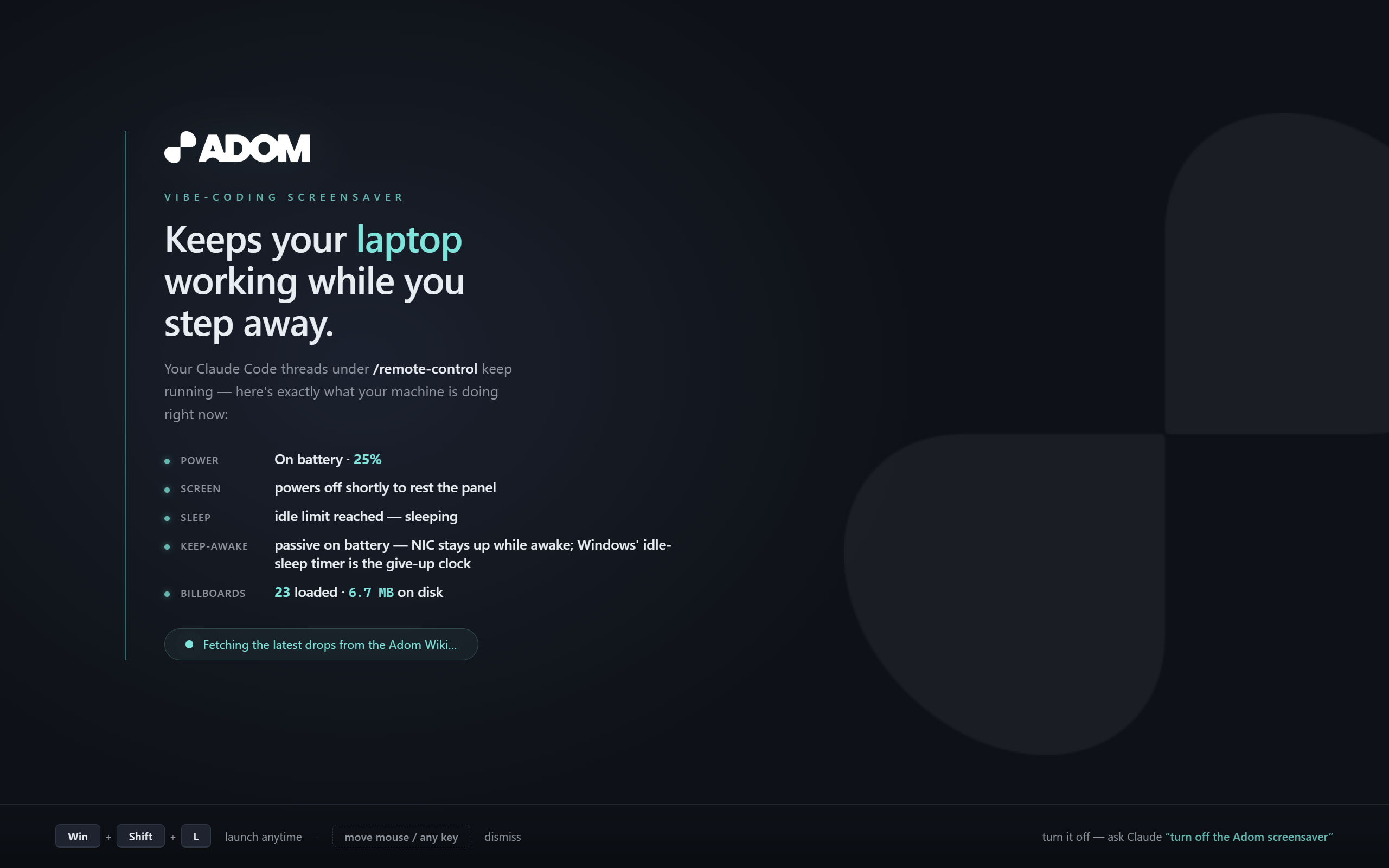
Built for the people who fire up their Claude threads before they head to dinner and need them still running when they get back.
New in 0.8.1
- Your brightness is yours. The screensaver still dims the panel while it runs and puts your level back when you return, but it no longer touches your brightness at any other time. Before, a wake from sleep or a display change (docking, a monitor plug, the panel waking) could snap the screen back to an old, brighter level, even when the screensaver had not run and even right after you had dimmed it on purpose. Now the helper only re-asserts brightness inside a real screensaver session (while it is running, while it holds the dim, or within 2 minutes of it restoring your level).
- Never restores to a black screen. A second dim can no longer save an already-dark level, and the safety-restore skips anything under 5%.
- ASUS ROG tip: Armoury Crate's OLED Care "Pixel refresh" is a separate ROG screensaver that can run on top of this one. Turn it off under Display Settings > OLED Settings if you want only the Adom screensaver.
New in 0.7
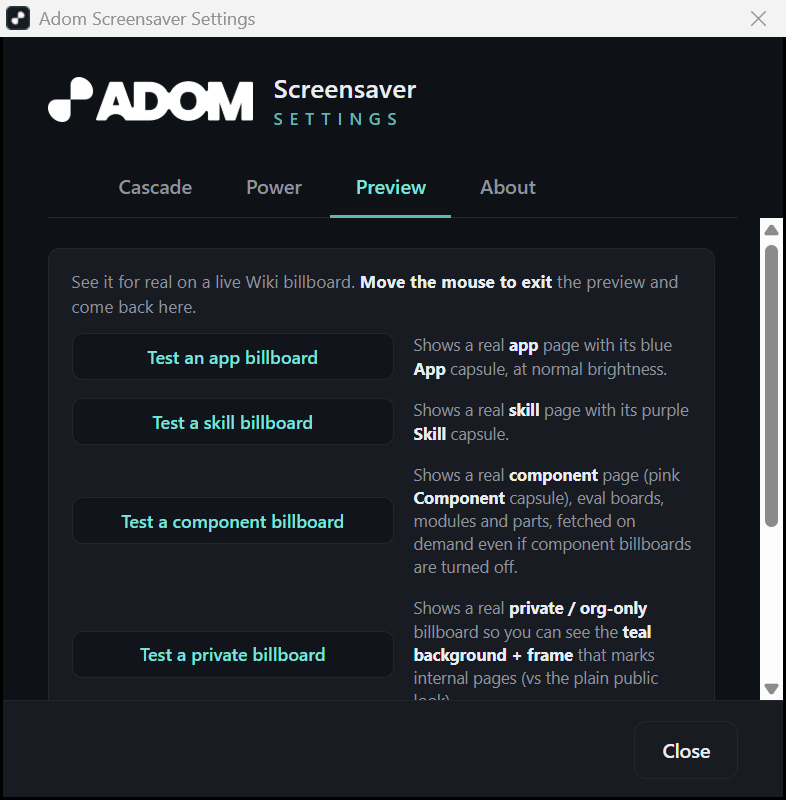
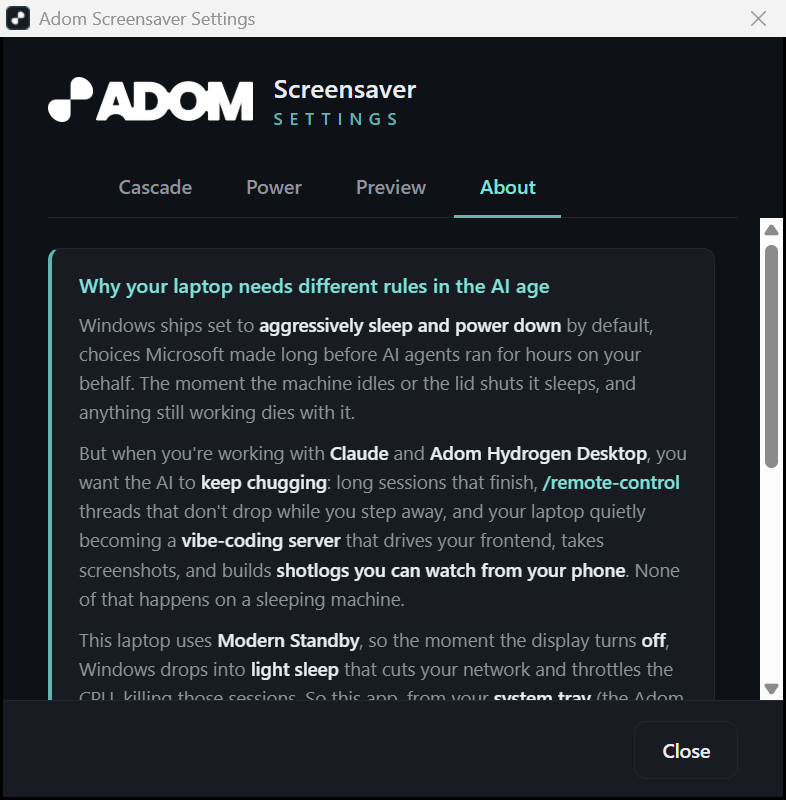
- Tabbed preferences. The settings window is now organized into Cascade / Power / Preview / About tabs (below), with a live Modern Standby readout that explains why your machine light-sleeps when the screen turns off.
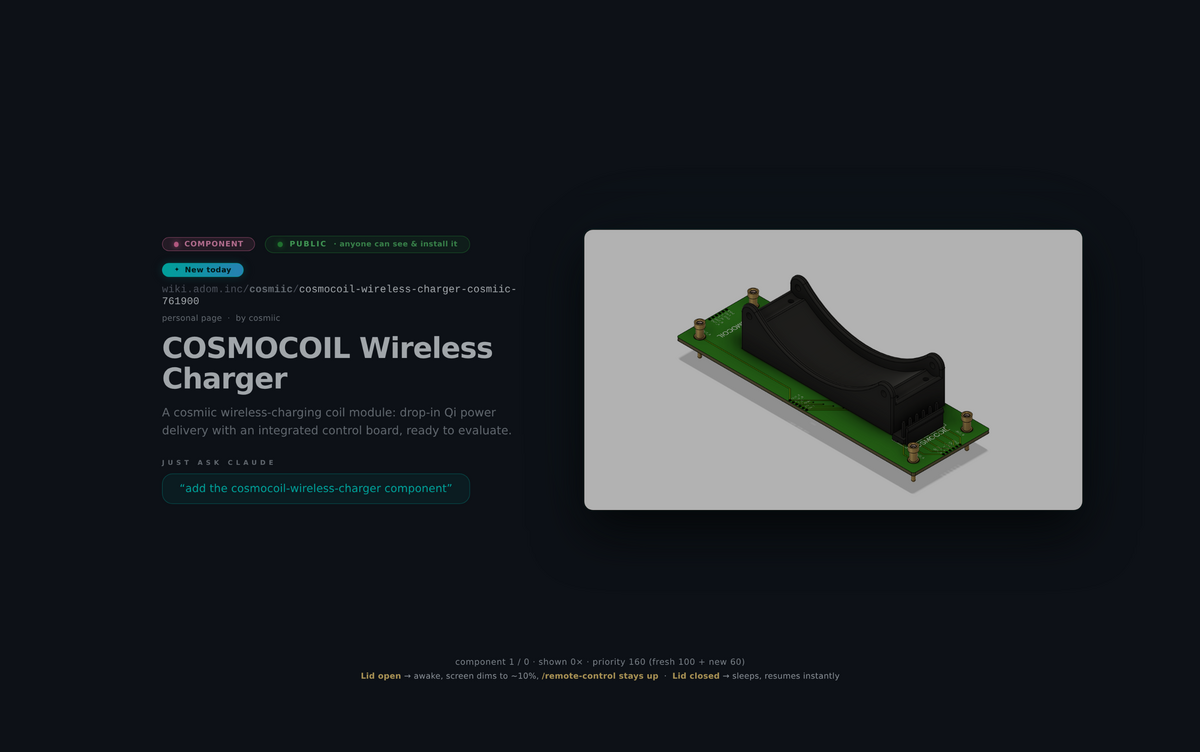
- More to show, clearly labeled. Every billboard wears an App / Skill / Component capsule, and you can optionally rotate in component pages (eval boards, modules, parts) that have a real 3D render.
- Tougher when things go sideways. Survives a no-wifi launch (plays your cached drops, never burns in), snaps out instantly when you dismiss the opening logo, and shows an on-screen status whenever something is still loading.
The settings window
Right-click the tray icon and choose Settings (or press Win + Shift + L, then open preferences). Four tabs:
Cascade - the timed stages: idle delay, logo hold, splash, seconds per billboard, and when it dims.
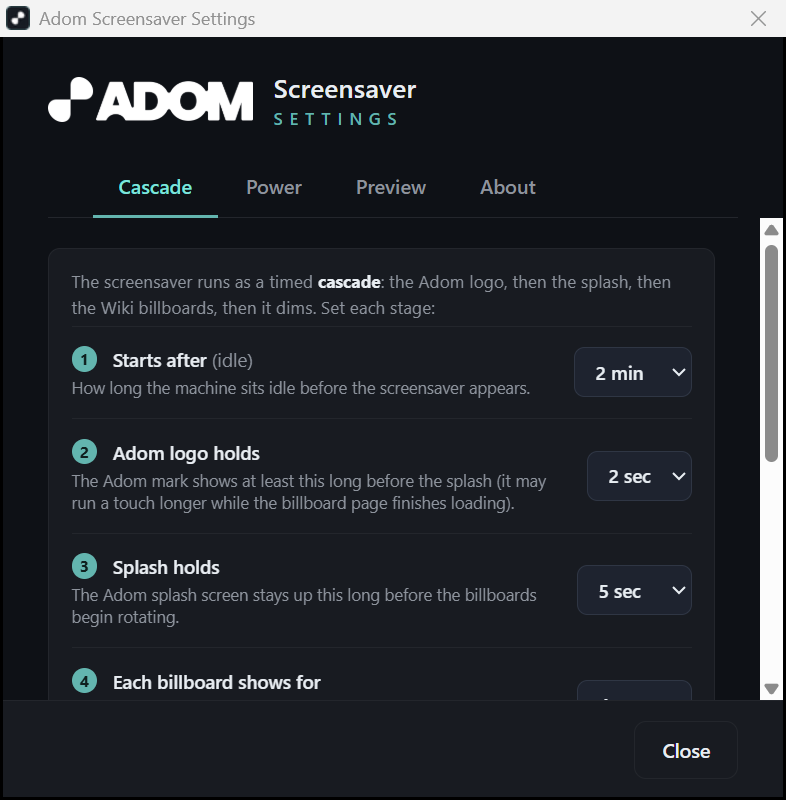
Power - your live Modern Standby state up top, the recommended power profile with one-click Apply, the never-turn-the-display-off toggle, a backlight-dim hardware test, and the global hotkey.
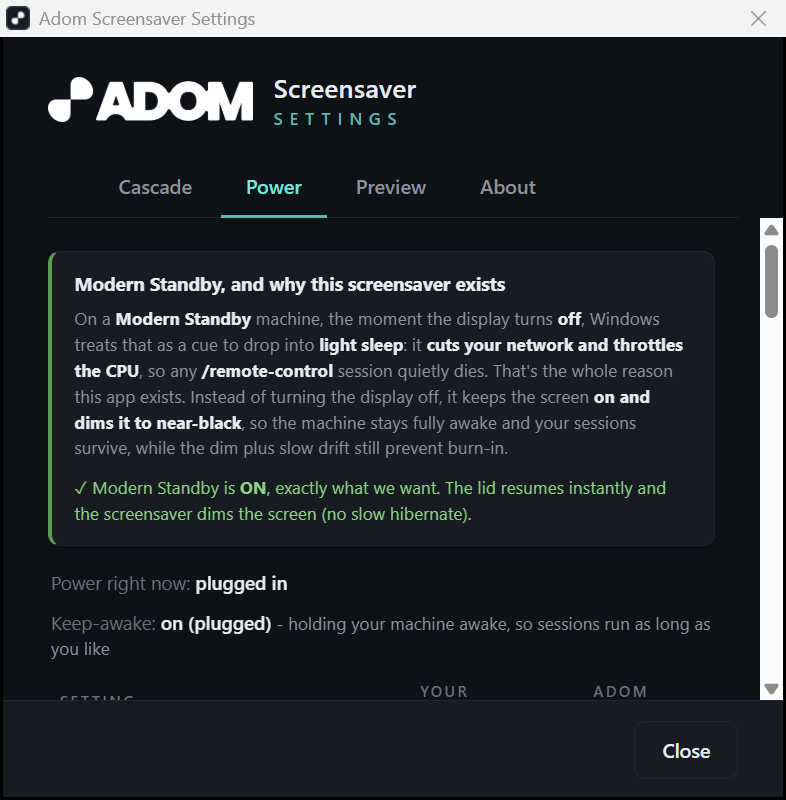
Preview - see it for real before you commit: test an app / skill / component billboard, a private billboard, or jump straight to the dimmed screen.
About - the plain-language explainer of why a vibe-coding machine needs different power rules.
And a billboard playing a real component with its 3D render (not a schematic symbol):
Install
adompkg install adom-screensaver
What that does: on your Adom container (Linux/WSL2) it installs the skills and stages the prebuilt, signed Windows binaries, it does not run anything there. The screensaver is a Windows app. To actually put it on your machine, then ask Claude:
set up the Adom screensaver on my Windows laptop
Claude deploys the prebuilt, code-signed binaries to your laptop over the adom-desktop relay,
wires keep-awake + autostart, registers it as your screensaver, and sets the display-off timing, no
compiler needed, and Windows Defender won't quarantine it (it's signed by "Adom Industries, Inc.").
What it does
- Keep-awake, no PowerToys. A ~20-line helper (
adom-stayawake.exe) holdsSetThreadExecutionState(ES_CONTINUOUS | ES_SYSTEM_REQUIRED)on a permanently-alive thread, so the system stays awake (network + Remote Control survive) while the screen is free to turn off. - Opens with a gorgeous splash, then the billboards. A dark cover lifts over ~800ms to reveal
a power-aware nerd-stats panel, live rows for Power (plugged / on battery %), Screen
(powers-off countdown), Sleep (never while plugged, or the on-battery countdown), Keep-awake
(
ES_SYSTEM_REQUIREDheld → NIC up,/remote-controlreachable), and Billboards (how many are loaded + cache size, climbing live), plus the animated "fetching the latest drops" counter. - A live Wiki billboard (WebView2). It then cross-fades through recent apps/skills from the Adom Wiki, each with its hero, title, brief, and a "just ask Claude" prompt. Because it's a real browser tile it plays webm video muted + looped and renders SVG. Hero images/SVGs are truly cached to disk so they paint instantly and survive offline (video streams, too large to cache). Order is re-shuffled every run. Footer shows power + the display-off countdown.
- Rests the panel, no burn-in. When your display-off time arrives, the saver pauses all
video (releasing the browser's display wake-lock that would otherwise keep the screen lit),
blanks to pure black, and powers the panel off, while keep-awake holds the machine +
network alive. It does not keep cycling bright billboards on a panel that's meant to be off.
A 60-second heartbeat to
wv.logrecords exactly what it did overnight. - Both wikis, with a migration nudge. It pulls Wiki v2 (canonical) and Wiki v1 (legacy). If a page is on both, it shows the v2 version; v1-only cards carry an "On Wiki v1 · nudge the team to migrate to v2" kicker, so the screensaver doubles as a gentle prod to finish the v1 → v2 migration.
- Honest dimming. On laptops where software can't dim the backlight (e.g. ASUS ROG dGPU/MUX), it doesn't pretend to, the on-screen dim is cosmetic (the billboard rests at ~70% brightness); the real backlight-off is Windows' display-off timeout, which genuinely powers the LEDs down with a clean keypress wake.
- Instant wake. Move the mouse and the billboards are gone immediately, the window hides and the browser tears down in the background (fading a layered window over a live WebView2/video is slow and would lag the dismiss, so it doesn't). The lightweight opening phase still fades out gracefully. Never plays audio.
- Branded fade-to-black open. The screensaver fades up from your desktop with a small dark-grey Adom mark centered, which then fades itself to black before the splash takes over.
- Launch on demand, Win + Shift + L. A global hotkey starts the screensaver instantly (the
manual counterpart to the idle timer, the way
Win + Lis for lock). Contributed by Drew asadom-screensaver-hotkeyand folded in as a first-class feature, toggleable from the preferences screen if it ever collides with another shortcut. - Lid-close rides through; no needless lock. Closing the lid no longer slams the machine to sleep, on AC it does nothing, on battery Windows' own idle timer (e.g. 30 min) is the give-up clock, so a quick close-and-carry doesn't kill your threads. And because the screensaver only rests the screen (it doesn't sleep), it doesn't throw a lock screen; a real sleep-then-wake still asks for sign-in as usual.
- Public-only, curatable rotation. Only public wiki pages are advertised, explicitly
org-private/internal pages are filtered out, and you can drop anything else (legacy v1 pages have
no visibility field) by adding its slug to
exclude.txt, no rebuild. - Signed. Both binaries are code-signed with Adom's Azure Trusted Signing cert ("Adom
Industries, Inc.", the same one HD and AD use), so Windows Defender doesn't quarantine the
.scr. - Driveable by other apps. Hydrogen Desktop / adom-desktop can ask it to get off the screen
via a named event, a flag file, or a localhost control port (see the
adom-screensaver-wakeskill).
The opening logo is your escape hatch (and why it stays lightweight)
The first thing the screensaver shows is the dimmed Adom logo for a few seconds. That pause is not just branding, it is a deliberate, human-friendly escape hatch: if the saver fired and you did not want it, a quick flick of the mouse during that logo dismisses it instantly and gently.
For that to feel good, the logo phase has to be genuinely lightweight. So it is drawn with plain Windows graphics (GDI), and the heavy part, the WebView2 / Chromium engine that renders the billboards, is not started until after the logo window ends. Nothing heavy is spinning up underneath while you decide whether to bail. When you flick the mouse, the screen does a quick 300ms fade (fast, but never a harsh cut) and the process exits immediately, without waiting on a half-started browser. The trade is that the first billboard appears a beat later, because the browser only begins warming once you have had your chance to leave. Treating the human well in that moment is worth it.
Screenshots
The system-tray app
A tiny always-on helper, adom-stayawake.exe, lives in your system tray. Right-click it for everything: the status / screen-locks window, the preferences, and a one-click "show the screensaver now" (with its Win+Shift+L shortcut spelled out). It also flips to a warning icon if anything is stopping your display from turning off.

The status / screen-locks window
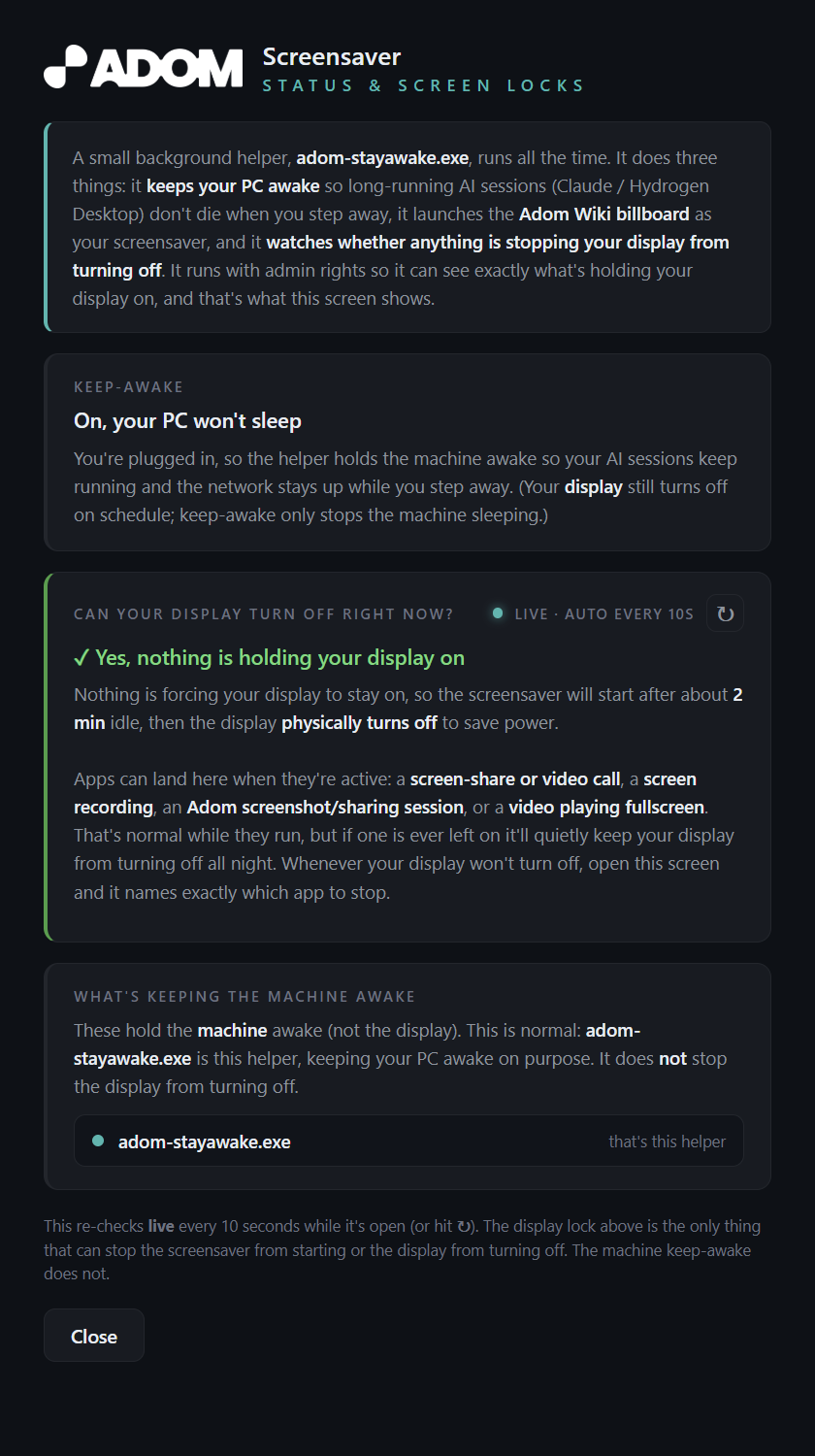
The diagnostics screen. It runs with admin rights so it can read powercfg /requests and show, live, exactly what (if anything) is holding your display on, so the screensaver and display-off can't happen. Healthy state is green; if a screen-share, recording, or capture is pinning the display awake, it names the culprit and tells you how to stop it. Auto-refreshes every 10 seconds.
The preferences window
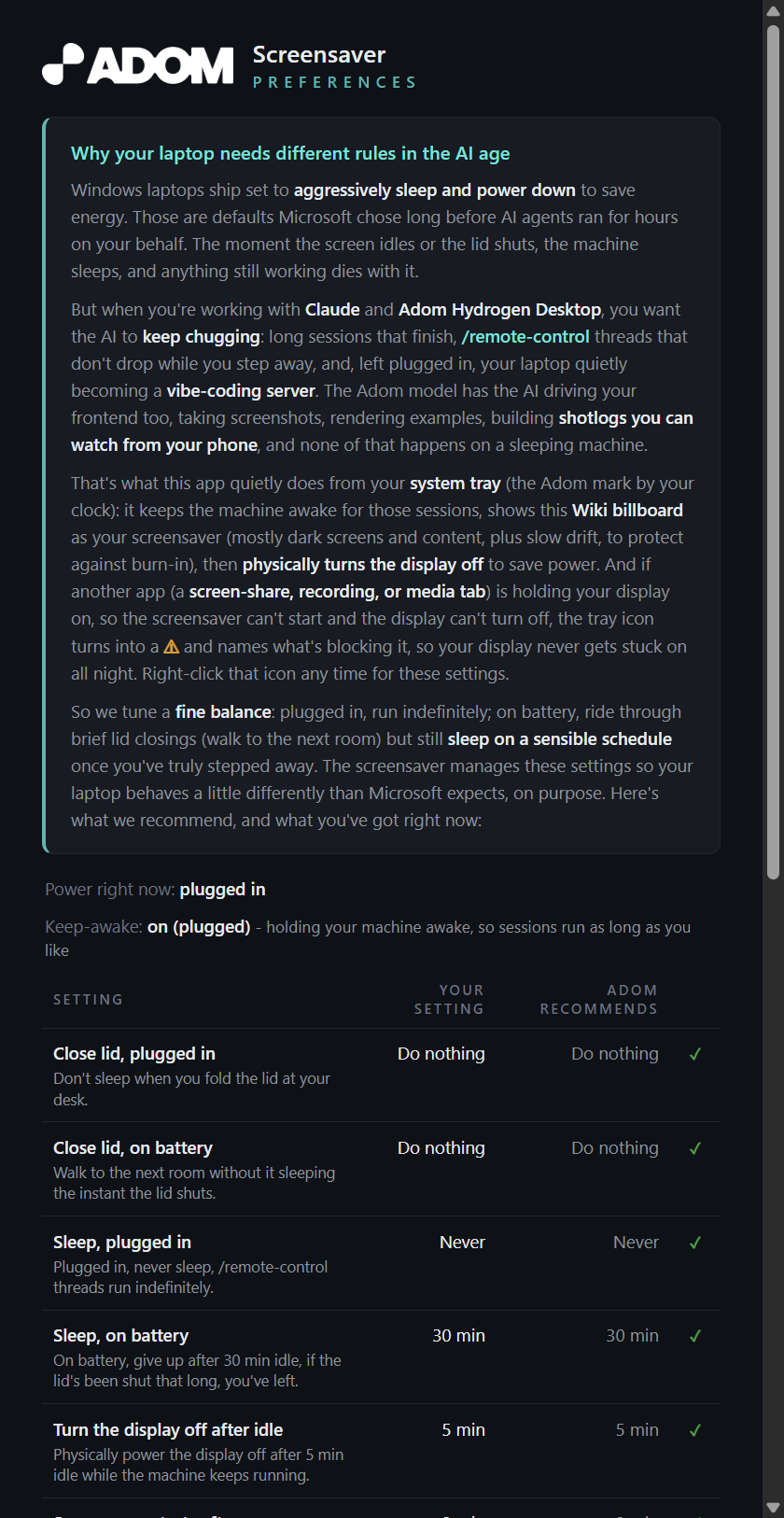
Reachable from Windows' Screen Saver "Settings…" button (or the tray), it reads your actual Windows power settings (lid, sleep, turn-the-display-off, lock) and shows them against the recommended "vibe-coding" profile, with one-click Apply for anything that's drifted. Fine-tune the idle timeout, how long the billboards play before the display turns off, and a never-turn-off (kiosk) option.
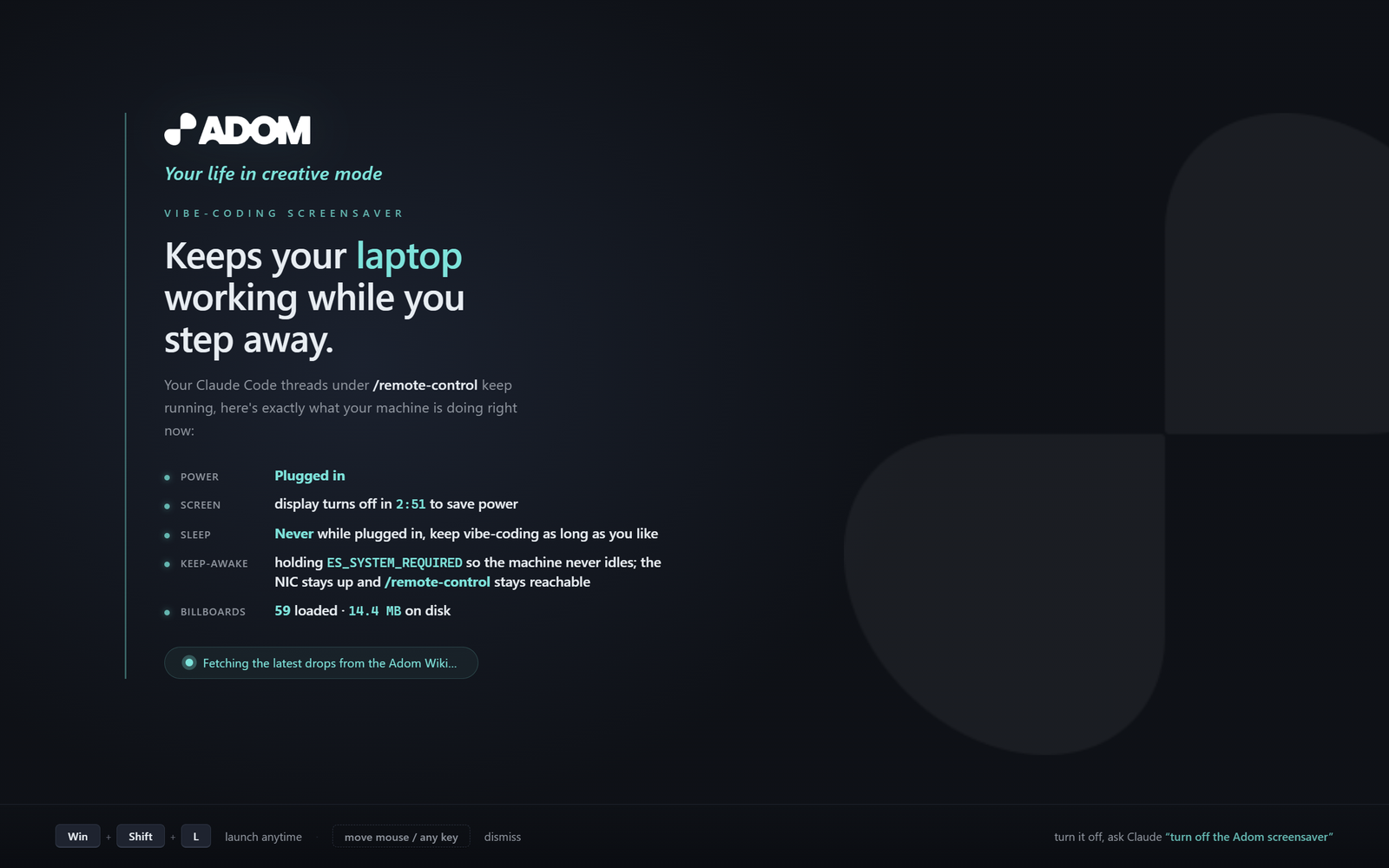
The splash, your machine at a glance
When the screensaver starts it briefly shows a branded splash with live nerd-stats: power source, when the display turns off, sleep behavior, the native keep-awake holding ES_SYSTEM_REQUIRED, and how many billboards have loaded from the Wiki. Then it hands off to the billboards.
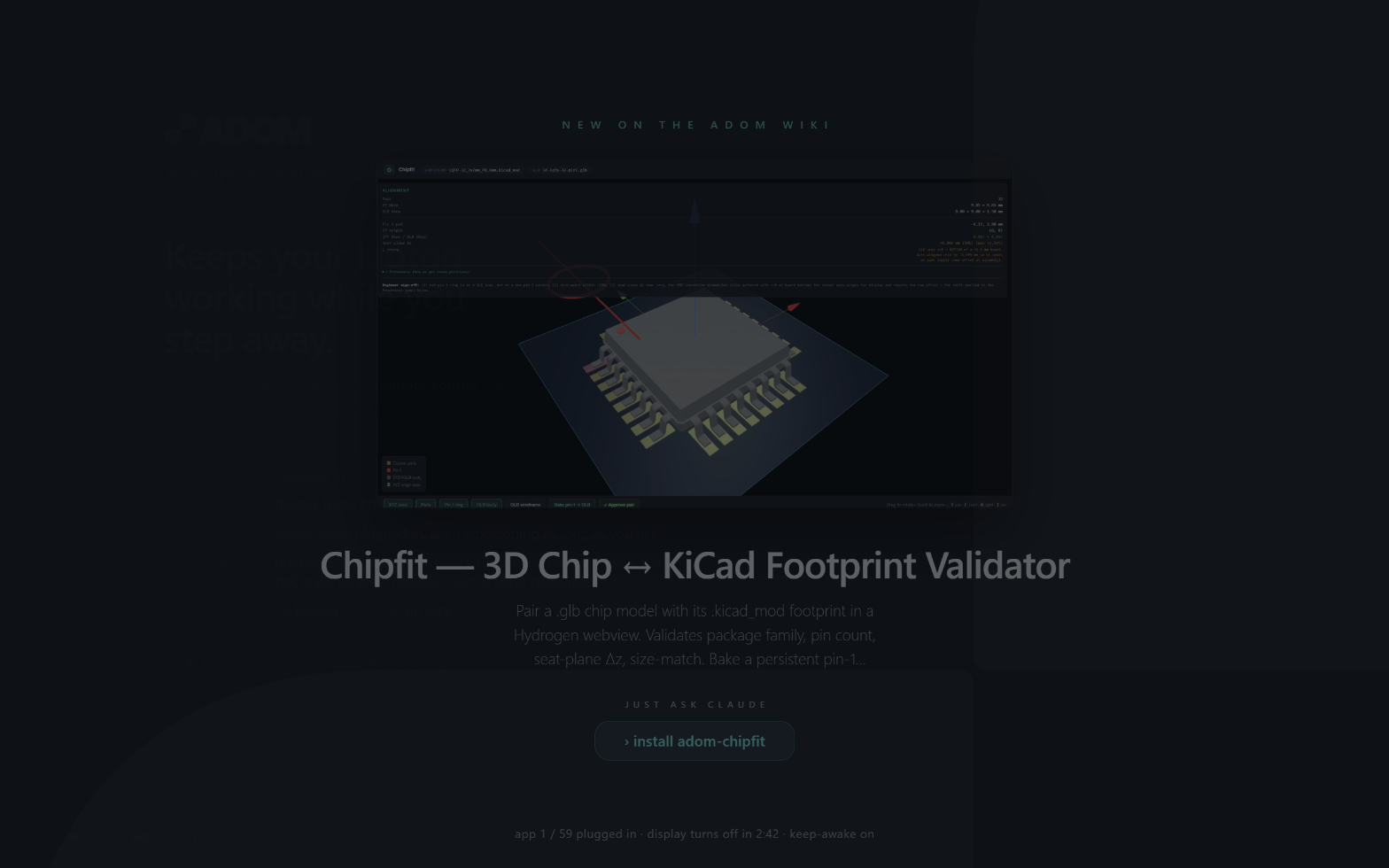
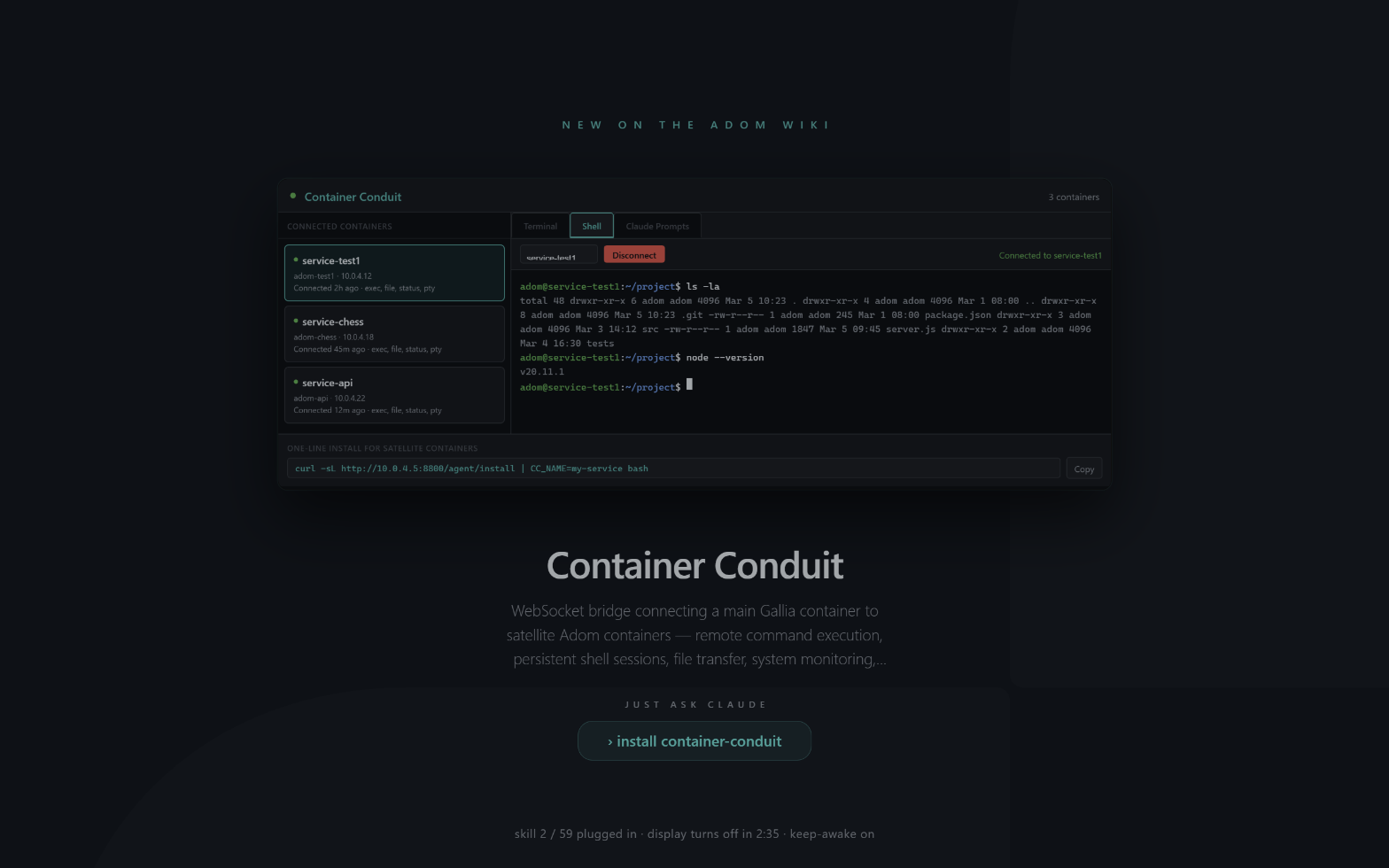
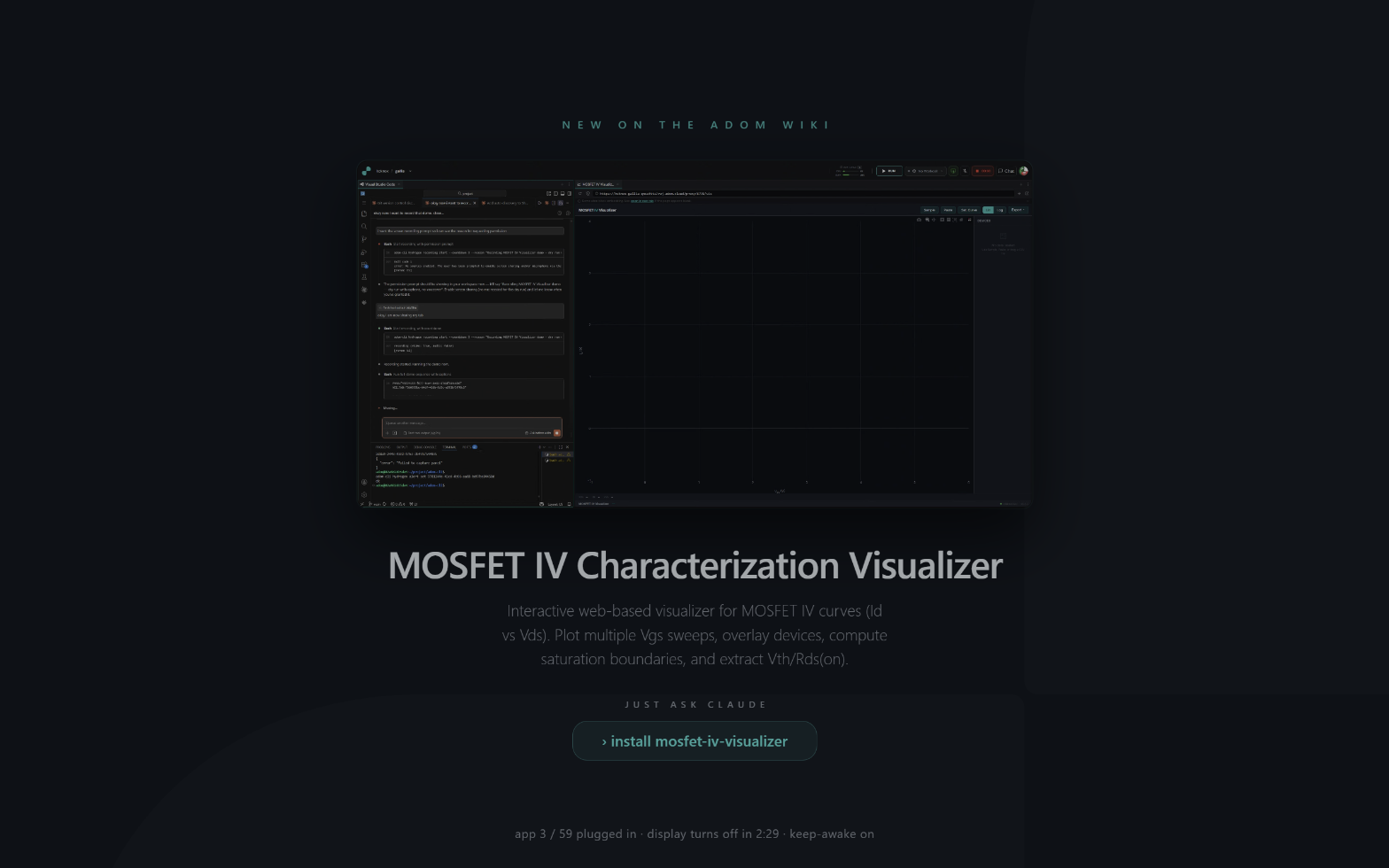
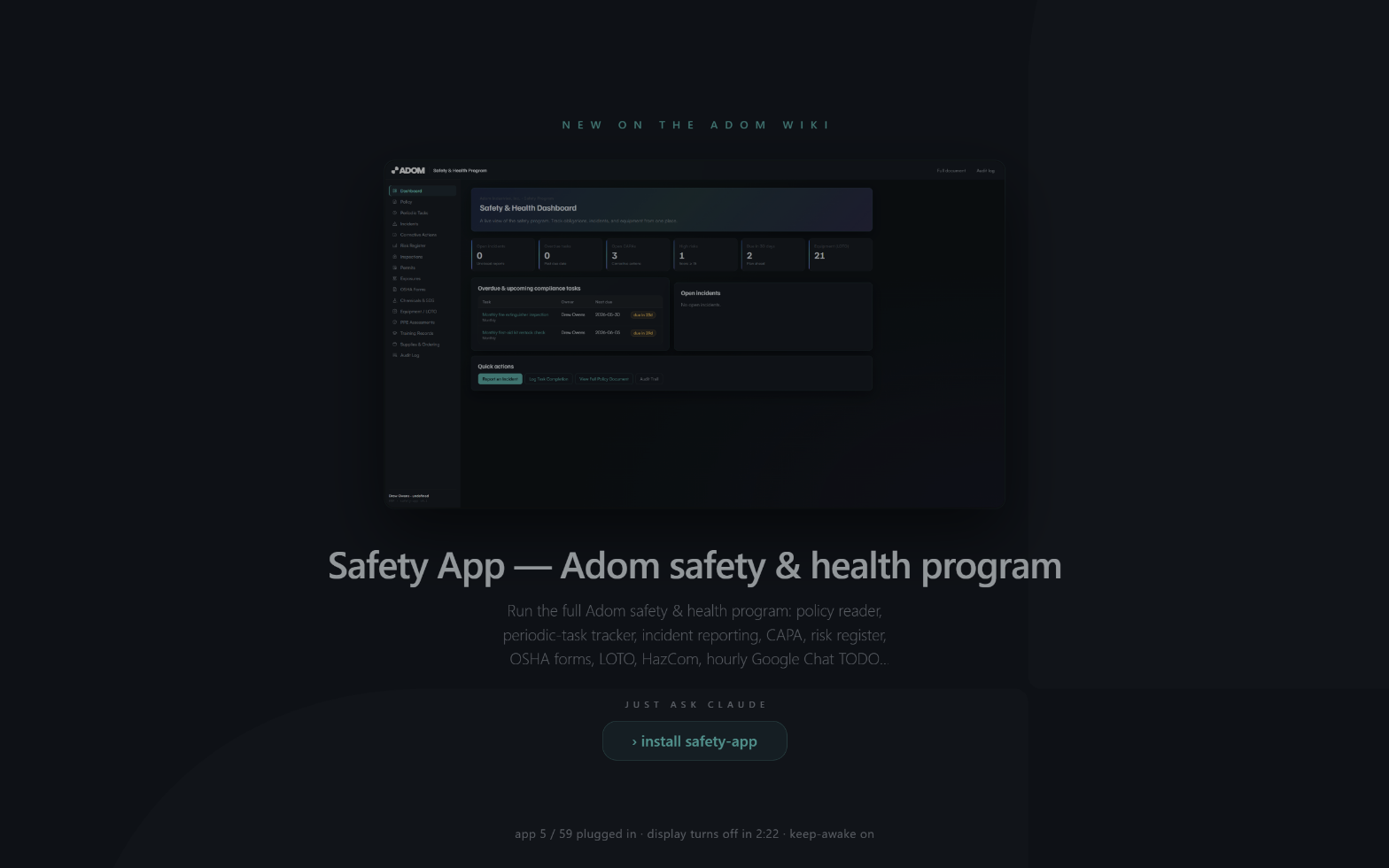
Live billboard slides, advertising the latest Wiki drops
While the screensaver is up it cycles recent Adom Wiki apps and skills, each with its hero, title, and a "just ask Claude" prompt, over a live power + display-off-countdown footer. The order reshuffles every run so it always feels fresh, and the faint Adom mark drifts behind from a random spot each time.
Dependencies
| Dependency | Required? | Why |
|---|---|---|
adom-desktop relay |
Yes (runtime) | The cloud container drives your Windows laptop through it, pushing files, compiling, shipping the WebView2 SDK, configuring power/registry. Ships with your Adom desktop bridge. |
| WebView2 Runtime | Yes (on the laptop) | Renders the billboard (video + SVG). Ships with Windows 11 / Edge. |
.NET Framework (csc.exe) |
Yes (on the laptop) | Ships with every Windows. Compiles the screensaver + keep-awake helper natively. |
| PowerToys | No | Explicitly replaced, native keep-awake without it. |
No adompkg package dependencies.
Features
- WebView2 billboard of recent Wiki v2 + v1 drops; webm video (muted/looped) + SVG + raster, all streamed.
- Native keep-awake via
SetThreadExecutionState(PowerToys-free), autostarting at login. - Real backlight-off via Windows display-off timeout (true LED power-down) while staying awake.
- Power-state + live display-off countdown footer; v1 "migrate to v2" kicker; randomized order; ~70%-brightness cosmetic dim.
- Adaptive wake (instant on-screen dissolve / panel warm-up when off); no lock unless the machine truly slept.
- Win + Shift + L launch hotkey (Drew's contribution), toggleable from preferences; lid-close rides through instead of sleeping.
- Runtime curation via
exclude.txt; wake IPC (named event + flag + localhost control port) for other Adom apps. - Honest by design: cosmetic dim, real display-off, never audio.
Talk to the AI
Set up / deploy
- "set up the Adom screensaver on my laptop"
- "install the keep-awake helper and replace PowerToys"
- "turn off the Win+Shift+L screensaver hotkey" (if it collides with another app)
Configure
- "change the screensaver idle timeout to 2 minutes"
- "set the display to turn off after 3 minutes"
- "stop showing in the billboard"
Run / troubleshoot
- "trigger the Adom screensaver"
- "is the screensaver running right now?"
- "the billboard is blank" (WebView2 runtime / DLLs)
Skills
| Skill | Purpose |
|---|---|
adom-screensaver |
Deploy, configure, run, troubleshoot via the adom-desktop relay. |
adom-screensaver-billboard |
Dual-wiki streaming discovery, video/SVG, exclude.txt curation, the manifest. |
adom-screensaver-wake |
Wake IPC for HD/AD/any app that needs the screen. |
adom-screensaver-build |
Compile + ship the WebView2 .scr (+ SDK DLLs) and verify renders. |
adom-screensaver-rationale |
The why, origin story, the staged cascade, and the design reasoning behind every behavior. |
The main skill is SKILL.md; the sub-skills live in skills/.
The honest hardware story
Built on a real ASUS ROG Zephyrus, where software can't touch the backlight (WmiSetBrightness
ignored on the dGPU/MUX path; NVIDIA blocks SetDeviceGammaRamp). So the app doesn't fake it: the
cosmetic dim is a CSS brightness veil (~70%) over the billboard, and the only real software backlight-off is
letting Windows turn the display off, which this app sets up, with keep-awake holding the system
so the network never drops.