adom-molecule
Public Made by Adomby adom
Adom Molecule CLI — import a wiki molecule into Hydrogen (reuses the published GLB, no re-optimization), plus create/optimize/list/delete from KiCad, Fusion 360, and EasyEDA files.
| Name | Last updated |
|---|---|
| docs | 1mo ago |
| screenshots | 3mo ago |
| skills | 15d ago |
| adom-molecule | 1mo ago |
| install.sh | 1mo ago |
| package.json | 1mo ago |
| page.json | 1mo ago |
| README.md | 1mo ago |
| SKILL.md | 15d ago |
| uninstall.sh | 3mo ago |
Adom Molecule CLI
Rust CLI for the Adom molecule pipeline. Install via the wiki (binary bundled — no GitHub release needed):
adom-wiki pkg install adom/adom-molecule
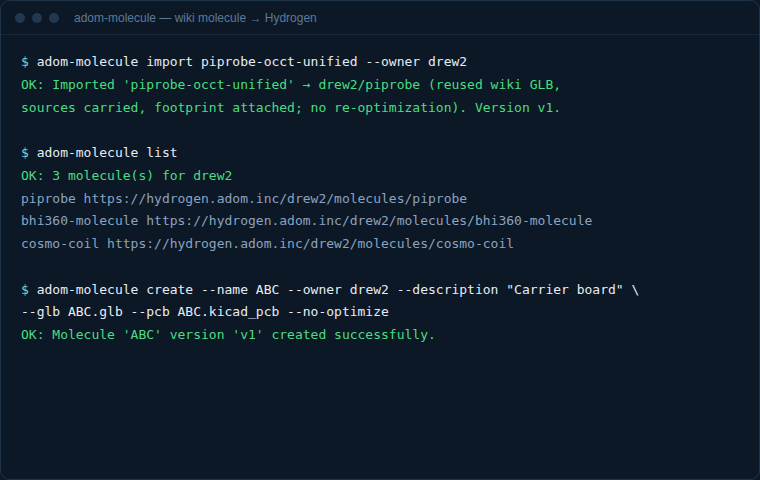
Import a wiki molecule into Hydrogen (new in 1.1.0)
Pulls a molecule already published on the wiki into a Hydrogen account, reusing its published GLB — no re-optimization, no silkscreen re-render:
adom-molecule import <wiki-slug> --owner <username> [--name <molecule-name>]
The wiki page's auto-generated GLB (STEP→GLB at adom-wiki pkg publish time) is fetched
and registered directly via Hydrogen's /api/molecules/create-json.
Create from source files
# KiCad
adom-molecule create --name "RP2040_Core" --owner adom \
    --glb model.glb --pcb board.kicad_pcb --sch schematic.kicad_sch
# Fusion 360
adom-molecule create --source fusion --name "Enclosure" --owner john \
    --usdz model.usdz --silk-top silkscreen.png
adom-molecule list / adom-molecule delete --owner <u> --name <n> manage the library.
Sources
| Source | Files | Pipeline |
|---|---|---|
| Wiki import | (reuses published GLB) | none — direct register |
| KiCad | .glb, .kicad_pcb, .kicad_sch |
Blender |
| Fusion 360 | .usdz, silkscreen .png |
USDZ→GLB (Blender) |
| EasyEDA | .obj |
direct |
- Source: https://github.com/adom-inc/adom-molecule (backup)
- Binary: ~3.3 MB (Linux x86_64)
Private pages
adom-molecule import <owner>/<slug> --owner <you> works on private wiki pages since 1.1.10: the wiki reads carry the container credential (Authorization: Bearer) and the owner-qualified wikiRef lets Hydrogen re-read the page with the same credential. A page you cannot see 404s (by the wiki's design); nothing has to be made public.