JLCPCB Parts Library
Public Made by Adomby adom
Check the JLCPCB / LCSC parts library before you fab — Basic vs Extended tier, LCSC stock and assembly pricing, so you avoid surprise feeder-setup fees. CLI, a Hydrogen app, and a shared backend.

Install?
Check the JLCPCB / LCSC parts library before you fab — Basic vs Extended tier, LCSC stock and assembly pricing, so you avoid surprise feeder-setup fees. CLI, a Hydrogen app, and a shared backend.
adom-wiki pkg install adom/adom-jlcpcbLatest: v1.0.9, published
Contents
README
markdownJLCPCB Parts Library
Know it's in the JLCPCB library, Basic or Extended, before you commit a board to fab.
adom-jlcpcb is the single-vendor JLCPCB / LCSC tool for the Adom ecosystem: one Rust binary with
three faces, a JSON CLI, a first-class Hydrogen webview app, and the shared backend
service that powers service-jlcpcb and feeds adom-parts-search.
Identity and access
You never need a JLCPCB API key. Any vendor credential is company-owned and lives only inside Adom's service container. The CLI reaches Adom's hosted JLCPCB backend automatically, with nothing to configure, and never calls the vendor directly.
What a search needs is your Adom identity, so it is attributed to a real Adom user: in an Adom container it is read automatically from /var/run/adom/api-key; elsewhere set ADOM_API_KEY to your Adom session token. An error reading "this needs your ADOM identity, not a vendor API key" means exactly that.
Install
adom-wiki pkg install adom-jlcpcb
Quick start
# One-shot search
adom-jlcpcb search "0402 10k resistor"

# Interactive UI as a Hydrogen tab
adom-jlcpcb app

# One exact LCSC code
adom-jlcpcb part "C7950"
Screenshots
Basic vs Extended, the question that costs money
On a JLCPCB assembly run, Basic parts are pre-loaded on the line (no fee); Extended parts add a per-part feeder charge. Every card shows the tier, LCSC code, stock and price, so you design around what's actually cheap to place.
Search Basic parts only with adom-jlcpcb search "0402 10k" --basic (or --basic on
adom-parts-search, where it narrows the JLCPCB column). The Basic set is refreshed nightly from
JLCPCB itself, so its flags and stock are current; everything else carries stock_as_of, because
the wider catalogue is re-crawled over months. For one part, adom-jlcpcb part C25744 reads JLCPCB
live and tells you when our snapshot disagrees.
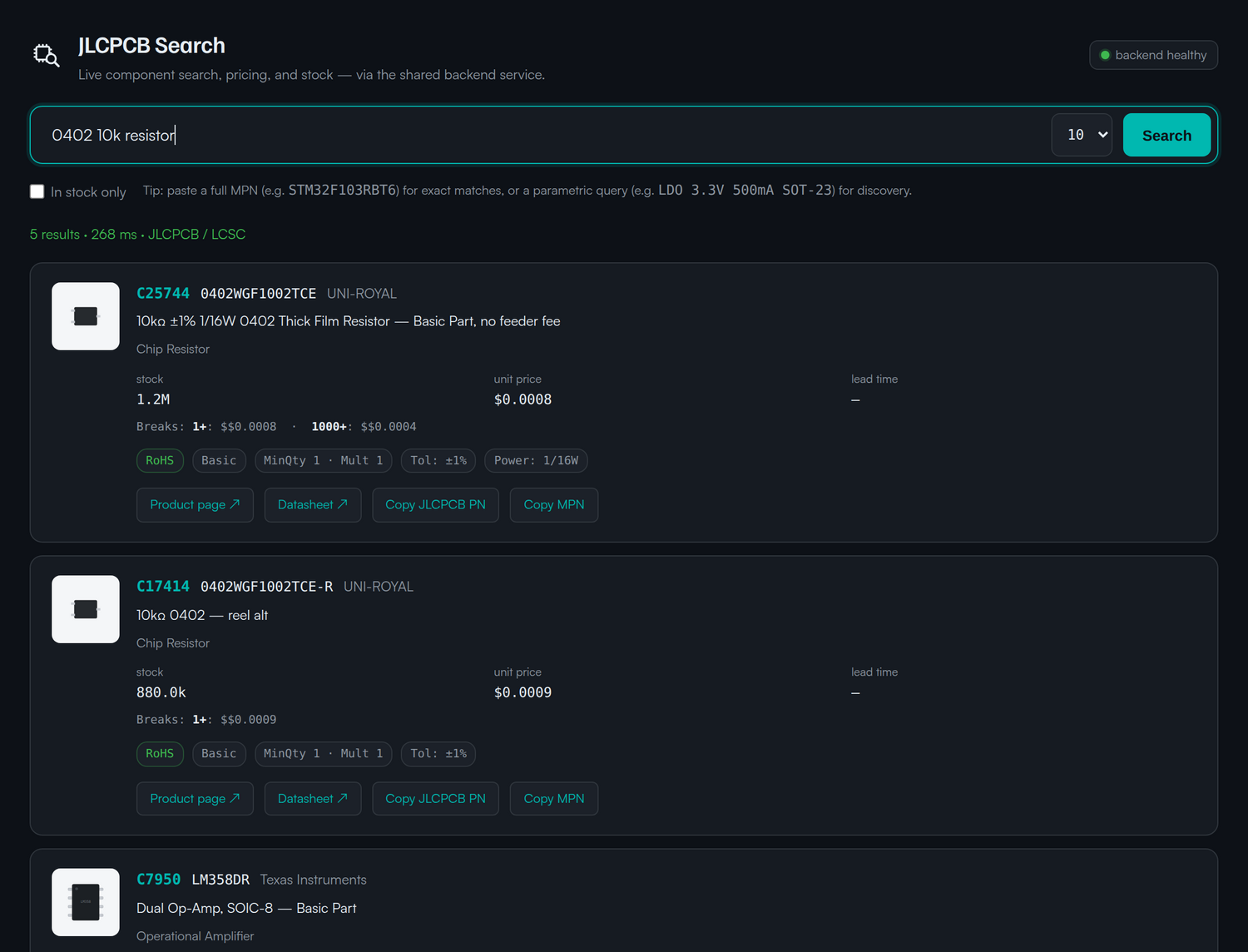
Catch the Extended part before fab does
Search your MCU or regulator and see at a glance whether your first pick is Basic, and what the Basic alternative is. Here a popular STM32 is Basic while a drop-in GD32 is Extended.
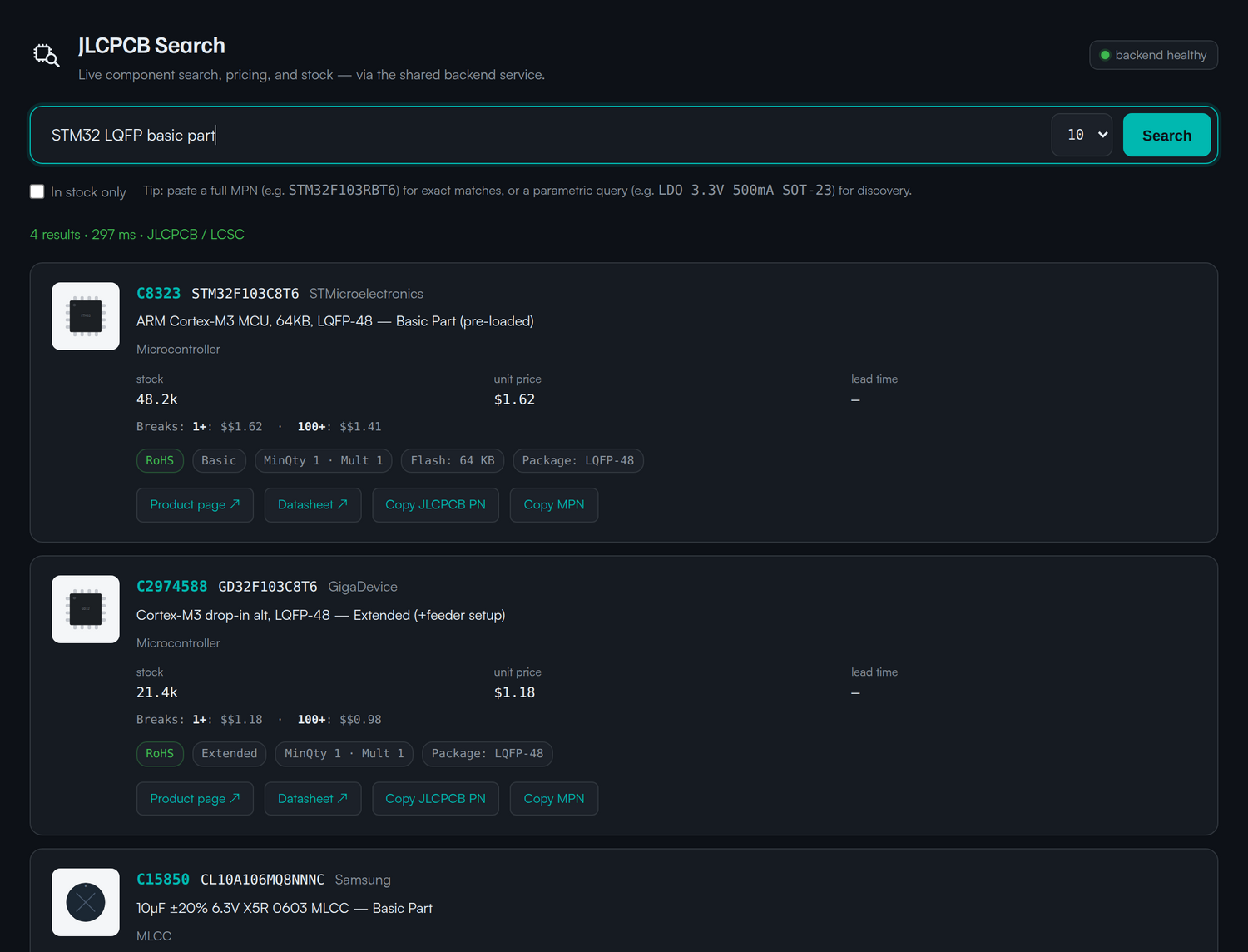
Scriptable from the first keystroke
search/part/health return JSON, pipe to jq, a BOM, or a board-cost estimator.
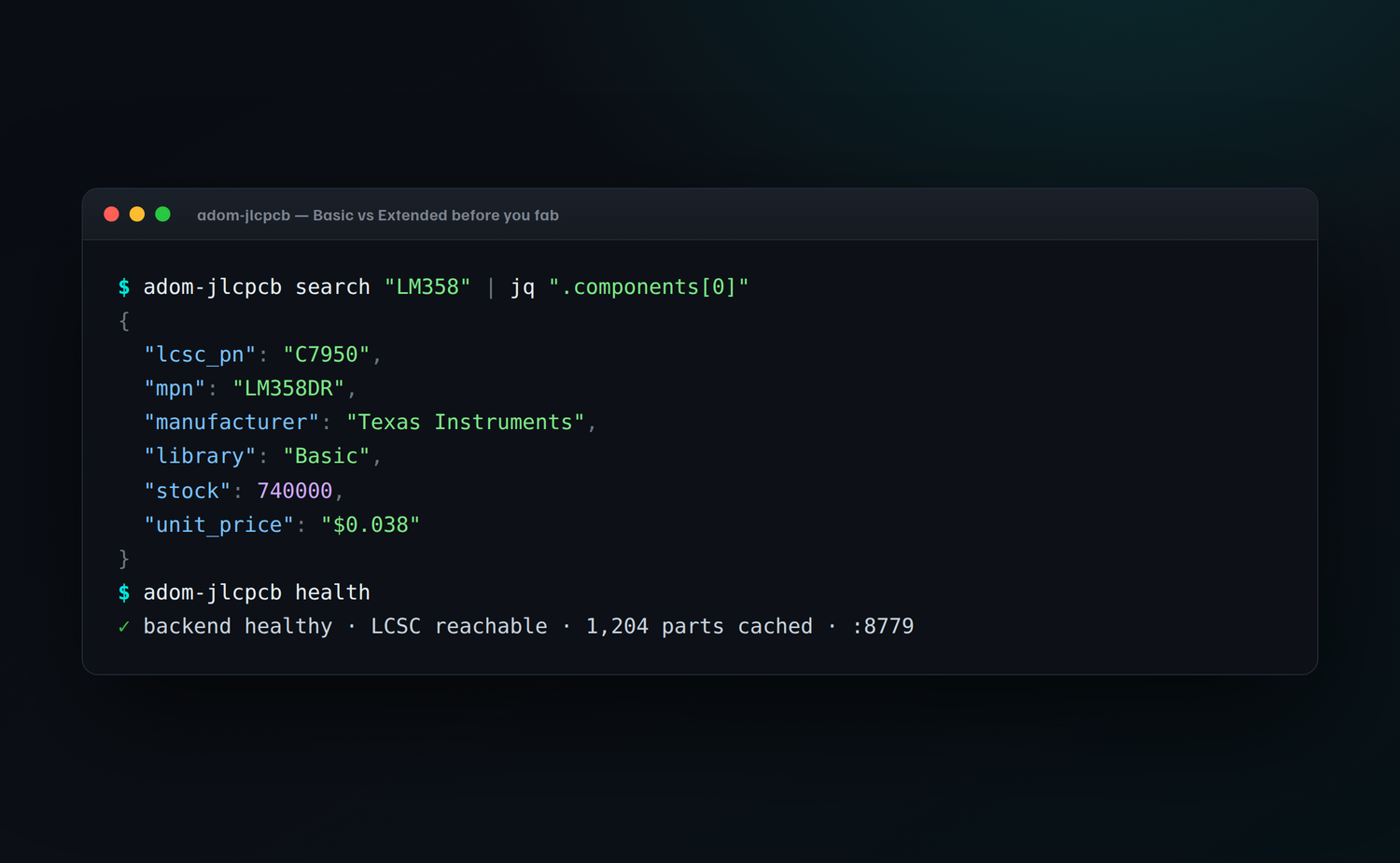
Dependencies
| Dependency | Required? | Why |
|---|---|---|
service-jlcpcb backend (adom-jlcpcb serve) |
Recommended | LCSC resolve + cache; the CLI auto-detects it |
Features
- Three faces: CLI verbs, a Hydrogen webview app, and the shared backend service.
- Library tier on every card: Basic vs Extended, so you avoid surprise feeder-setup fees.
- LCSC codes + assembly pricing: what JLCPCB will actually charge to place the part.
- Assembly-first: in
adom-parts-searchit's the library column, not a buy-now vendor.
Talk to the AI
- "is the LM358 a JLCPCB basic part?"
- "find a basic 0402 10k resistor on JLCPCB"
- "is my STM32 a basic or extended part on JLCPCB"
- "what's the LCSC code for an LM358"
Skills
| Skill | Purpose |
|---|---|
adom-jlcpcb |
When/how Claude drives the search, Basic/Extended, LCSC codes, reading the cards |
adom-jlcpcb-build |
Release workflow (build, publish to the wiki) |
CLI reference
| Command | What it does |
|---|---|
adom-jlcpcb search "<q>" |
Search JLCPCB / LCSC → JSON |
adom-jlcpcb part "<lcsc>" |
Fetch one LCSC code → JSON |
adom-jlcpcb app |
Open the searchable Hydrogen tab |
adom-jlcpcb health |
Check the backend + LCSC reachability |
adom-jlcpcb serve |
Run the shared backend proxy (port 8779) |
Open source, make it yours, then give it back
This app is open source under the MIT license. Fork it, improve it, then send it back: adom-wiki pkg publish your own version, or open a pull request against this page so the change lands for everyone.
One caveat, the search backend is an Adom service. Lookups run against Adom's hosted JLCPCB / LCSC backend (
service-jlcpcb), which uses Adom's API credentials and counts against Adom's quota , an Adom service, subject to change. Everything client-side is yours to fork and republish.
License
MIT © Adom, do what you want with the code, just pass it on.