Adom Desktop - Hello Sample Bridge (Python)
Public Made by Adomby adom
Minimal third-party Adom Desktop bridge in ~80 lines of Python stdlib. Fork this as a starting point for your own bridge.
Adom Desktop - Hello Sample Bridge (Python)
What this is
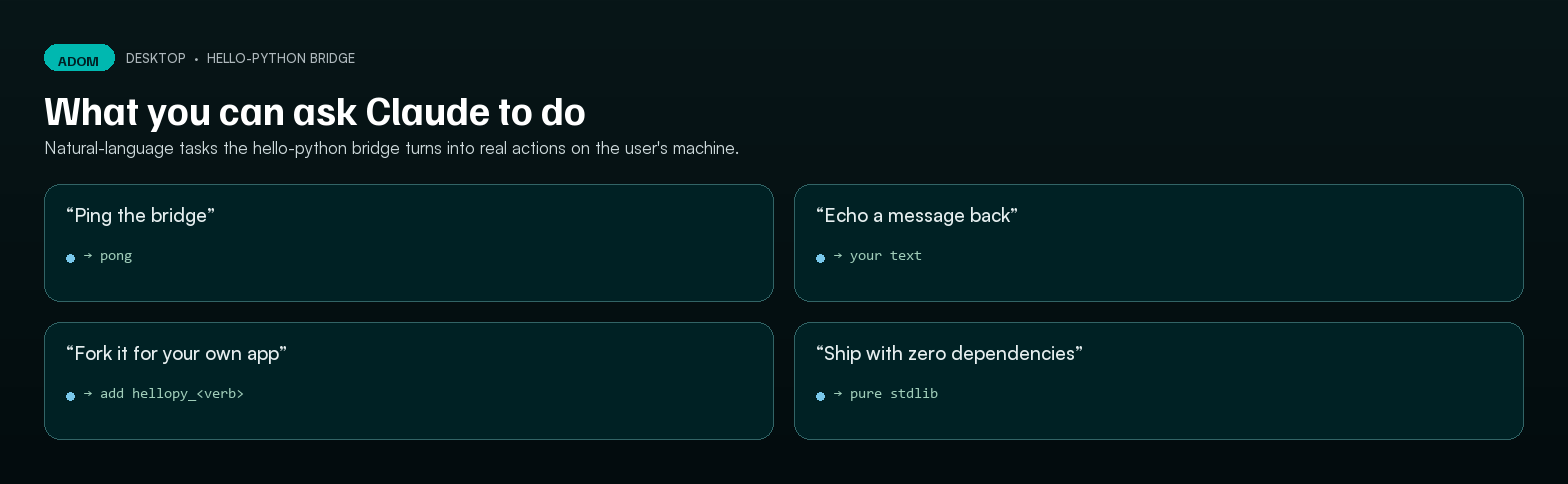
hello-python is a minimal third-party bridge for Adom Desktop, written in ~80 lines of Python stdlib. It exists so you can install one command, run two verbs, and have a complete mental model of what writing a bridge actually involves — before you commit to integrating your real tool (Altium, MATLAB, an oscilloscope, an inventory system, whatever).
Pair it with its twin hello-rust (same surface, different language) for a side-by-side comparison of the two implementation flavors Adom Desktop supports: kind: "python" (interpreted) vs. kind: "exe" (native single-binary).
If you're getting started, also read the bridge SDK guide for the bridge.json schema and packaging conventions.
Try it in 30 seconds
# 1. Install from the wiki (anonymous, no GitHub account needed)
adom-desktop bridge_install '{"manifestUrl":"https://wiki-ufypy5dpx93o.adom.cloud/static/apps/adom-desktop/hello-python-bridge-manifest.json"}'

# 2. Ping it (auto-spawns the bridge process)
adom-desktop hellopy_ping
# → {"success":true,"output":"Hello from the Python sample bridge v1.2.0!","language":"python",...}

# 3. Echo something back
adom-desktop hellopy_echo '{"message":"world"}'
# → {"success":true,"output":"echo (python): world","echoed":"world","language":"python"}

# 4. Confirm it's registered
adom-desktop bridge_list   # look for "hello-python" with verbs hellopy_*

# 5. Uninstall when done
adom-desktop bridge_uninstall '{"name":"hello-python"}'
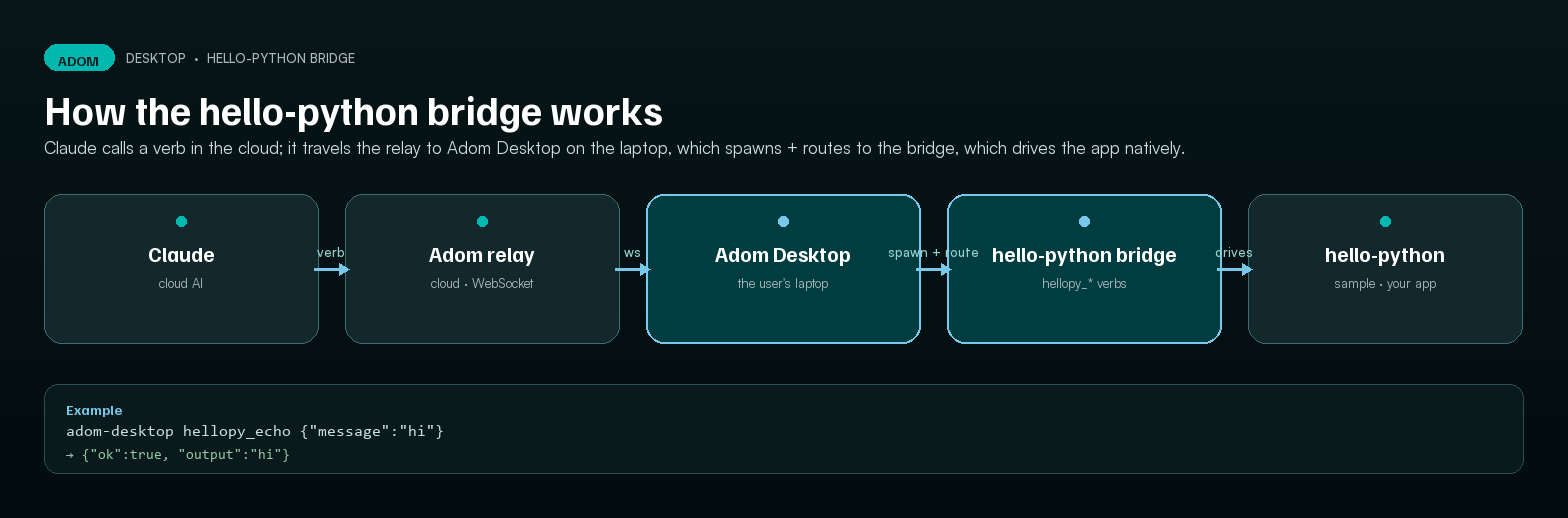
The bridge process auto-spawns on the first hellopy_* call, listens on an OS-assigned ephemeral port (v1.8.31+ dynamic port allocation — no collision with any other bridge), and is killed cleanly on bridge_uninstall or app shutdown.
What's in the box
hello-python/
├── bridge.json         ← manifest (verb prefixes, spawn config, platforms)
├── BRIDGE_VERSION      ← semver, kept in sync with bridge.json
├── server.py           ← ~80 lines, http.server.BaseHTTPRequestHandler
└── README.md           ← lifecycle notes
That's the entire bridge. No external pip dependencies — just the Python stdlib.
The two endpoints every bridge exposes
| Endpoint | When | What it returns |
|---|---|---|
GET /status |
Adom Desktop polls this after spawn to confirm the bridge is alive | {"ok": true, "bridge": "hello-python", "version": "...", "uptimeSec": N} |
POST /command |
Every CLI verb call routes through here | {"success": bool, "output": ..., "error": ...} (response shape is conventional, not enforced) |
How verb routing works
bridge.jsondeclaresverbPrefixes: ["hellopy_"]- Adom Desktop's registry records that
hellopy_*belongs to this bridge - When you type
adom-desktop hellopy_ping, the Tauri runtime:- Spawns
python server.py --port <ephemeral>if not already running - Polls
/statusuntil ready - POSTs
{"command":"hellopy_ping","args":{}}to/command - Streams the JSON response back through the CLI
- Spawns
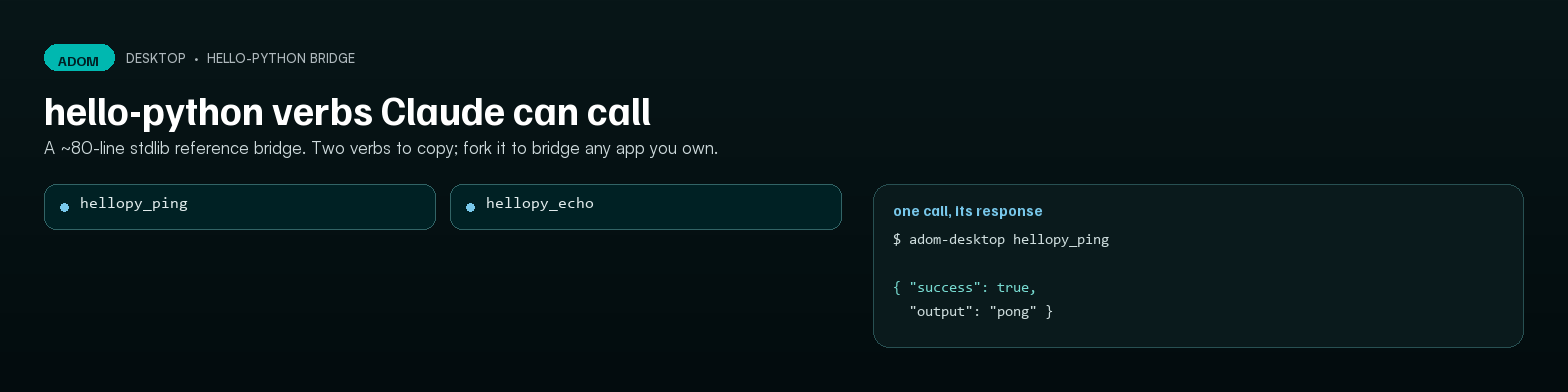
The two verbs
| Verb | Args | Returns |
|---|---|---|
hellopy_ping |
(none) | {success, output, bridge, language: "python", version, uptimeSec, _hint} |
hellopy_echo |
{"message": "<str>"} |
{success, output, echoed, language: "python"} |
Try adom-desktop status hellopy_ping to see the AI-friendly help-map entry that drives Docker Claude usage.
Forking for your own bridge
The fastest way to get to a real bridge:
# 1. Get the source (anonymous — no GitHub account needed)
curl -O https://wiki-ufypy5dpx93o.adom.cloud/static/apps/adom-desktop/hello-python-bridge.zip
unzip hello-python-bridge.zip && cd hello-python

# 2. Rename the bridge end-to-end
#    - bridge.json: change "name", "displayName", "verbPrefixes", "verbs"
#    - server.py:   change __version__, rename the if/elif command branches
#    - BRIDGE_VERSION: reset to 0.1.0

# 3. Replace the verb implementations with calls into your tool's SDK
#    (Altium COM, MATLAB Engine, instrument SCPI, your REST API, etc.)

# 4. Test locally without packaging:
python server.py --port 8890   # in one terminal
adom-desktop bridge_install '{"manifestUrl":"file:///abs/path/to/your/bridge.json"}'

# 5. Package + ship — see the SDK guide
The full source tree (with the dynamic-port v1.8.31 wiring intact) is at scripts/sample-bridges/hello-python/ in the Adom Desktop repo, mirroring what bridge_install extracts to your cache dir.
When Python is the right choice
Pick hello-python (vs. the Rust flavor) when:
- Your tool has Python bindings. KiCad, Fusion 360, OpenCV, NumPy ecosystem — Python is the natural shim.
- I/O-bound work. REST calls, file walks, slow vendor SDKs — Python's overhead is invisible.
- Fast iteration. No compile step.
Ctrl+Sthen re-run. - End users already have Python. Engineers running Adom Desktop on a workstation typically have it.
Pick hello-rust when you need a single static binary, no runtime install, type safety, or CPU-bound performance.
License
MIT. Fork freely, sell what you build on top.
See also
- Adom Desktop bridge SDK guide —
bridge.jsonschema, packaging, lifecycle hello-rust— Rust port of this same surface- Bridges registry — community-maintained list of installable bridges
- Reference bridges: KiCad, Fusion 360, Puppeteer — full-complexity production examples
# Adom Desktop - Hello Sample Bridge (Python)


## What this is
`hello-python` is a **minimal third-party bridge** for Adom Desktop, written in ~80 lines of Python stdlib. It exists so you can install one command, run two verbs, and have a complete mental model of what writing a bridge actually involves — before you commit to integrating your real tool (Altium, MATLAB, an oscilloscope, an inventory system, whatever).
Pair it with its twin [`hello-rust`](https://wiki-ufypy5dpx93o.adom.cloud/apps/adom-desktop-hello-rust-bridge) (same surface, different language) for a side-by-side comparison of the two implementation flavors Adom Desktop supports: `kind: "python"` (interpreted) vs. `kind: "exe"` (native single-binary).
If you're getting started, also read the [bridge SDK guide](https://wiki-ufypy5dpx93o.adom.cloud/apps/adom-desktop-bridges) for the `bridge.json` schema and packaging conventions.
## Try it in 30 seconds
```bash
# 1. Install from the wiki (anonymous, no GitHub account needed)
adom-desktop bridge_install '{"manifestUrl":"https://wiki-ufypy5dpx93o.adom.cloud/static/apps/adom-desktop/hello-python-bridge-manifest.json"}'
# 2. Ping it (auto-spawns the bridge process)
adom-desktop hellopy_ping
# → {"success":true,"output":"Hello from the Python sample bridge v1.2.0!","language":"python",...}
# 3. Echo something back
adom-desktop hellopy_echo '{"message":"world"}'
# → {"success":true,"output":"echo (python): world","echoed":"world","language":"python"}
# 4. Confirm it's registered
adom-desktop bridge_list # look for "hello-python" with verbs hellopy_*
# 5. Uninstall when done
adom-desktop bridge_uninstall '{"name":"hello-python"}'
```
The bridge process auto-spawns on the first `hellopy_*` call, listens on an OS-assigned ephemeral port (v1.8.31+ dynamic port allocation — no collision with any other bridge), and is killed cleanly on `bridge_uninstall` or app shutdown.
## What's in the box
```
hello-python/
├── bridge.json ← manifest (verb prefixes, spawn config, platforms)
├── BRIDGE_VERSION ← semver, kept in sync with bridge.json
├── server.py ← ~80 lines, http.server.BaseHTTPRequestHandler
└── README.md ← lifecycle notes
```
That's the entire bridge. No external pip dependencies — just the Python stdlib.
## The two endpoints every bridge exposes
| Endpoint | When | What it returns |
|---|---|---|
| `GET /status` | Adom Desktop polls this after spawn to confirm the bridge is alive | `{"ok": true, "bridge": "hello-python", "version": "...", "uptimeSec": N}` |
| `POST /command` | Every CLI verb call routes through here | `{"success": bool, "output": ..., "error": ...}` (response shape is conventional, not enforced) |
## How verb routing works
1. `bridge.json` declares `verbPrefixes: ["hellopy_"]`
2. Adom Desktop's registry records that `hellopy_*` belongs to this bridge
3. When you type `adom-desktop hellopy_ping`, the Tauri runtime:
- Spawns `python server.py --port <ephemeral>` if not already running
- Polls `/status` until ready
- POSTs `{"command":"hellopy_ping","args":{}}` to `/command`
- Streams the JSON response back through the CLI
## The two verbs
| Verb | Args | Returns |
|---|---|---|
| `hellopy_ping` | (none) | `{success, output, bridge, language: "python", version, uptimeSec, _hint}` |
| `hellopy_echo` | `{"message": "<str>"}` | `{success, output, echoed, language: "python"}` |
Try `adom-desktop status hellopy_ping` to see the AI-friendly help-map entry that drives Docker Claude usage.
## Forking for your own bridge
The fastest way to get to a real bridge:
```bash
# 1. Get the source (anonymous — no GitHub account needed)
curl -O https://wiki-ufypy5dpx93o.adom.cloud/static/apps/adom-desktop/hello-python-bridge.zip
unzip hello-python-bridge.zip && cd hello-python
# 2. Rename the bridge end-to-end
# - bridge.json: change "name", "displayName", "verbPrefixes", "verbs"
# - server.py: change __version__, rename the if/elif command branches
# - BRIDGE_VERSION: reset to 0.1.0
# 3. Replace the verb implementations with calls into your tool's SDK
# (Altium COM, MATLAB Engine, instrument SCPI, your REST API, etc.)
# 4. Test locally without packaging:
python server.py --port 8890 # in one terminal
adom-desktop bridge_install '{"manifestUrl":"file:///abs/path/to/your/bridge.json"}'
# 5. Package + ship — see the SDK guide
```
The full source tree (with the dynamic-port v1.8.31 wiring intact) is at [`scripts/sample-bridges/hello-python/`](https://github.com/adom-inc/adom-desktop/tree/main/scripts/sample-bridges/hello-python) in the Adom Desktop repo, mirroring what `bridge_install` extracts to your cache dir.
## When Python is the right choice
Pick `hello-python` (vs. the Rust flavor) when:
- **Your tool has Python bindings.** KiCad, Fusion 360, OpenCV, NumPy ecosystem — Python is the natural shim.
- **I/O-bound work.** REST calls, file walks, slow vendor SDKs — Python's overhead is invisible.
- **Fast iteration.** No compile step. `Ctrl+S` then re-run.
- **End users already have Python.** Engineers running Adom Desktop on a workstation typically have it.
Pick [`hello-rust`](https://wiki-ufypy5dpx93o.adom.cloud/apps/adom-desktop-hello-rust-bridge) when you need a single static binary, no runtime install, type safety, or CPU-bound performance.
## License
MIT. Fork freely, sell what you build on top.
## See also
- [Adom Desktop bridge SDK guide](https://wiki-ufypy5dpx93o.adom.cloud/apps/adom-desktop-bridges) — `bridge.json` schema, packaging, lifecycle
- [`hello-rust`](https://wiki-ufypy5dpx93o.adom.cloud/apps/adom-desktop-hello-rust-bridge) — Rust port of this same surface
- [Bridges registry](https://wiki-ufypy5dpx93o.adom.cloud/apps/adom-desktop-bridges-registry) — community-maintained list of installable bridges
- [Reference bridges: KiCad, Fusion 360, Puppeteer](https://wiki-ufypy5dpx93o.adom.cloud/apps/adom-desktop-bridges-registry) — full-complexity production examples