# adom-schematic-viewer
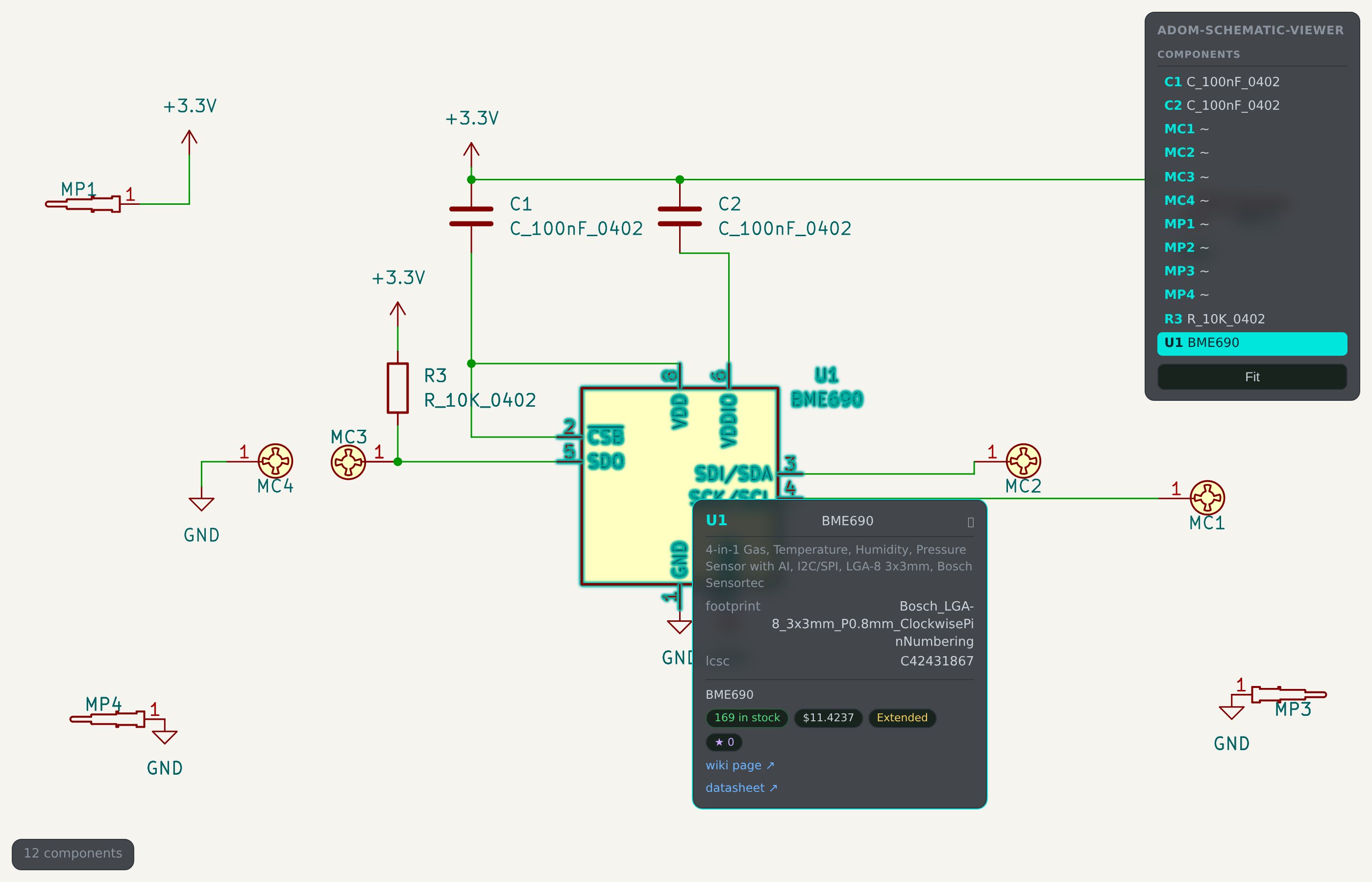
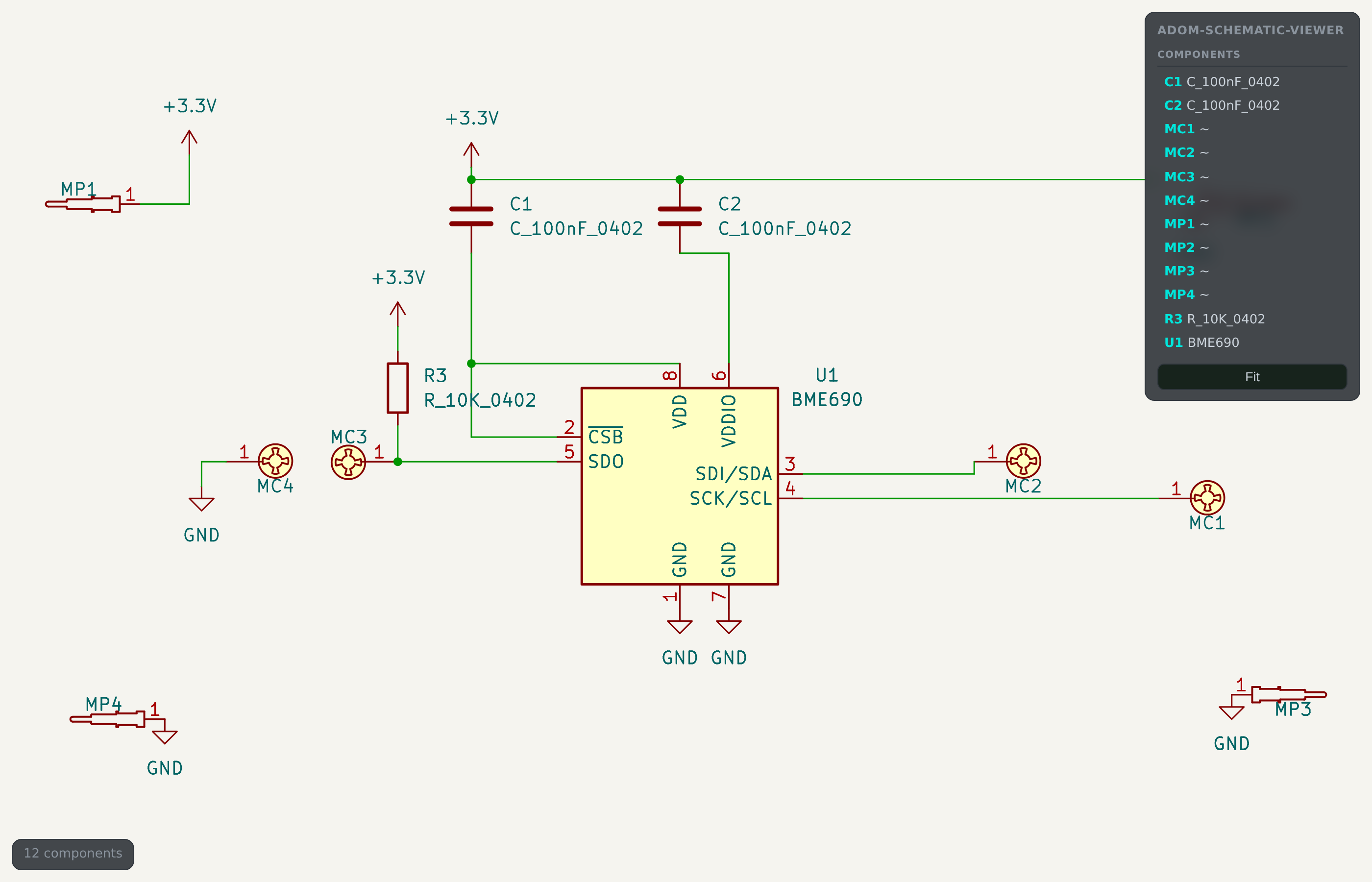
Interactive **schematic viewer**. The drawing is your EDA's *own* export — real
symbols, real fonts, real wire routing — with an invisible interaction layer over
it that knows which strokes belong to which component. Hover a symbol and it
haloes the way it does when you select it in KiCad, and tells you what the part
costs and whether it is in stock.
The untouched sheet — this is service-kicad's own export, not a redraw:
## Why it works this way
Same architecture as its sibling **adom-layout-viewer**: authenticity from the
EDA's render, interactivity from parsed geometry.
- **Visual base** — the whole sheet as SVG from the shared **service-kicad**
container (`POST /kicad/sch/export/svg`).
- **Interaction overlay** — the `.kicad_sch` parsed in Rust into per-component
regions (symbol body *plus* a box per visible property text), used both for
invisible hotspots and to tag each drawing element with `data-cref` so the
highlight can act on the symbol's real lines.
## What you get
- **KiCad-style selection** — hovering haloes that symbol's own strokes,
including its reference and value text. Its colours don't change and the rest
of the sheet is left completely alone.
- **Hover card** — reference, value, description, footprint, LCSC part, plus
live **MPN, stock, price, tier, popularity**, a JLCPCB link, a wiki page link
and the datasheet. The card follows the cursor and flips at the viewport edges.
- **Click to pin** — the card stays where it is and becomes clickable, so you
can actually follow those links. On small or embedded screens the hover card is
abridged to reference · MPN · stock; pinning always expands it.
- **Component list** — every part on the sheet, hover-linked to the drawing.
- **Embeddable** — `embed` emits one self-contained interactive HTML file, so any
app can use it as a live schematic view. (adom-project-manager does.)
## Install
```
adompkg install adom-schematic-viewer
```
## Use
```bash
# one self-contained interactive HTML (what you embed in another app)
adom-schematic-viewer embed --file sheet.kicad_sch --out sheet.html
# a composed interactive SVG (+ sheet.meta.json with --meta)
adom-schematic-viewer render --file sheet.kicad_sch --out sheet.svg --meta
# the live app
adom-schematic-viewer serve --file sheet.kicad_sch --port 8793
# one part's stock/price/MPN/wiki as JSON — lets a HOST app serve /enrich
# on behalf of an embedded view, which has no server of its own
adom-schematic-viewer enrich --mpn 100nF --lcsc C1525
```
### Embedding in your own app
```html
```
The embed's `fetch("enrich")` is **relative**, so it resolves against whoever
serves the page. Point that route at `adom-schematic-viewer enrich` and the
embedded card gets live stock and price; answer nothing and it degrades to
identity only.
## Enrichment
- `adom-jlcpcb search ` — stock, unit price, Basic/Preferred/Extended
tier, popularity, manufacturer, the real MPN and a JLCPCB link
- `adom-wiki discover search --query --json` — wiki page, and vouch count
as popularity when JLCPCB has none. Matched conservatively (close name match
only) so passives don't pick up unrelated pages.
## Notes
- Requires network access to **service-kicad**; override with `KICAD_SERVICE_API`.
Override the JLCPCB endpoint with `JLCPCB_API`.
- KiCad today; Altium and Fusion exports are the next step.
See also: **adom-layout-viewer** — the same idea for `.kicad_pcb`, with net and
trace highlighting.