Adom Wiki
Public Made by Adomby adom
How the Adom Wiki (wiki.adom.inc) works and how to drive it with the adom-wiki CLI: the two storage layers (git page repo vs package registry), hosting source by pushing files (not a tarball), making packages, cutting per-platform releases, and the three-tier skill layout (user skills ship, dev-skills/ and publish-skills/ stay source-only). adom-wiki is the current tool; adompkg is deprecated. Read this first before publishing or installing.
SVG files don't render in README/markdown (served as application/octet-stream; sanitizer also strips inline-SVG + data-URI)
Use case. I author architecture / flow diagrams as the lead image on app README pages (e.g. adom/adom-chip-fetcher). They start life as SVG so they stay crisp at any zoom, scale on retina, weigh little, and carry on-brand fonts. I want to reference them in README.md like any other image.
What I tried (three ways to render an SVG), all failed on this wiki:
referencing a.svgcommitted to the page repo. The file serves withContent-Type: application/octet-stream, so the browser refuses to paint it andimg.naturalWidthis0x0(broken-image). PNG/JPG serve fine (image/png). Verified:curl .../api/pages/adom/adom-chip-fetcher/files/chip-fetcher-flow.svgreturnscontent-type: application/octet-stream.Inline
<svg>...</svg>directly inREADME.md. The README sanitizer (sanitize-html, strict allowlist) strips<svg>entirely (and<style>/style=), so nothing renders.data-URI. I pushed this live and checked the rendered DOM: the sanitizer dropsdata:image sources too (0 data-URI images survived).
Net effect. There is currently no way to show an SVG in a README. I fell back to rendering each SVG to PNG, which loses crisp vector, bloats the repo, and forced me to re-embed brand fonts + render at 2x to avoid an ugly fallback-font raster.
Proposed fix (smallest first):
- Add
.svgto the file-serving MIME map so it's served asimage/svg+xml(it already maps.pngtoimage/png). That alone makesrender as true vector. - Optionally, allow a
data:image scheme and/or a safe<svg>subset through the README sanitizer for inline diagrams.
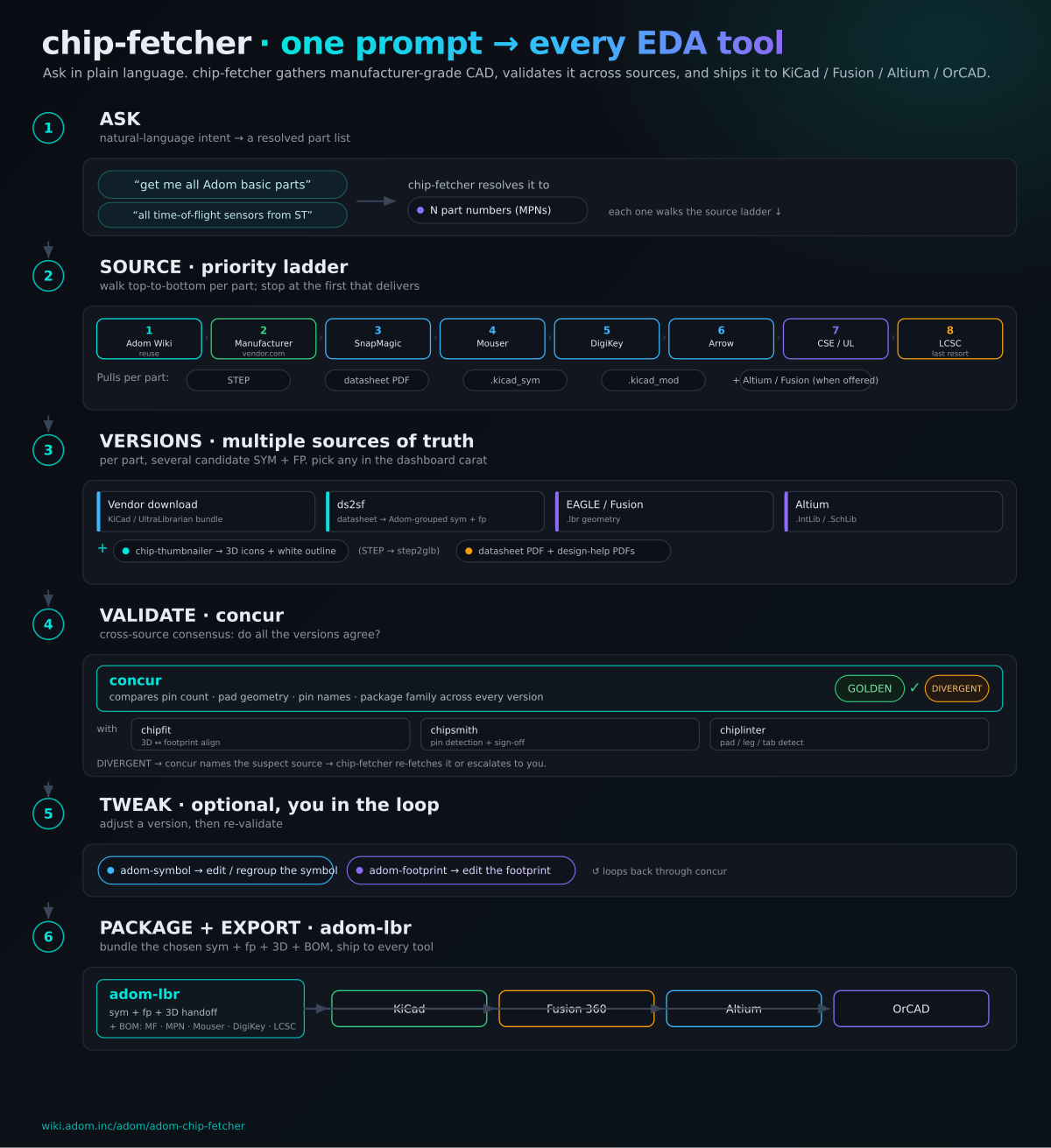
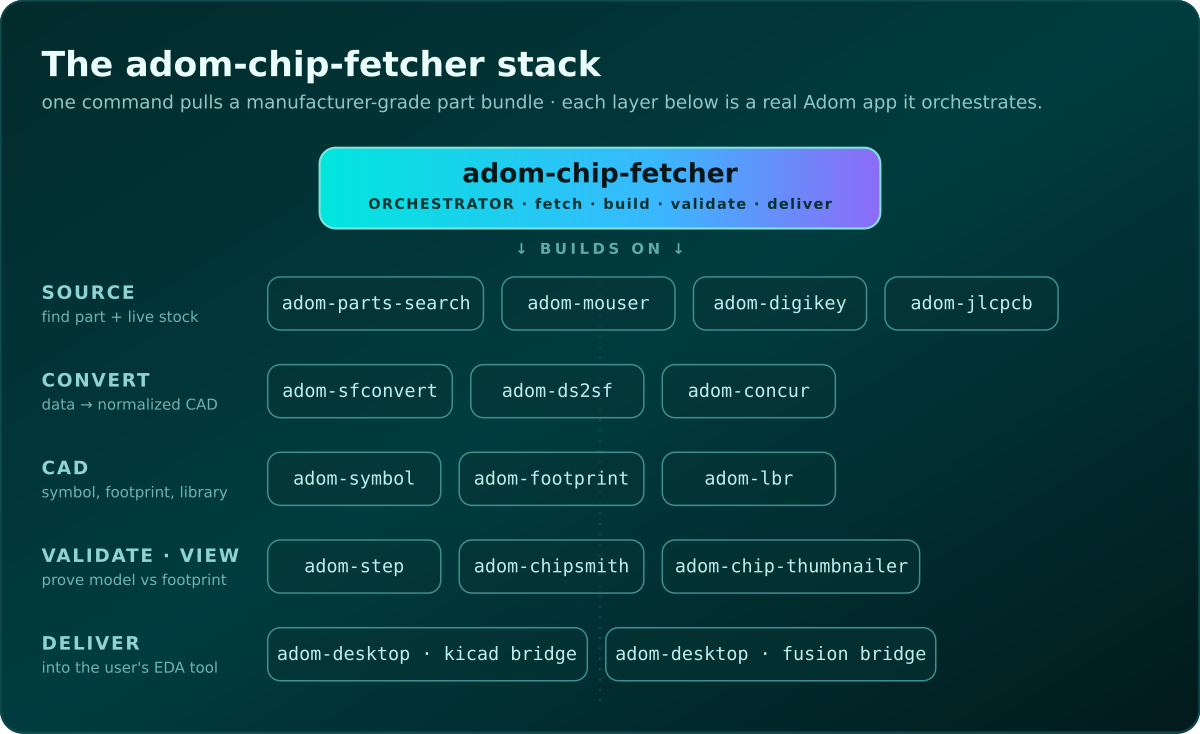
Examples below. These are PNG renders so they display here; the SVG sources are committed at adom/adom-chip-fetcher as chip-fetcher-flow.svg and chip-fetcher-stack.svg. The first is a flow diagram I wanted as the README lead image; the second is the app-stack diagram that was showing as a broken image until I converted it to PNG.
 renders, no more broken image. Verified: GET /api/pages/adom/hook/files/docs/shot.svg returns content-type image/svg+xml (was application/octet-stream).