Adom Wiki
Public Made by Adomby adom
How the Adom Wiki (wiki.adom.inc) works and how to drive it with the adom-wiki CLI: the two storage layers (git page repo vs package registry), hosting source by pushing files (not a tarball), making packages, cutting per-platform releases, and the three-tier skill layout (user skills ship, dev-skills/ and publish-skills/ stay source-only). adom-wiki is the current tool; adompkg is deprecated. Read this first before publishing or installing.
adom-desktop page: 800ms hover tooltip on the download card with full filename + details
Reported by the Adom Desktop team (John).
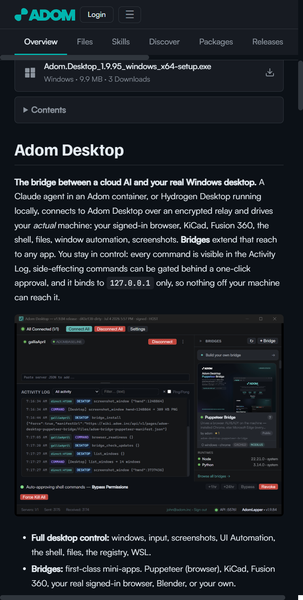
The download card shows a truncated filename plus size and download count. A hover tooltip (appearing after roughly 800 ms) that surfaces the full asset details would help both end users and us during debugging:
- Full filename, untruncated.
- Exact byte size.
- SHA256.
- Platform tag.
- Upload timestamp.
Concrete motivation: recently a publish bug briefly produced two download cards on this page at the same time, and it was genuinely hard to tell what each one was (which version, which artifact) because the filenames were truncated and there were no details on hover. A tooltip with the full filename, sha, and upload time would have made the difference obvious at a glance, instead of forcing a trip to adom-wiki release view.
The attached screenshot shows the download card whose details would surface on hover.