Adom Wiki
Public Made by Adomby adom
How the Adom Wiki (wiki.adom.inc) works and how to drive it with the adom-wiki CLI: the two storage layers (git page repo vs package registry), hosting source by pushing files (not a tarball), making packages, cutting per-platform releases, and the three-tier skill layout (user skills ship, dev-skills/ and publish-skills/ stay source-only). adom-wiki is the current tool; adompkg is deprecated. Read this first before publishing or installing.
adom-desktop page: let a page caption the Install and Download cards (what each is for)
Reported by the Adom Desktop team (John).
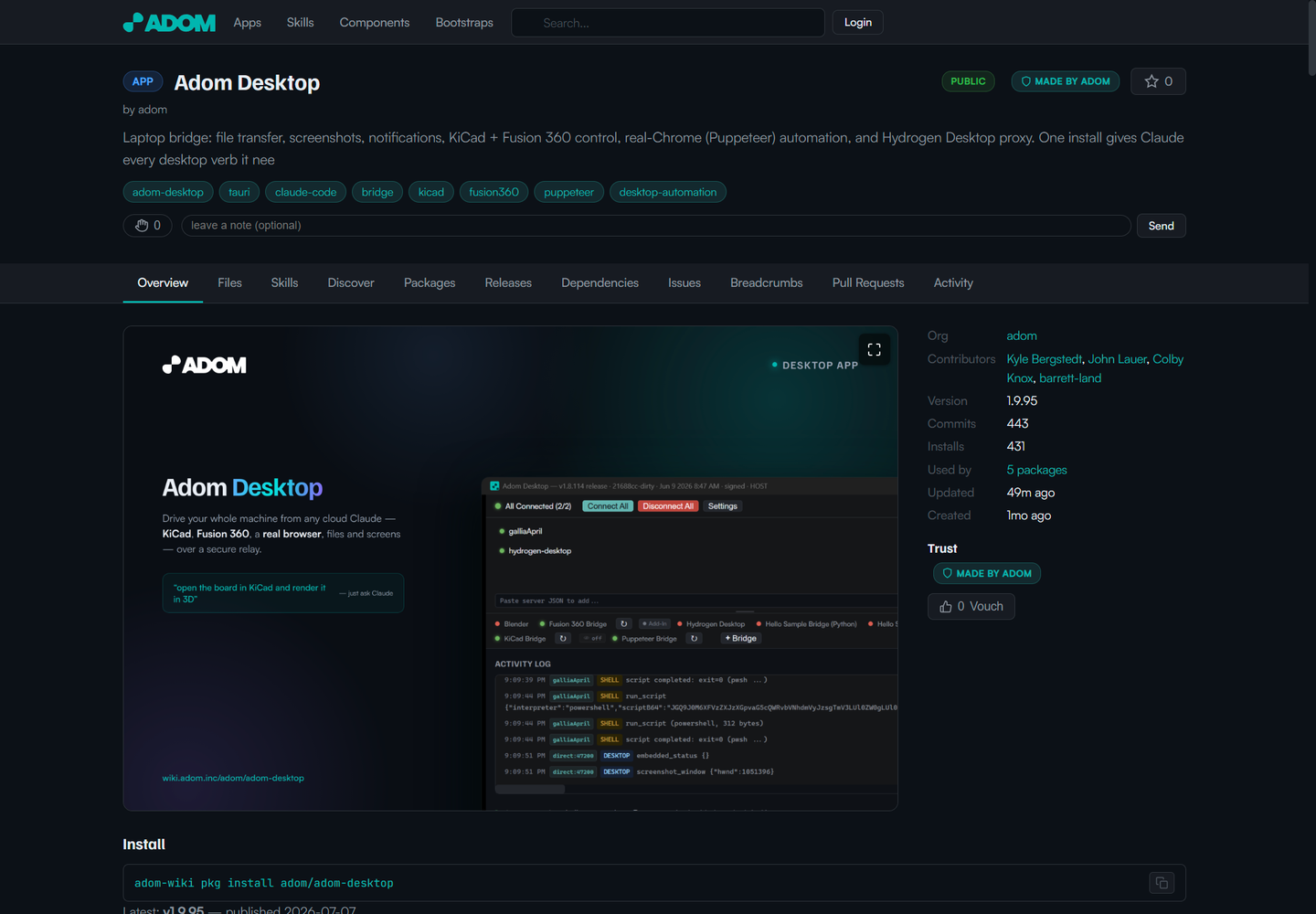
adom-desktop is an unusually complex page, because it hosts two different install artifacts for two different audiences, and a visitor cannot tell them apart from the compact cards:
- The Download card (the signed
.exe) is the Windows desktop app. A human installs it on the PC they want a cloud AI to reach. - The Install card (
adom-wiki pkg install adom/adom-desktop) is the Linux CLI plus the Claude skills. It installs inside a cloud container, and it is what drives the desktop above.
(There is also a third artifact, version.json, the auto-update manifest, which is not user facing at all.)
Today neither card carries a one-line explanation of what it is for. The real explanation lives further down in the README body ("Downloads" table), which a visitor scanning the two cards at the top never reads. So a new user sees a Windows .exe and a pkg install command sitting side by side with no signal that one is "for your PC" and the other is "for a container." That is the single most confusing thing on the page.
Request: let a page declare a short caption that renders directly under each card. For example:
- Render the release
titleorchangelogunder the Download card. (I set both on the 1.9.95 release, but they do not currently render on the card, so today there is no way to caption the exe at all.) - Render the pkg
description, or a newinstall_captionfield, under the Install card.
A single line under each card ("For your Windows PC" versus "For a Linux cloud container") would remove the most common point of confusion on this page. The attached screenshot shows the full page: rich content, but the two cards themselves are unlabeled.